





Question: how do I solve this Correct the function used in cell AZ to displaythelave! thenating column 4. On the Shopping List sheet, check all the

how do I solve this
how do I solve this Correct the function used in
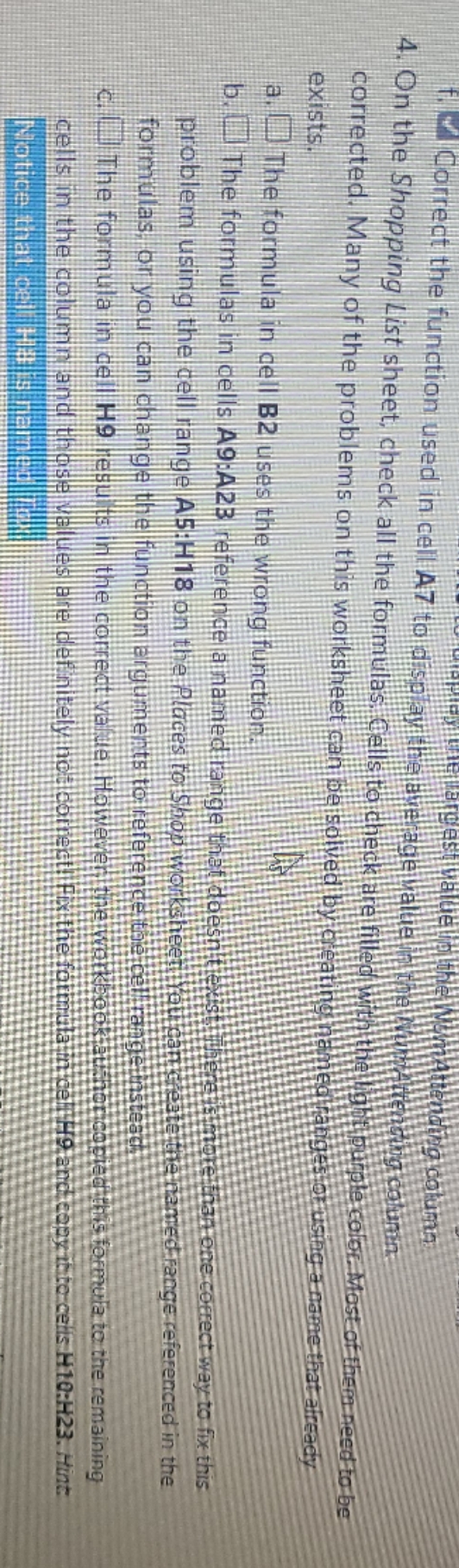
Correct the function used in cell AZ to displaythelave! thenating column 4. On the Shopping List sheet, check all the formulas, Calls to check are fills Renting column. Winithe light purple color. Most of them need to be corrected. Many of the problems on this worksheet can be solved by creating named ranges on using a name that already exists. a. I! The formula in cell B2 uses the wrong function. b. I'll The formulas in cells A9:A2B reference a mamed range that doesn'tie relthan one correct way to fix this problem using the cell range AS:H18 on the Places ro Soon Workshee e named range referenced in the formulas. on you can change the function arguments to reference theicet all The formula in call Ho results in the correct valde. However the work her copied this formula to the remaining cells in the column and those values are der nitely hot correct! Fix the formula in cell HO and copy into celis H10:123. Hint Notice that cel Hal

Step by Step Solution

There are 3 Steps involved in it

1 Expert Approved Answer
Step: 1 Unlock blur-text-image

Question Has Been Solved by an Expert!

Get step-by-step solutions from verified subject matter experts

Step: 2 Unlock
Step: 3 Unlock

Students Have Also Explored These Related Accounting Questions!