







Question: How to build Main activities and XML using JAVA on Android Studio to display a scrollable menu? Part 1 MainActivity - Create Menu Category (20%)
How to build Main activities and XML using JAVA on Android Studio to display a scrollable menu?
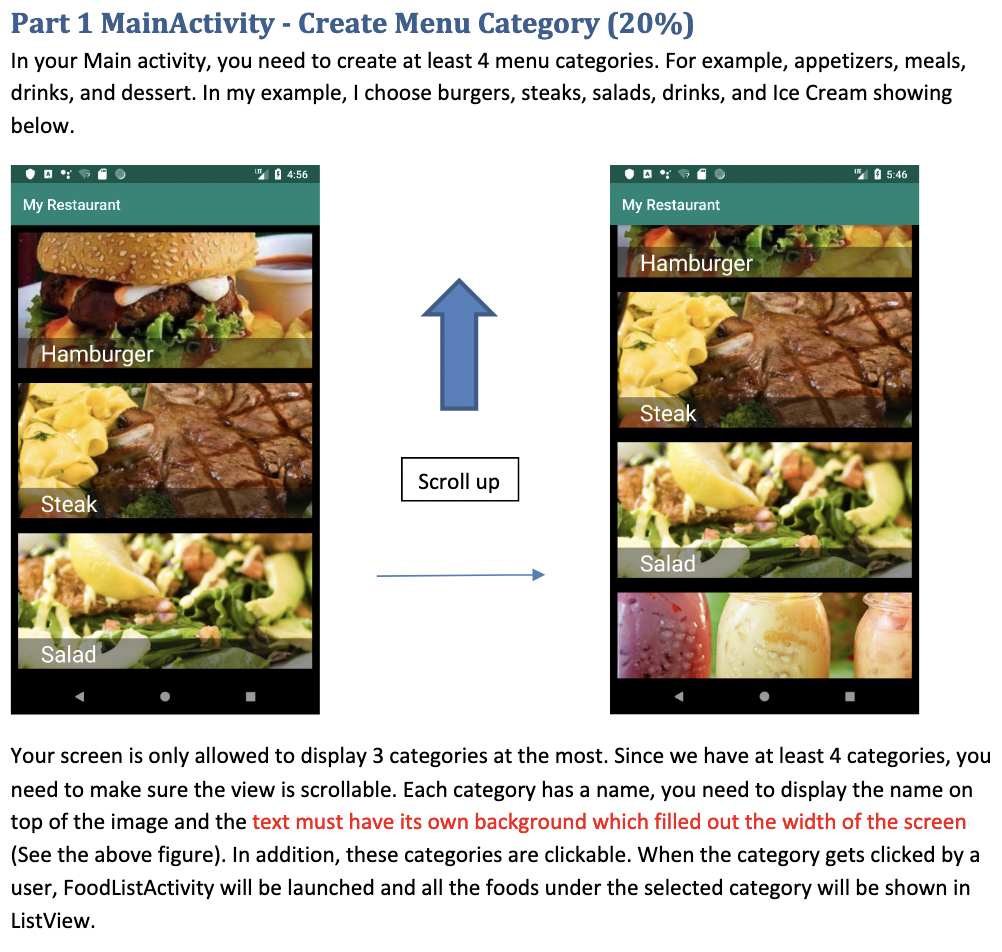
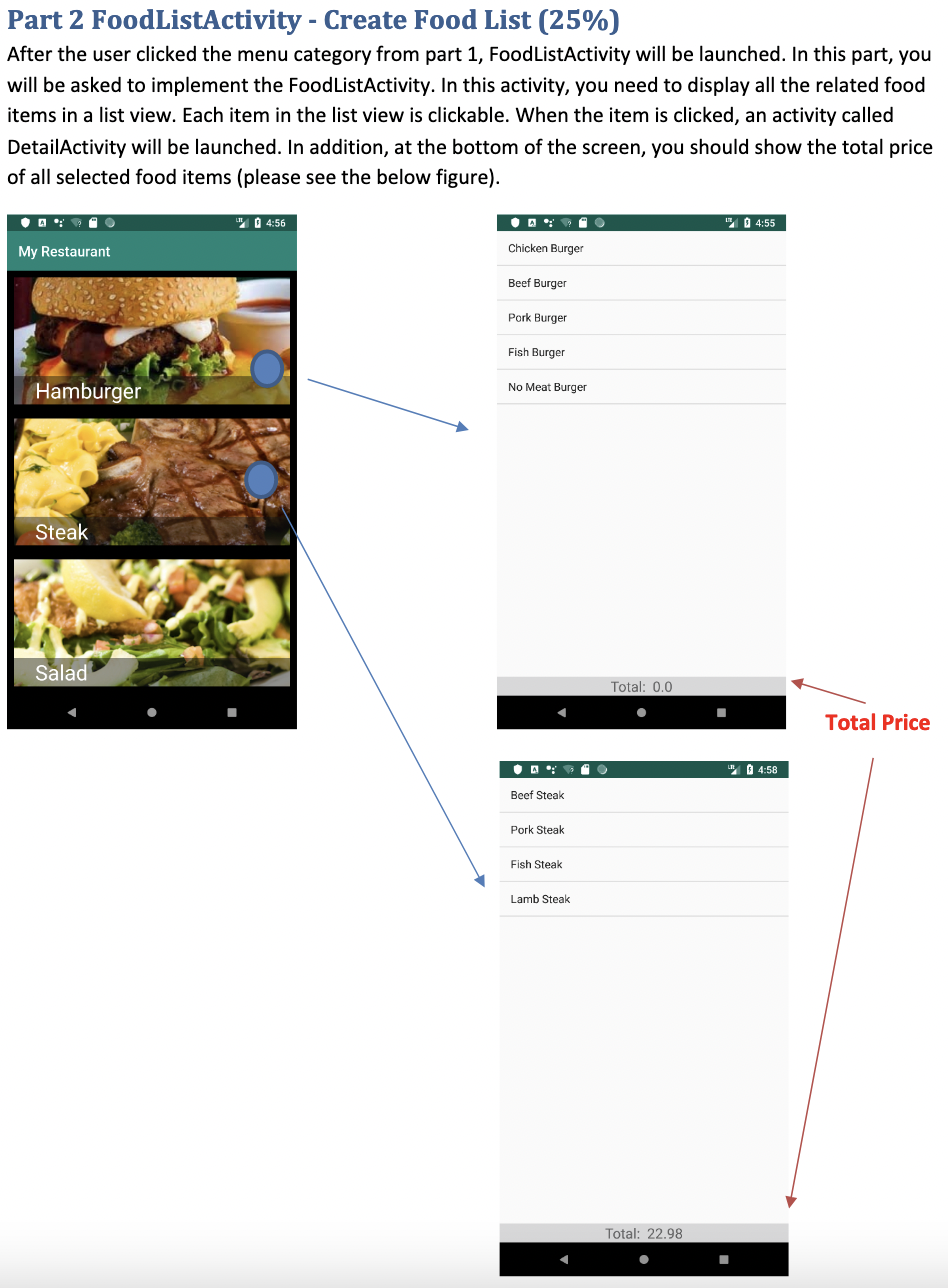
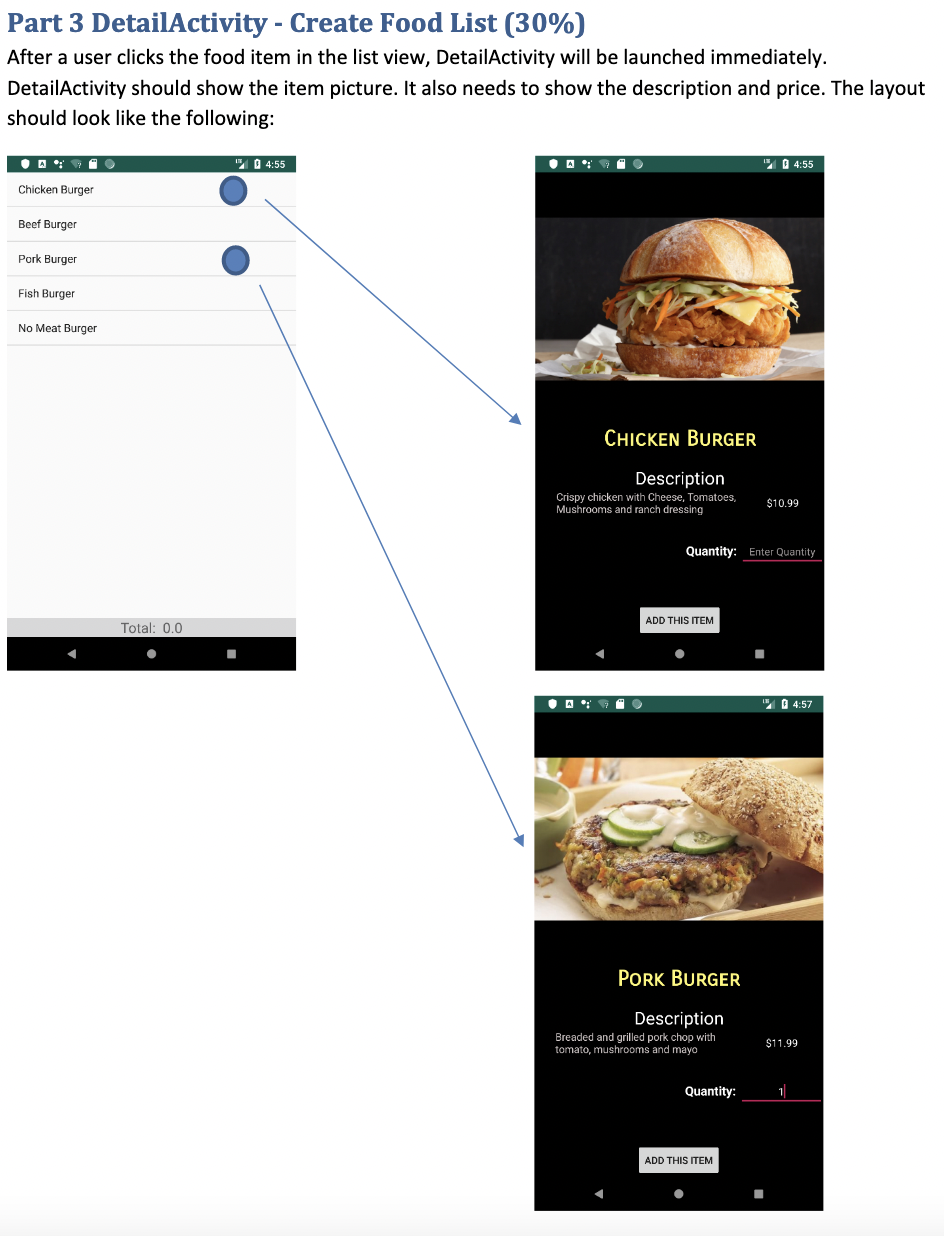
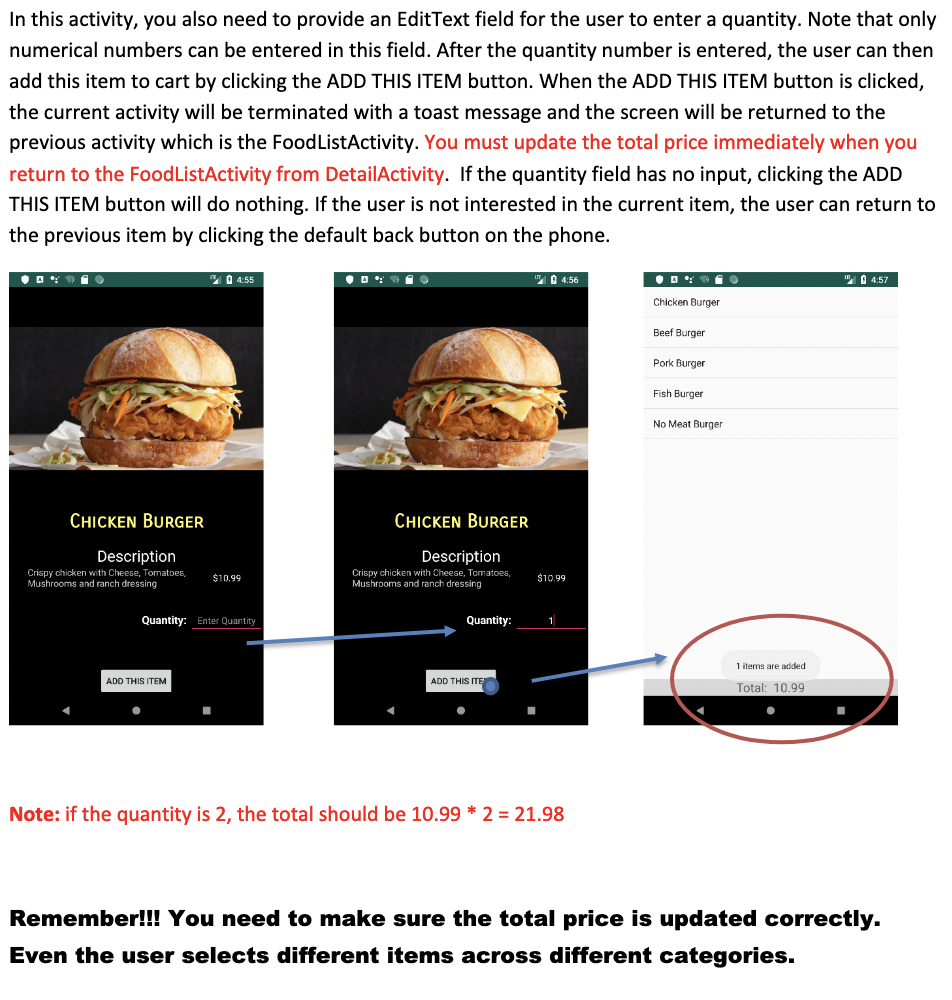
Part 1 MainActivity - Create Menu Category (20%) In your Main activity, you need to create at least 4 menu categories. For example, appetizers, meals, drinks, and dessert. In my example, I choose burgers, steaks, salads, drinks, and Ice Cream showing below. My Restaurant Hamburger Steak Salad 4:56 Scroll up My Restaurant Hamburger Steak Salad 5:46 Your screen is only allowed to display 3 categories at the most. Since we have at least 4 categories, you need to make sure the view is scrollable. Each category has a name, you need to display the name on top of the image and the text must have its own background which filled out the width of the screen (See the above figure). In addition, these categories are clickable. When the category gets clicked by a user, Food ListActivity will be launched and all the foods under the selected category will be shown in ListView.
Step by Step Solution
3.40 Rating (150 Votes )
There are 3 Steps involved in it
Written upto R5 include using namespace std static int i0j0 struct FoodOrders char tit... View full answer

Get step-by-step solutions from verified subject matter experts
 Study Help