







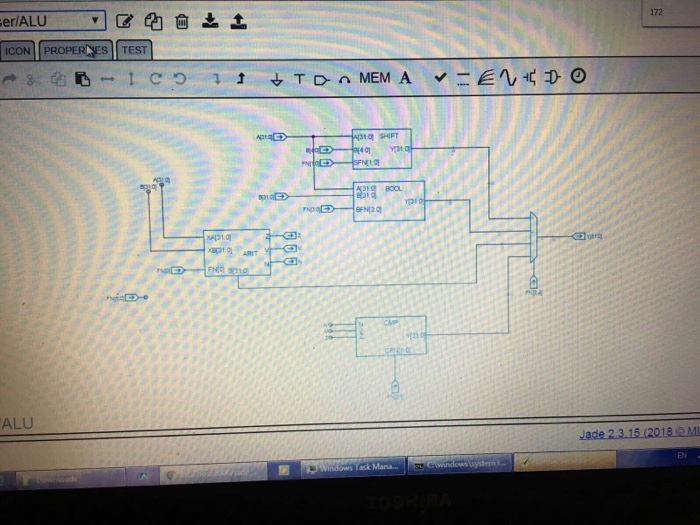
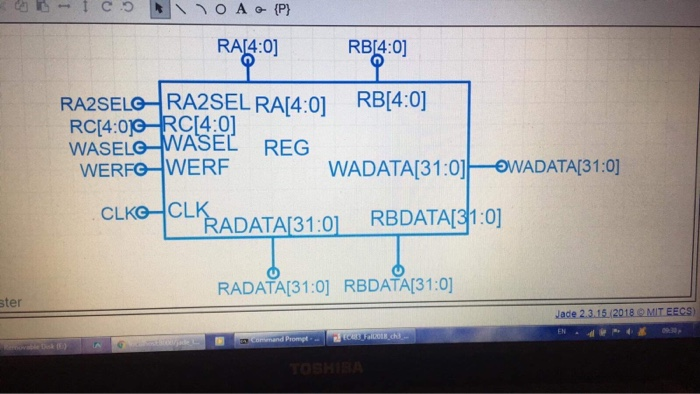
Question: How to draw a control unit using the program jade master with the information that I have painted alu and register 172 erALU ICON PROPERNES
![ICON PROPERNES TEST ' .pi ALU EN RA[4:0] RB 4:0] RB64:0 RA2SELO](https://s3.amazonaws.com/si.experts.images/answers/2024/08/66d191b26a522_35366d191b1c247b.jpg)
![RA2SEL RAA:01 RBA:01 WASELO WASEL REG WERFG WERF WADATA3 1 :01-WADATA[31:0] CLK-CLADATA31:01](https://s3.amazonaws.com/si.experts.images/answers/2024/08/66d191b355554_35466d191b2abd65.jpg)
172 erALU ICON PROPERNES TEST ' .pi ALU EN RA[4:0] RB 4:0] RB64:0 RA2SELO RA2SEL RAA:01 RBA:01 WASELO WASEL REG WERFG WERF WADATA3 1 :01-WADATA[31:0] CLK-CLADATA31:01 REDATAd10] ADATAI31:01 RBDATAI31:01 RADATAI31:0] RBDATAI31:0] ster Jade 2.3.15 /2018 OMIT EECS 01 30-5 RG4 WERF ck WASEL WESEL egister Prompt 01 30-5 RG4 WERF ck WASEL WESEL egister Prompt 172 erALU ICON PROPERNES TEST ' .pi ALU EN RA[4:0] RB 4:0] RB64:0 RA2SELO RA2SEL RAA:01 RBA:01 WASELO WASEL REG WERFG WERF WADATA3 1 :01-WADATA[31:0] CLK-CLADATA31:01 REDATAd10] ADATAI31:01 RBDATAI31:01 RADATAI31:0] RBDATAI31:0] ster Jade 2.3.15 /2018 OMIT EECS 01 30-5 RG4 WERF ck WASEL WESEL egister Prompt 01 30-5 RG4 WERF ck WASEL WESEL egister Prompt
Step by Step Solution
There are 3 Steps involved in it

Get step-by-step solutions from verified subject matter experts
 Study Help