Question: How would I implement a login/register program in Java using a text file? Program will read from the text file to see if user exists

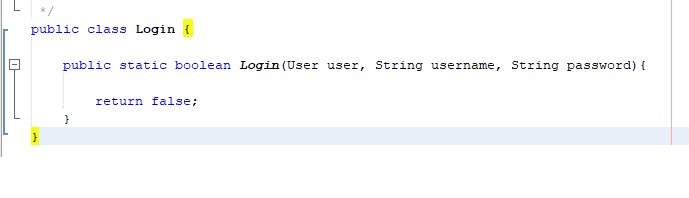
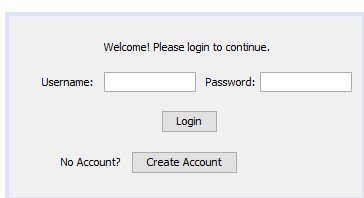
How would I implement a login/register program in Java using a text file? Program will read from the text file to see if user exists and can successfully login, if not, it will add a user to the text file. Here are the images of the GUI and the login class.

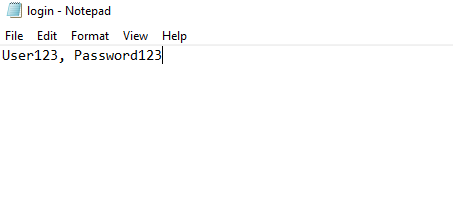
Text file
How would I implement a login/register program in Java using a text

Login class java code I have so far

file? Program will read from the text file to see if user

GUI of the login page

exists and can successfully login, if not, it will add a user

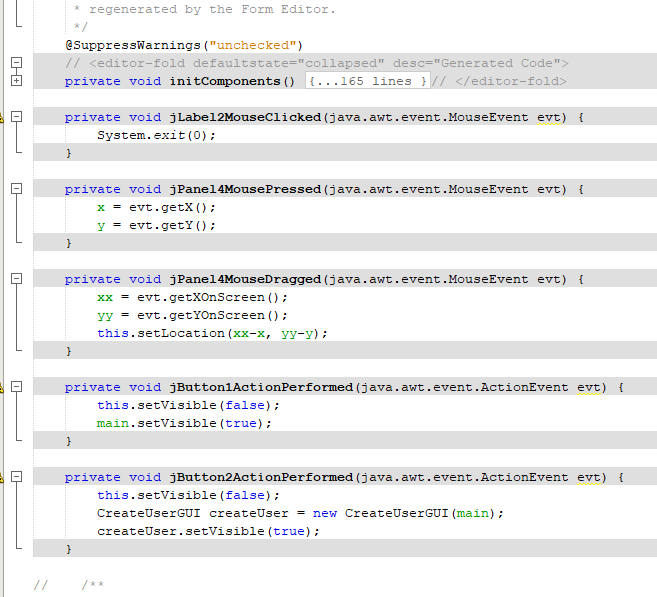
Code for GUI:

to the text file. Here are the images of the GUI and

login - Notepad File Edit Format View Help User123, Password123 public class Login { public static boolean Login (User user, String username, String password) { return false; } Welcome! Please login to continue. Username: Password: Login No Account? Create Account * regenerated by the Form Editor. */ SuppressWarnings ("unchecked") // private void initComponents() {...165 lines } // private void jLabel2MouseClicked (java.awt.event.MouseEvent evt) { System.exit(0); } private void jPanel 4MousePressed (java.awt.event.MouseEvent evt) { x = evt.getX(); y = evt.getY(); private void jPanel 4MouseDragged (java.awt.event.MouseEvent evt) { xx = evt.getxonScreen(); yy = evt.getYOnScreen(); this.setLocation (xx-x, yv-v); } n private void jButton ActionPerformed (java.awt.event. ActionEvent evt) { this.setVisible(false); main. setVisible(true); private void jButton2ActionPerformed (java.awt.event. ActionEvent evt) { this.setVisible(false); CreateUserGUI createUser = new CreateUserGUI (main); createUser.setVisible(true); login - Notepad File Edit Format View Help User123, Password123 public class Login { public static boolean Login (User user, String username, String password) { return false; } Welcome! Please login to continue. Username: Password: Login No Account? Create Account * regenerated by the Form Editor. */ SuppressWarnings ("unchecked") // private void initComponents() {...165 lines } // private void jLabel2MouseClicked (java.awt.event.MouseEvent evt) { System.exit(0); } private void jPanel 4MousePressed (java.awt.event.MouseEvent evt) { x = evt.getX(); y = evt.getY(); private void jPanel 4MouseDragged (java.awt.event.MouseEvent evt) { xx = evt.getxonScreen(); yy = evt.getYOnScreen(); this.setLocation (xx-x, yv-v); } n private void jButton ActionPerformed (java.awt.event. ActionEvent evt) { this.setVisible(false); main. setVisible(true); private void jButton2ActionPerformed (java.awt.event. ActionEvent evt) { this.setVisible(false); CreateUserGUI createUser = new CreateUserGUI (main); createUser.setVisible(true)

Step by Step Solution

There are 3 Steps involved in it

1 Expert Approved Answer
Step: 1 Unlock blur-text-image
Question Has Been Solved by an Expert!

Get step-by-step solutions from verified subject matter experts

Step: 2 Unlock
Step: 3 Unlock

Students Have Also Explored These Related Databases Questions!