







Question: html help Case Problem 1 DataFiles needed for this Case Problern: tc cart_txt.htmi, tc cart txt4% tcorder_tti a 8 PNG files rder txt.js, 2 CSS
html help
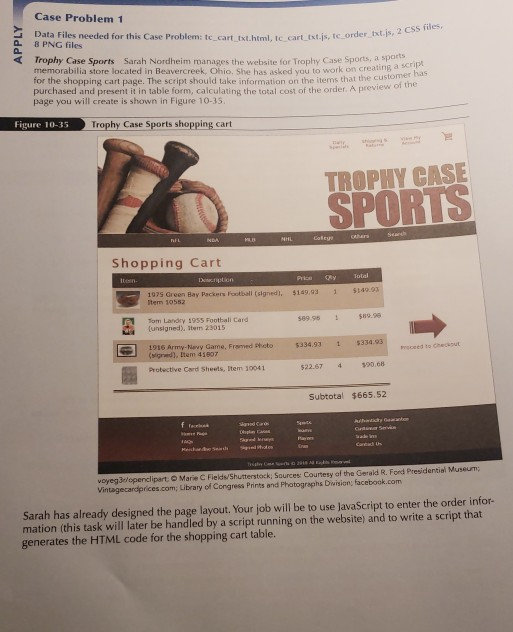
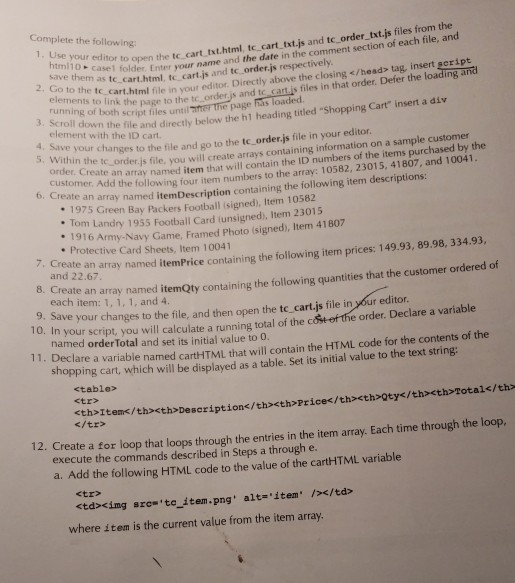
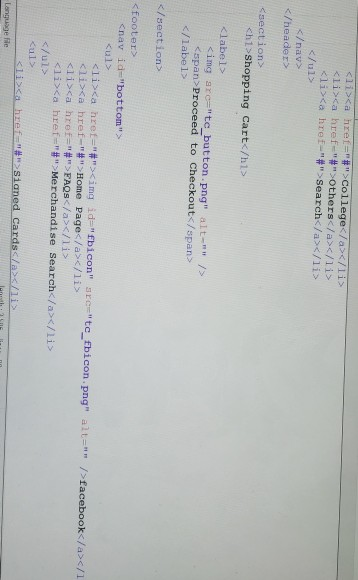
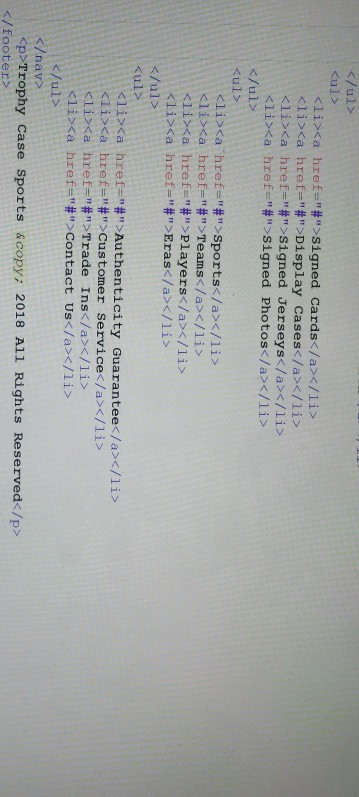
Case Problem 1 DataFiles needed for this Case Problern: tc cart_txt.htmi, tc cart txt4% tcorder_tti a 8 PNG files rder txt.js, 2 CSS files, Trophy Case Sports Sarah Nordheim manages the website for Trophy Case Sports, a spars memorabilia store located in Beavercreek, Ohio. She has asked you to work on creating a for the shopping cart page. The script should take information on purchased and present it in table form, calculating the total cost of the order. A preview o page you will create is shown in Figure 10-35 has the items that the customer f the Figure 10-35 Trophy Case Sports shopping cart TROPHY CASE SPORTS Shopping Cart Price Total 075 Green Bay Packers Football (signed), $149,93 tem 105s2 $149.93 1 1om Landry 19ss Footbali Card (unsigned), stem 23015 589.98$89.98 1916 Army-Nevy Game, Framed Photo $ 334.931 $334 igred), Item 41807 Protective Card Sheets, Item 30041 Prsceed to 22.67 4 $0.68 Subtotal $665.52 voyeg3elopenclipart O Marie C Fields/Shutterstock; Sources Courtesy af the Gerald R. Ford Presidential Museunm Vintagecardprices.com, Library of Congress Prints and Photographs Diwision, facebook.com Sarah has already designed the page layout. Your job will be to use JavaScript to enter the order infor- mation (this task will later be handled by a script running on the website) and to write a script that generates the HTML code for the shopping cart table. Complete the following: to open the tc cart txt.html, tc cart txt.js and tc order txt.js files from the as t older Enter your name and the date in the comment section of each file, an 1, Use your editor tecart.html, tc cart.js and tc order.js respectively ink the page to the tc order.js and tc cart.is files in that order. Defer the loading and 2. Go to te cart html file in your editor. Directly above the closing tag, insert geript running of both script files unti element with the ID cart. Within the tc e page 3. Scroll wn the file and directly below the h1 heading titled Shopping Cart" insert a div 4. Save your order.js file, you will create arrays containing information on a sample customer an array named item that will contain the ID numbers of the items purchased by the the following four item numbers to the array: 10582, 23015, 41807, and 10041. hanges to the file and go to the tc_order.js file in your editor. ustomer. Add 6. Create an array named itemDescription containing the following item descriptions: nam 1975 Green Bay Packers Football (signed), Item 10582 Landry 1955 Football Card (unsigned), Item 23015 Army-Navy Game, Framed Photo (signed, Item 41807 . 1916 Protective Card Sheets, Item 10041 7. Create an and 22.67 array named itemPrice containing the following item prices: 149.93, 89.98, 334.93, te an array named itemQty containing the following quantities that the customer ordered of each item: 1, 1, 1, and 4. . Save your changes to the file, and then open the tc cart.js file in your editor. 0. In your script, you will calculate a running total of the c e order. Declare a variable named order Total and set its initial value to 0 11. Declare a variabl e named cartHTML that will contain the HTML code for the contents of the ing cart, which will be displayed as a table. Set its initial value to the text string
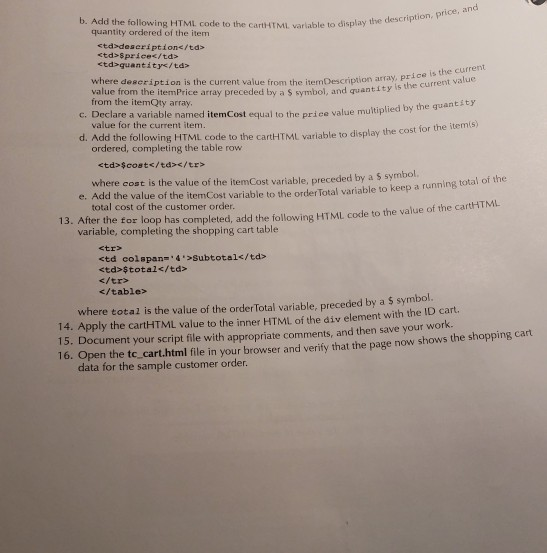
| oty | Total | 12. Create a for loop that loops through the entries in the item array. Each time through the loop. execute the commands described in Steps a through e a. Add the following HTML code to the value of the cartHITML variable trcimg src to item.png' alt-'item />x/td> where item is the current value from the item array. b. Add the following HTML code to the cart-itML varlable to display the description. rice, and quantity ordered of the item | deseription | spricec/td> | $cost/tr> where cost is the value of the itemCost variable, preceded by a s symbol. total cost of the customer order. e. Add the value of the itemCost variable to the order Total variable to keep a running total of the 13. After the tor loop has completed, add the following HTML code to the value of the cartHTML variable, completing the shopping cart table | td>total | |
|---|
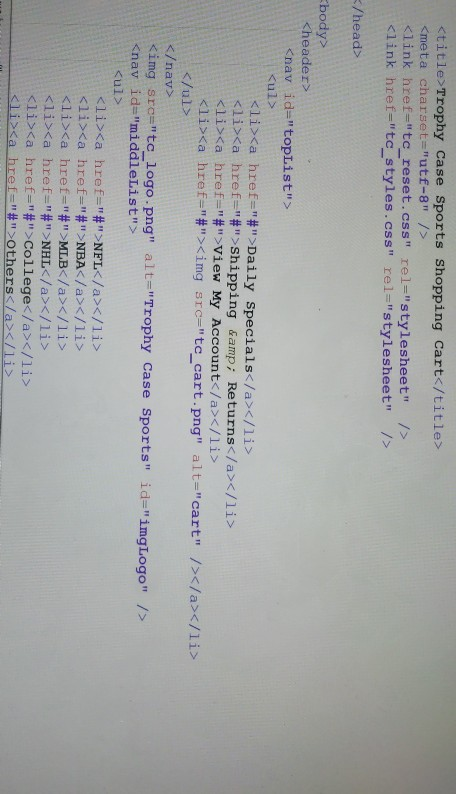
where total is the value of the orderTotal variable, preceded by a $ symbol. 14. Apply the cartHTML value to the inner HTML of the div element with the ID cart. 15. Document your script file with appropriate comments, and then save your work. 16. Open the tc, cart.html file in your browser and verify that the page now shows the shopping cart data for the sample customer order. Ktitle Trophy case sports shopping cart ' /head body> nav Daily Specials href="#">Shipping Returns a &
av> mg srce " tc-logo.png"
Step by Step Solution
There are 3 Steps involved in it

Get step-by-step solutions from verified subject matter experts
 Study Help