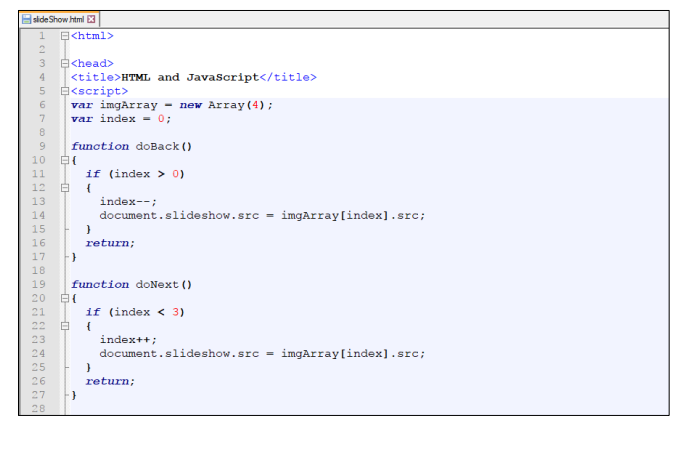
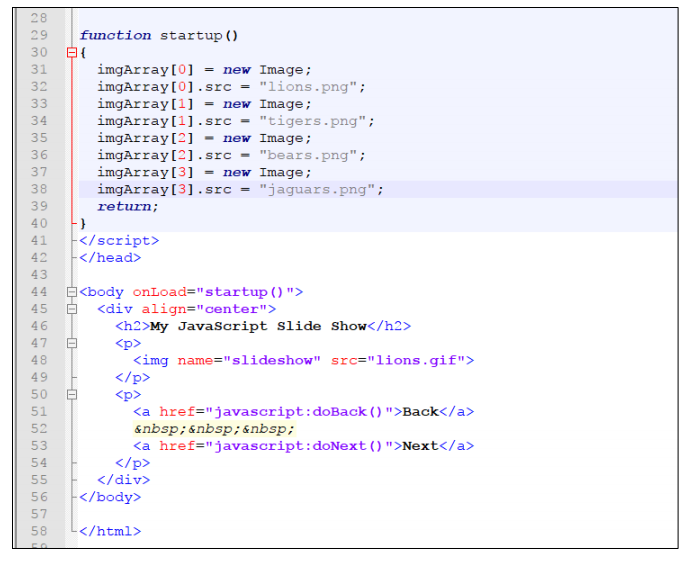
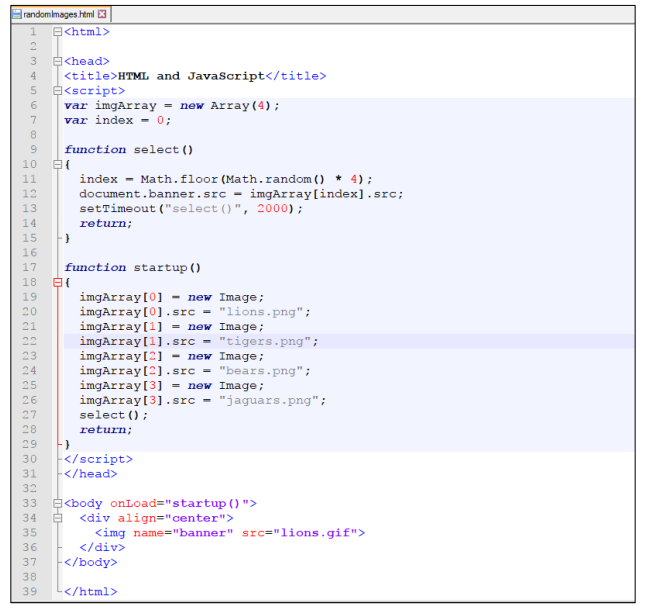
Question: HTML put in text 1. 2. 3. html> | HTML var imgArray 3 and JavaScript -new Array (4); 6 var index-0 function cycle ) document.banner.src-imgArray[index].src;

HTML put in text

1.
HTML put in text 1. 2. 3. html> | HTML var

2.

HTML put in text 1. 2. 3. html> | HTML var

HTML put in text 1. 2. 3. html> | HTML var

3.

HTML put in text 1. 2. 3. html> | HTML var

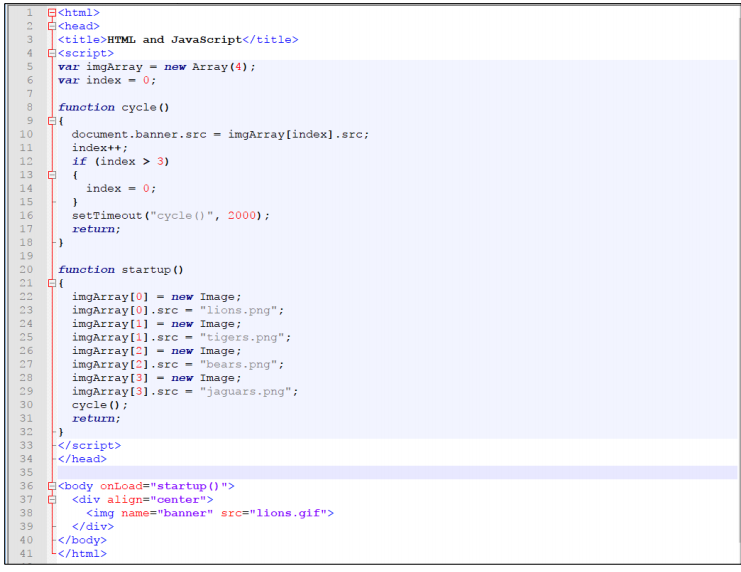
html> | HTML <script> var imgArray 3 and JavaScript</script> -new Array (4); 6 var index-0 function cycle ) document.banner.src-imgArray[index].src; indext+ if (index > 3) 10 12 13 14 15 16 17 index = 0; setTimeout ("cycle)", 2000) return; 19 20 function startup ) 21{ imgArray[0new Image; imgArray [0].src-ions.png" imgArray[inew Image; imgArray[11src"tigers.png" imgArray[2new Image; imgArray[2].src-"bears.png" imgArray[3new Image; imgArray[3].src = "jaguars.png"; cycle ) return; 23 24 25 26 27 29 30 31 32 33 . 34 35 36 37 38 39 40 41 K/html> align= " center"> name="banner"

Step by Step Solution

There are 3 Steps involved in it

1 Expert Approved Answer
Step: 1 Unlock blur-text-image

Question Has Been Solved by an Expert!

Get step-by-step solutions from verified subject matter experts

Step: 2 Unlock
Step: 3 Unlock

Students Have Also Explored These Related Databases Questions!