







Question: I am having issues with my Java and SQL code running together, I don't know if my formatting in my SQL code is correct either.
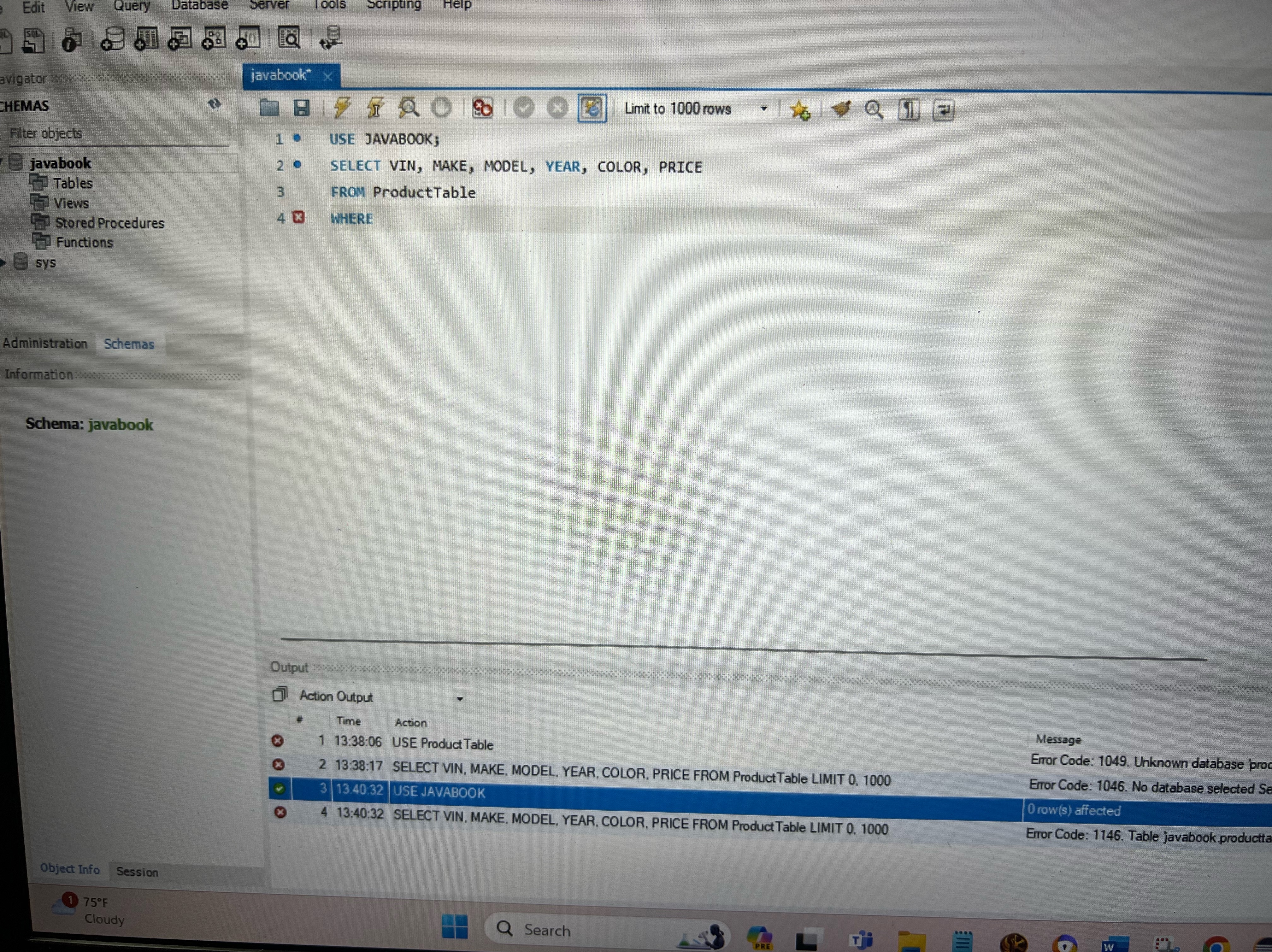
I am having issues with my Java and SQL code running together, I don't know if my formatting in my SQL code is correct either. my java code is: import javafx.application.Application;
import javafx.geometry.Insets;
import javafx.scene.Scene;
import javafx.scene.control.;
import javafx.scene.layout.GridPane;
import javafx.stage.Stage;
import java.sql;
import java.util.ArrayList;
import java.util.List;
public class ProductTable extends Application
private Connection connection;
private void initializeDBConnection
MySQL database credentials
String url jdbc:mysql:localhost:javabook;
String user "scott";
String password "tiger";
try
connection DriverManager.getConnectionurl user, password;
catch SQLException excep
excep.printStackTrace;
@Override
public void startStage primaryStage
initialize database connection
initializeDBConnection;
created CheckBoxs
CheckBox checkVin new CheckBoxVin;
CheckBox checkMake new CheckBoxMake;
CheckBox checkModel new CheckBoxModel;
CheckBox checkYear new CheckBoxYear;
CheckBox checkColor new CheckBoxColor;
CheckBox checkPrice new CheckBoxPrice;
TextField WhereClause new TextField;
WhereClause.setPromptTextwhere;
TextArea textArea new TextArea;
Button btnExecute new ButtonExecute Query";
btnExecute.setOnActionevent executeQuerycheckVin checkMake, checkModel, checkYear, checkColor, checkPrice, WhereClause, textArea;
GridPane layout
GridPane gridPane new GridPane;
gridPane.setVgap;
gridPane.setHgap;
gridPane.setPaddingnew Insets;
gridPane.addcheckVin;
gridPane.addcheckMake;
gridPane.addcheckModel;
gridPane.addcheckYear;
gridPane.addcheckColor;
gridPane.addcheckPrice;
gridPane.addWhereClause;
gridPane.addbtnExecute;
gridPane.addtextArea;
Scene layout
Scene scene new ScenegridPane;
primaryStage.setTitleSelect fields of Products Table to Display";
primaryStage.setScenescene;
primaryStage.show;
private void executeQueryCheckBox checkVin, CheckBox checkMake, CheckBox checkModel, CheckBox checkYear, CheckBox checkColor, CheckBox checkPrice, TextField WhereClause, TextArea textArea
List fields new ArrayList;
if checkVinisSelected fields.addVin;
if checkMakeisSelected fields.addMake;
if checkModelisSelected fields.addModel;
if checkYearisSelected fields.addYear;
if checkColorisSelected fields.addColor;
if checkPriceisSelected fields.addPrice;
String query "SELECT String.join fields FROM Products";
if WhereClause.getTextisEmpty
query WHERE WhereClause.getText;
try Statement stmt connection.createStatement;
ResultSet rset stmtexecuteQueryquery
StringBuilder sbuild new StringBuilder;
while rsetnext
for String field : fields
sbuild.appendrsetgetStringfieldappendt;
sbuild.append
;
textArea.setTextsbuildtoString;
catch SQLException excep
excep.printStackTrace;
public static void mainString args
launchargs;
Step by Step Solution
There are 3 Steps involved in it
1 Expert Approved Answer
Step: 1 Unlock

Question Has Been Solved by an Expert!
Get step-by-step solutions from verified subject matter experts
Step: 2 Unlock
Step: 3 Unlock
 Study Help