







Question: I cannot get these elements to sit next to one another. Here is a screenshot, the HTML and CSS I've tried. HTML div class= pres_bios
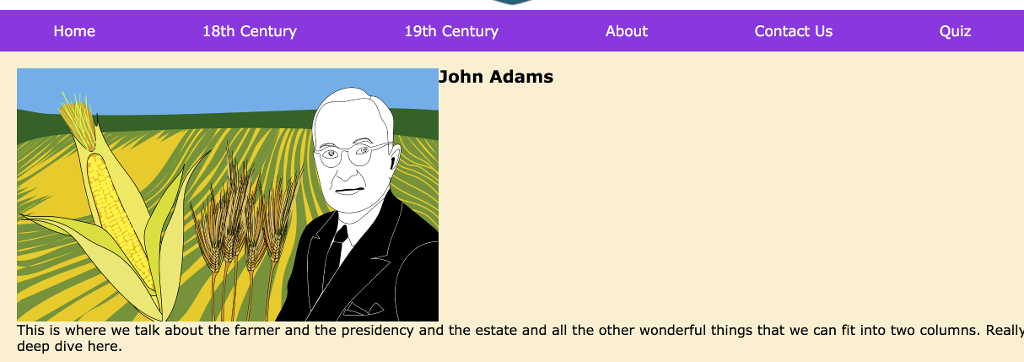
I cannot get these elements to sit next to one another. Here is a screenshot, the HTML and CSS I've tried.
HTML
div class="pres_bios"> img src="images/truman.png" width="320px" height="200px" alt="John Adams" class="pres_portraits"/> h2>John Adamsh2> p> This is where we talk about the farmer and the presidency and the estate and all the other wonderful things that we can fit into two columns. Really a deep dive here.p> div>
CSS
/* Styles for bio pages */ .pres_bios { width: 100%; margin: 20px; display: flex; flex-wrap: wrap; } .pres_bios img { width: 500px; height: 300px; display: flex; float:left; } Home 18th Century 19th Century About Contact Us Quiz John Adams This is where we talk about the farmer and the presidency and the estate and all the other wonderful things that we can fit into two columns. Really deep dive here
Step by Step Solution
There are 3 Steps involved in it
1 Expert Approved Answer
Step: 1 Unlock

Question Has Been Solved by an Expert!
Get step-by-step solutions from verified subject matter experts
Step: 2 Unlock
Step: 3 Unlock
 Study Help