







Question: i can't run this python code game, please help with the steps i installed the libraries in cmd pip install tensorflow pip install keras pip
i can't run this python code game, please help with the steps
i installed the libraries in cmd
pip install tensorflow
pip install keras
pip install pandas
pip install numpy
and running the python file in visual studio code, windows 10
what to do to make it run perfectly?
screenshot of the error part:
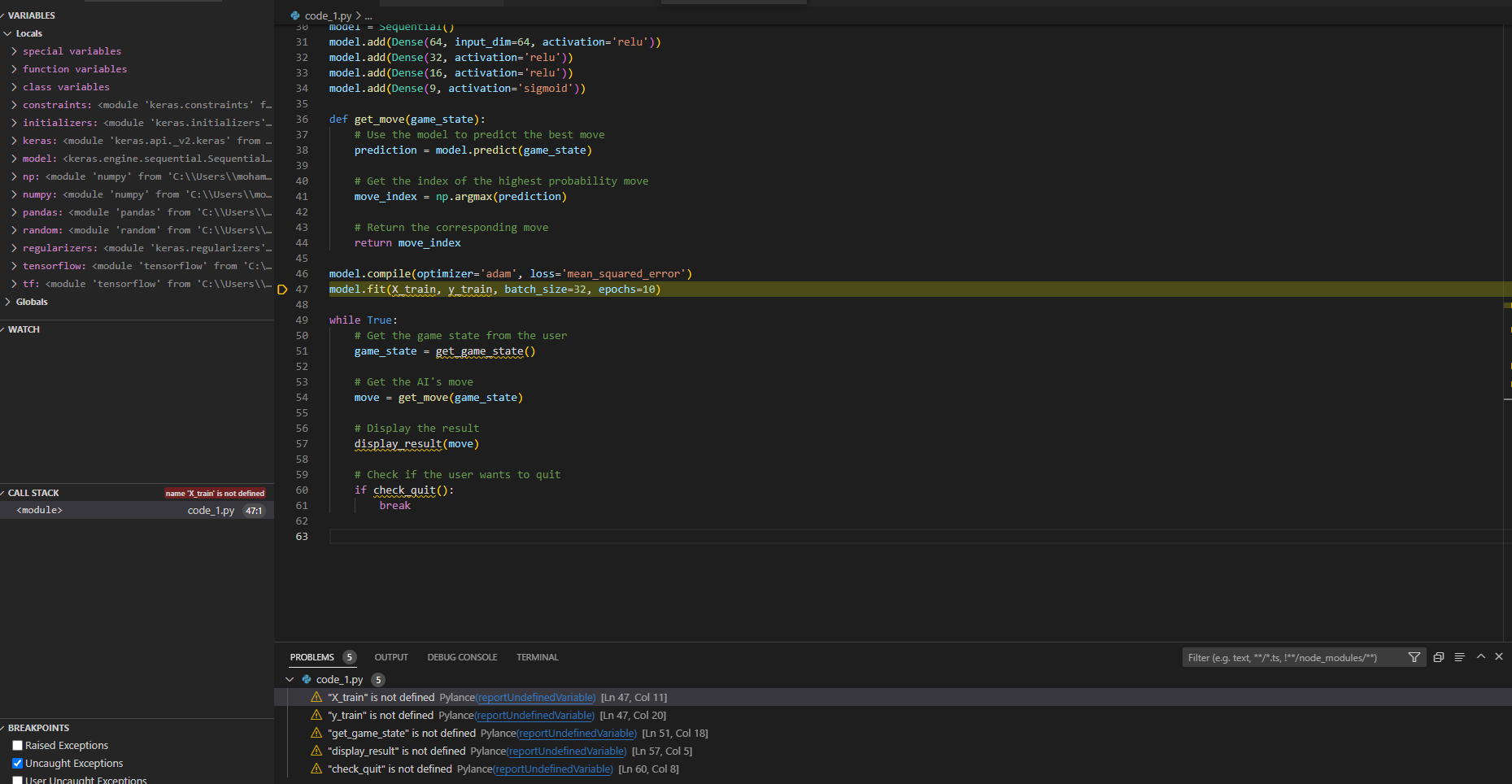
Python Code:
=================================
import tensorflow
import keras
import pandas
import numpy
from keras import initializers
from keras import regularizers
from keras import constraints
from tensorflow.python.keras.layers import Input, Dense
from keras.models import Sequential
from keras.layers import Dense, Activation
import tensorflow as tf
from tensorflow import keras
import numpy as np
model = Sequential()
model.add(Dense(2, init='uniform', input_dim=64))
model.add(Activation('softmax'))
model = Sequential()
model.add(Dense(64, input_dim=64, activation='relu'))
model.add(Dense(32, activation='relu'))
model.add(Dense(16, activation='relu'))
model.add(Dense(9, activation='sigmoid'))
def get_move(game_state):
# Use the model to predict the best move
prediction = model.predict(game_state)
# Get the index of the highest probability move
move_index = np.argmax(prediction)
# Return the corresponding move
return move_index
model.compile(optimizer='adam', loss='mean_squared_error')
model.fit(X_train, y_train, batch_size=32, epochs=10)
while True:
# Get the game state from the user
game_state = get_game_state()
# Get the AI's move
move = get_move(game_state)
# Display the result
display_result(move)
# Check if the user wants to quit
if check_quit():
break
Step by Step Solution
There are 3 Steps involved in it

Get step-by-step solutions from verified subject matter experts
 Study Help