







Question: I dont know what to do for this question on Excel? X8g9b49XZPCblYSTtvgiwRgtrl9HKQjV2cI2HO... 1.00 Point: XL Activity 2.09: Using the hare IF Function In cell F15,
I dont know what to do for this question on Excel?
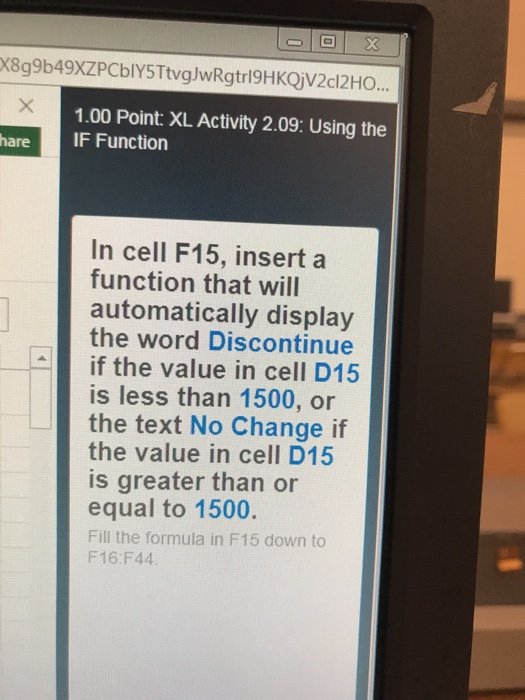
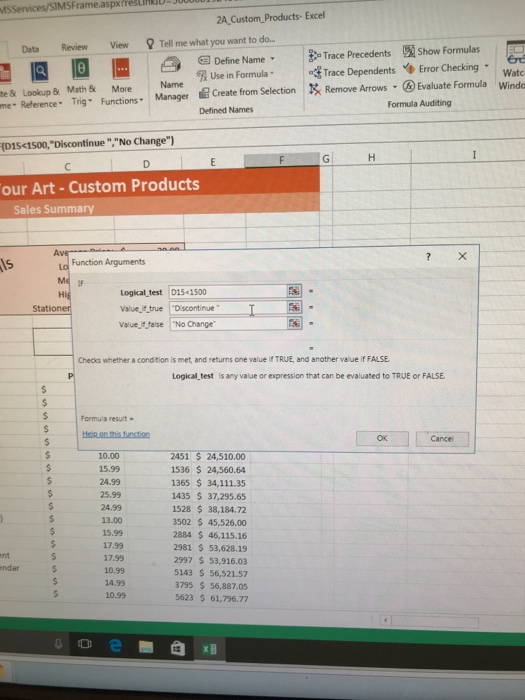
X8g9b49XZPCblYSTtvgiwRgtrl9HKQjV2cI2HO... 1.00 Point: XL Activity 2.09: Using the hare IF Function In cell F15, insert a function that will automatically display the word Discontinue if the value in cell D15 is less than 1500, or the text No Change if the value in cell D15 is greater than or equal to 1500 Fill the formula in F15 down to F16:F44
Step by Step Solution
There are 3 Steps involved in it
1 Expert Approved Answer
Step: 1 Unlock

Question Has Been Solved by an Expert!
Get step-by-step solutions from verified subject matter experts
Step: 2 Unlock
Step: 3 Unlock
 Study Help