







Question: I have a question about Java. This is earlier exercise Please help me complete the codeThank you! ... 1. Complete the TrafficLight class to draw
I have a question about Java.
This is "earlier exercise"
 Please help me complete the codeThank you!
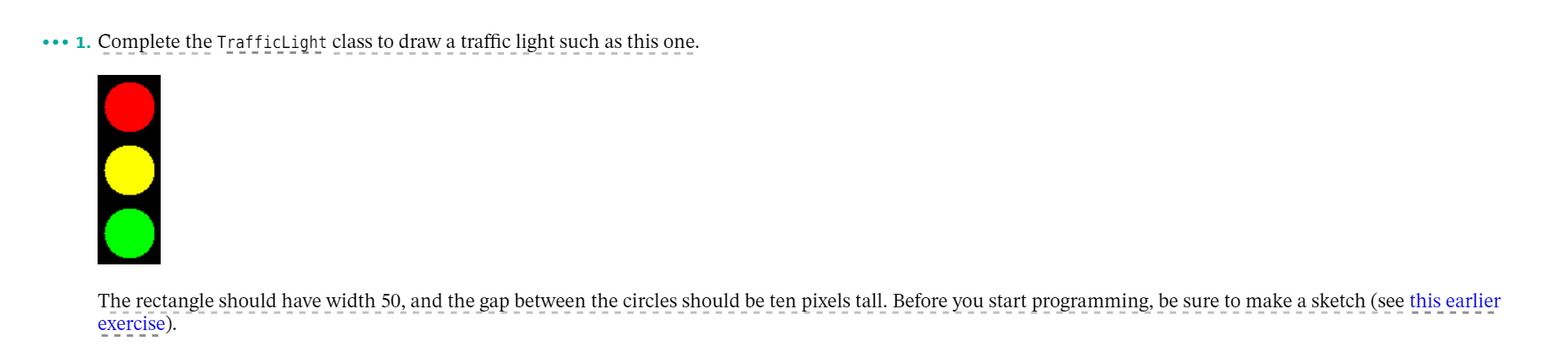
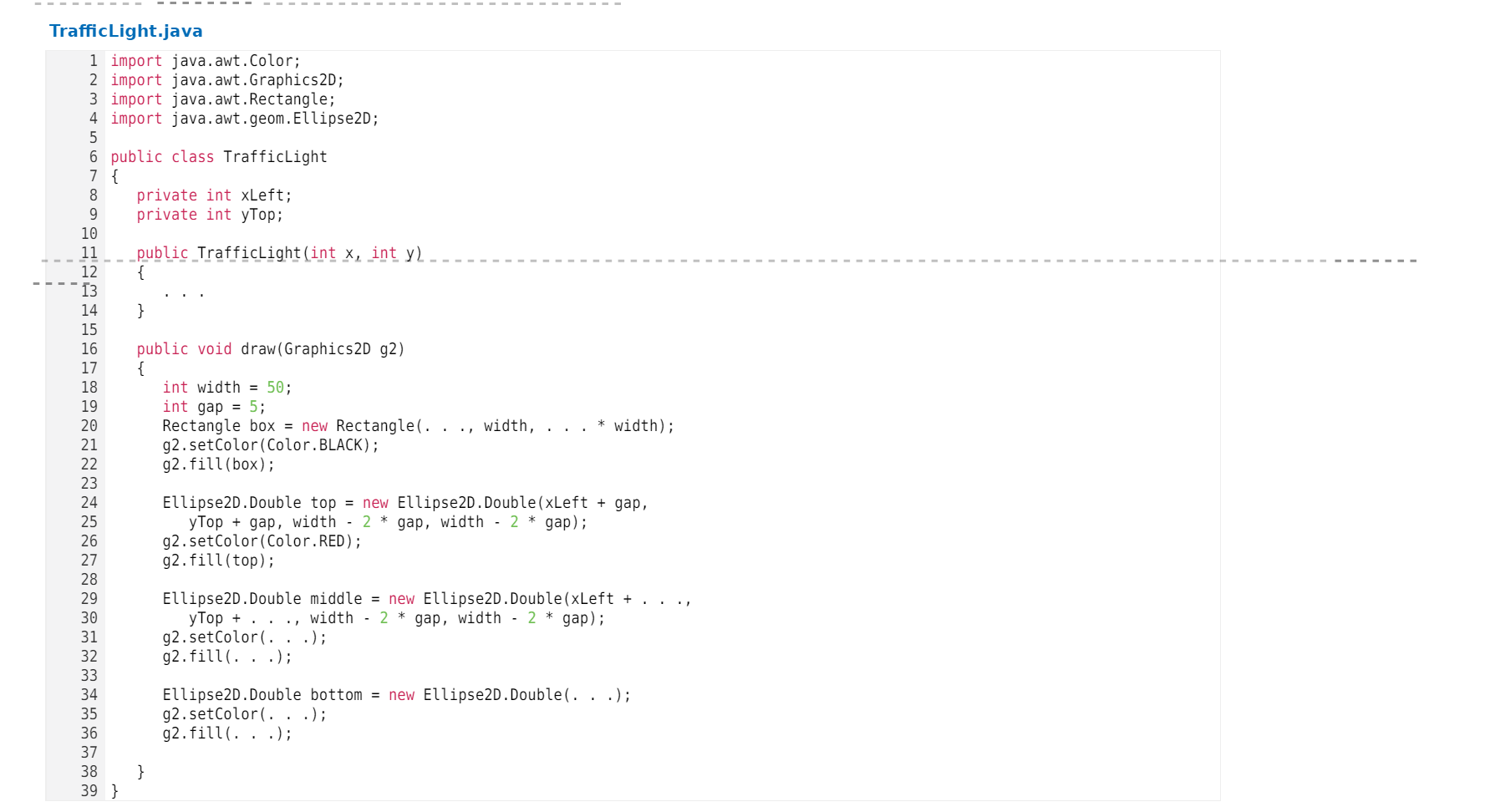
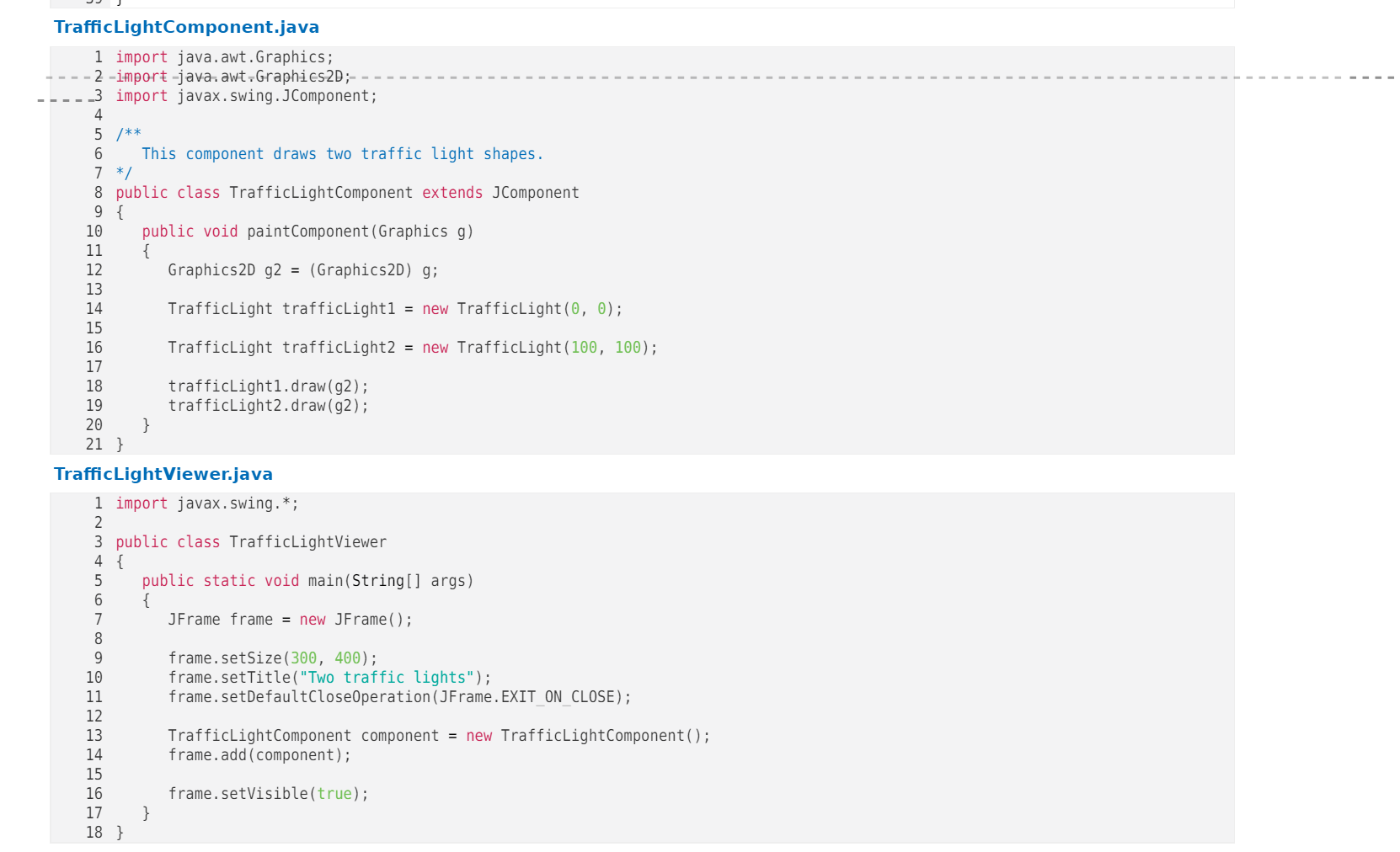
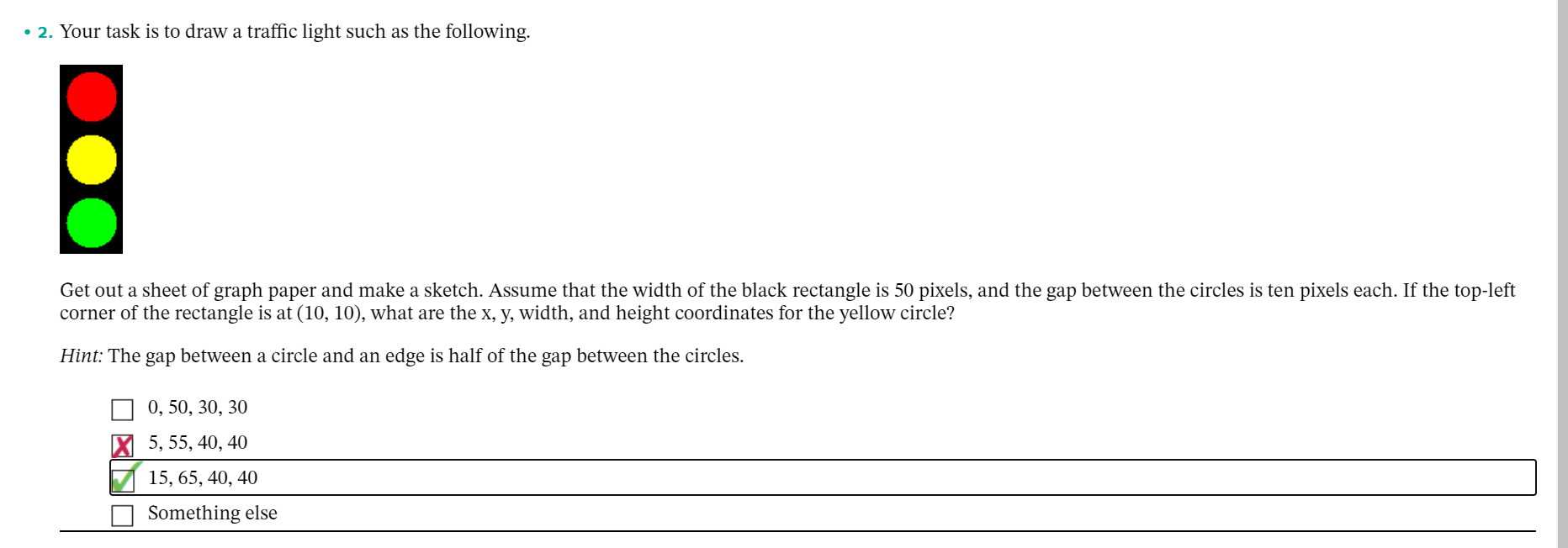
... 1. Complete the TrafficLight class to draw a traffic light such as this one. The rectangle should have width 50, and the gap between the circles should be ten pixels tall. Before you start programming, be sure to make a sketch (see this earlier exercise). Traffic Light.java 1 import java.awt.Color; 2 import java.awt.Graphics2D; 3 import java.awt. Rectangle; 4 import java.awt.geom. Ellipse2D; 5 6 public class TrafficLight 7 { 8 private int xLeft; 9 private int y Top; 10 11 public TrafficLight(int x, int y 12 { 13 14 } 15 16 public void draw (Graphics2D g2) 17 { 18 int width = 50; 19 int gap = 5; 20 Rectangle box = new Rectangle(..., width, * width); 21 92.setColor(Color.BLACK); 22 92.fill(box); 23 24 Ellipse2D.Double top = new Ellipse2D.Double(xLeft + gap, 25 y Top + gap, width 2 * gap, width - 2 * gap); 26 g2.setColor(Color.RED); 27 g2.fill(top); 28 29 Ellipse2D.Double middle = new Ellipse2D.Double(xLeft + 30 yTop + width - 2 * gap, width - 2 * gap); 31 g2.setColor(. .); 32 g2.fill(...); 33 34 Ellipse2D.Double bottom = new Ellipse2D.Double(...); 35 g2.setColor(...); 36 g2.fill(...); 37 38 } 39 } TrafficLightComponent.java 1 import java.awt.Graphics; 2 -import java.awt.Graphics2D;-- _3 import javax.swing.JComponent; 4 5 /** 6 This component draws two traffic light shapes. 7 */ 8 public class TrafficLightComponent extends JComponent 9 { 10 public void paintComponent (Graphics g) 11 { 12 Graphics2D g2 = (Graphics2D) g; 13 14 TrafficLight trafficLight1 = new TrafficLight(0, 0); 15 16 TrafficLight trafficLight2 = new TrafficLight (100, 100); 17 18 trafficLighti.draw(92); 19 trafficLight2.draw(92); 20 } 21 } Traffic LightViewer.java 1 import javax.swing. *; 2 3 public class TrafficLightViewer 4 { 5 public static void main(String[] args) 6 { 7 JFrame frame = new JFrame(); 8 9 frame.setSize(300, 400); 10 frame.setTitle("Two traffic lights"); 11 frame.setDefaultCloseOperation(JFrame.EXIT_ON_CLOSE); 12 13 Traffic tComponent component = new TrafficLightComponent(); 14 frame.add(component); 15 16 frame.setVisible(true); 17 } 18 } 2. Your task is to draw a traffic light such as the following. Get out a sheet of graph paper and make a sketch. Assume that the width of the black rectangle is 50 pixels, and the gap between the circles is ten pixels each. If the top-left corner of the rectangle is at (10, 10), what are the x, y, width, and height coordinates for the yellow circle? Hint: The gap between a circle and an edge is half of the gap between the circles. 0, 50, 30, 30 5, 55, 40, 40 15, 65, 40, 40 Something else
Step by Step Solution
There are 3 Steps involved in it

Get step-by-step solutions from verified subject matter experts
 Study Help