







Question: I have provided the prompt and my code. I cannot get the spacing right and i keep getting the checks wrong. PLEASE HELP! Metric Conversion
I have provided the prompt and my code. I cannot get the spacing right and i keep getting the checks wrong. PLEASE HELP! Metric Conversion Part main
This will call the main function and get your program to run.
Codio will run your program and send in various values in order to test. Click on the
Try It button to run your program before clicking on the Check It button.
If your program is not running, click on the Code Visualizer link to run your code line
by line. If that still doesn't help, copy the code to either IDLE or VS Code in order to
better debug this program.
Code Visualizer
x LAST RUN on :: PM
Check failed
Output:
Enter degrees Fahrenheit: Degrees
Enter feet: Meters:
Expected:
Enter degrees Fahrenheit:
Enter feet:
Degrees Celsius:
Meters:
Check failed
Output:
Enter degrees Fahrenheit: Degrees
Enter feet: Meters:
Expected:
Enter degrees Fahrenheit:
Enter feet:
Degrees Celsius:
Meters:
Check failed
Output:
Enter degrees Fahrenheit: Degrees
Enter feet: Meters:
Expected:
Enter degrees Fahrenheit:
Enter feet:
Degrees Celsius:
Meters:
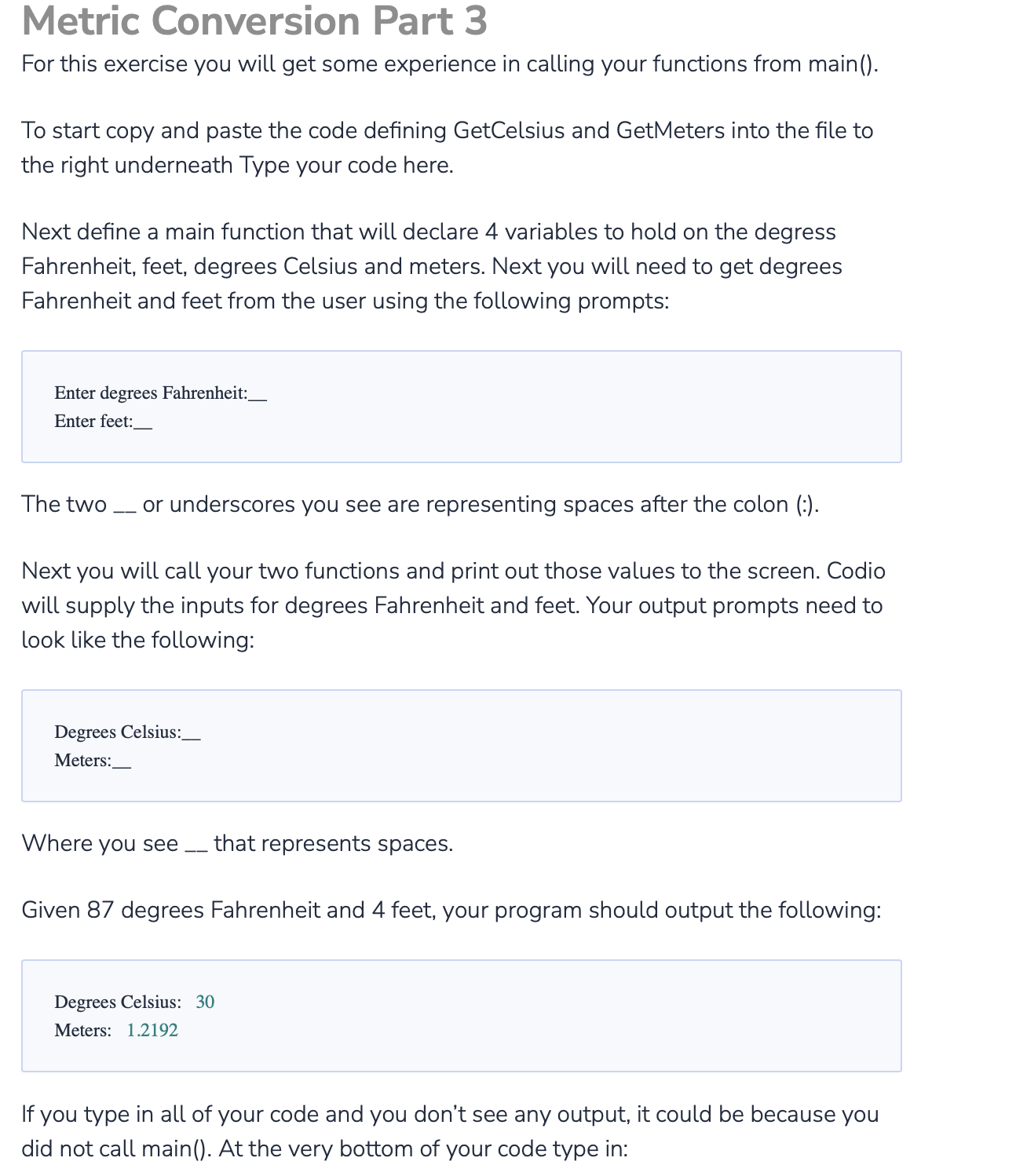
For this exercise you will get some experience in calling your functions from main
To start copy and paste the code defining GetCelsius and GetMeters into the file to
the right underneath Type your code here.
Next define a main function that will declare variables to hold on the degress
Fahrenheit, feet, degrees Celsius and meters. Next you will need to get degrees
Fahrenheit and feet from the user using the following prompts:
The two or underscores you see are representing spaces after the colon
Next you will call your two functions and print out those values to the screen. Codio
will supply the inputs for degrees Fahrenheit and feet. Your output prompts need to
look like the following:
Where you see that represents spaces.
Given degrees Fahrenheit and feet, your program should output the following:
If you type in all of your code and you don't see any output, it could be because you
did not call main At the very bottom of your code type in:
Step by Step Solution
There are 3 Steps involved in it
1 Expert Approved Answer
Step: 1 Unlock

Question Has Been Solved by an Expert!
Get step-by-step solutions from verified subject matter experts
Step: 2 Unlock
Step: 3 Unlock
 Study Help