







Question: I need a coding using MatLab App Designer tool that poses a simple hydraulic calculator function, with simple user interface. (example shown below) Features included
I need a coding using MatLab App Designer tool that poses a simple hydraulic calculator function, with simple user interface. (example shown below)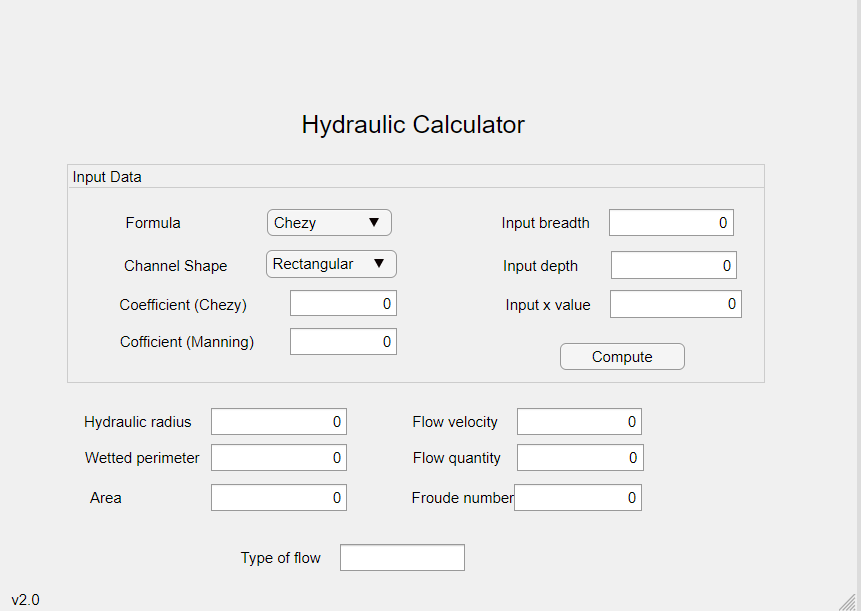
Features included :
1. Dropdown menu for choosing Chezy/Manning
2. Dropdown menu for 3 channel type (rectangular,triangular,trapezoidal)
3.Edit field for coefficient for Manning and Chezy.
4.Edit field for breadth, depth and x value(for triangular and trapezoidal channel).
5. Output "Uneditable field" for Hydraulic radius, wetted perimeter, area,flow velocity, flow quantity, froude number and type of flow(subcritical/critical/supercritical)
You may refer this flowchart for the equation/formulas (flowchart is for references only, no need to code as per the flowchart)
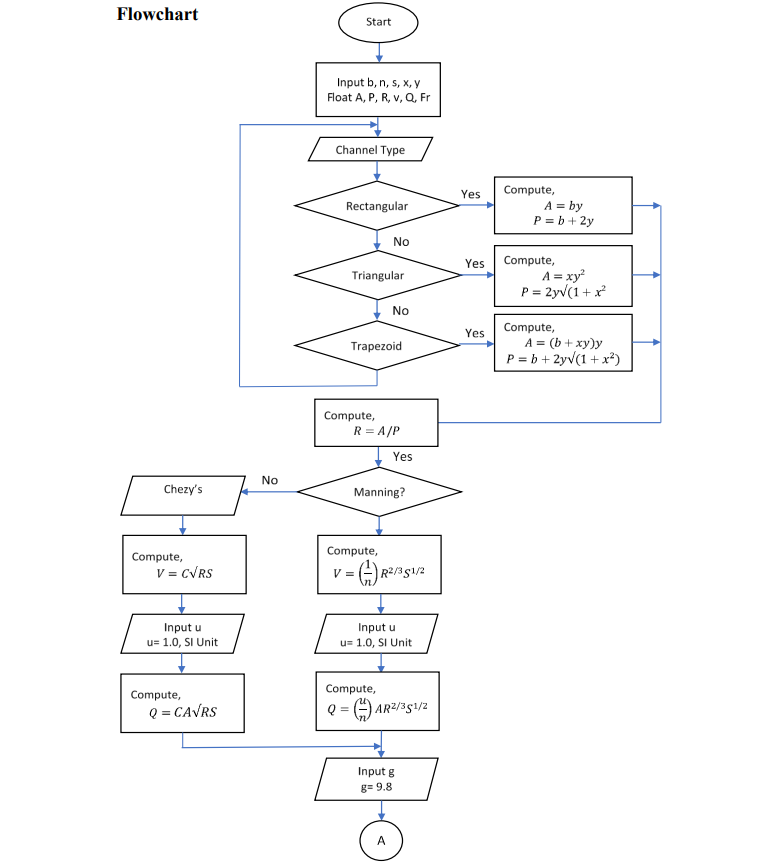
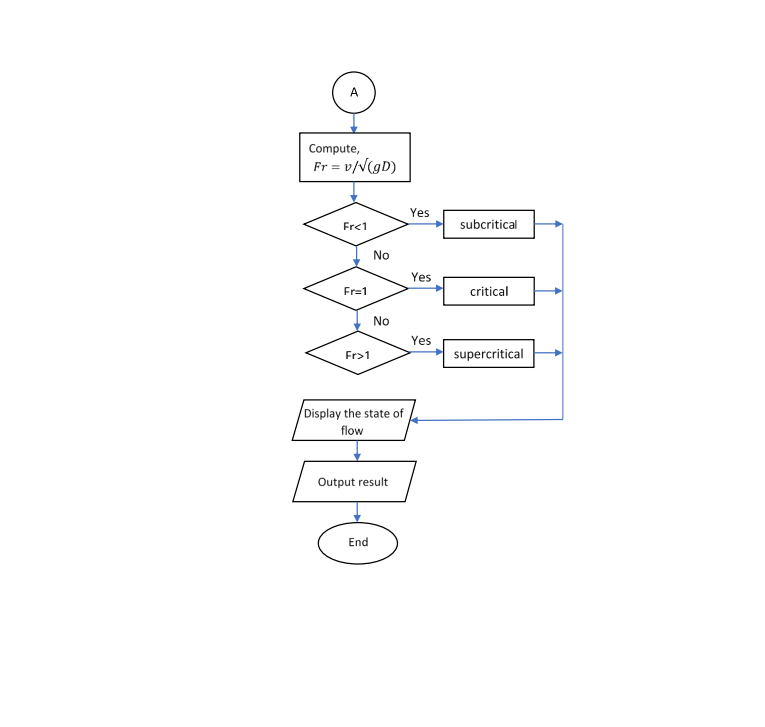
Please provide the coding/screenshots of the coding whichever ease you. Thank you in advance.
Hydraulic Calculator Input Data Formula Chezy 7 Input breadth 0 Channel Shape Rectangular Input depth 0 Coefficient (Chezy) 0 Input x value 0 Cofficient (Manning) 0 Compute Hydraulic radius 0 Flow velocity Wetted perimeter 0 Flow quantity 0 Area 0 Froude number 0 Type of flow v2.0 Flowchart Start Input bin, s, x,y Float A, P, R. v, Q. Fr Channel Type Yes Rectangular Compute, A = by P = b + 2y No Yes Triangular Compute, A = xy2 P = 2yv (1 + x? No Yes Trapezoid Compute, A = (b + xy)y P= b + 2yV (1 + x) Compute, R = A/P Yes No Chezy's Manning? Compute, Compute, V = CVRS V= = 6) R2/351/2 Input u u= 1.0, SI Unit Input u u= 1.0, SI Unit Compute, Q = CAVRS Compute, QE AR2/351/2 Input g g= 9.8 A Compute, Fr = v/(D) Yes Fr1 supercritical Display the state of flow Output result End
Step by Step Solution
There are 3 Steps involved in it

Get step-by-step solutions from verified subject matter experts
 Study Help