







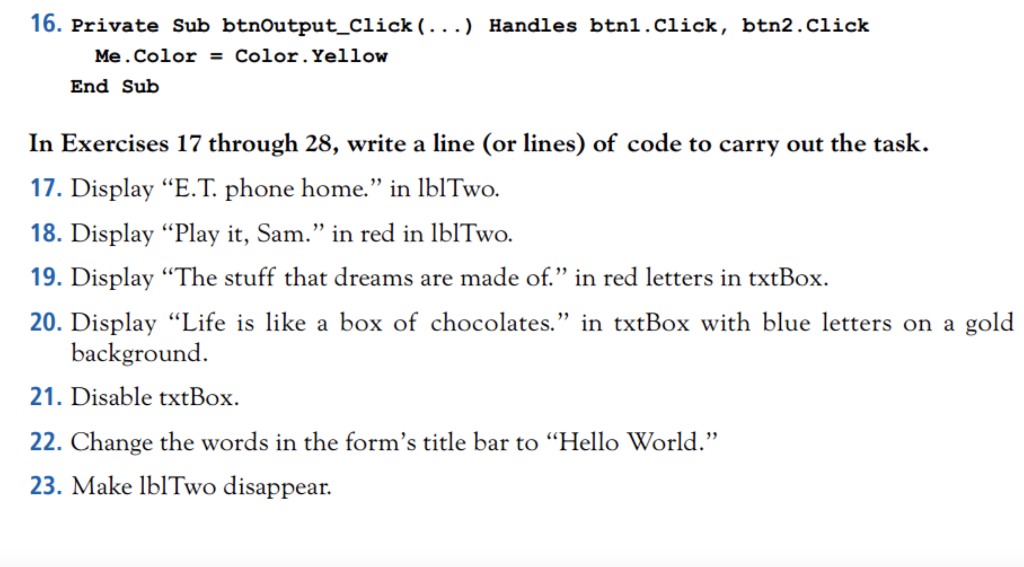
Question: I need answers with visual basic. 16. Private Sub btnOutput_Click(...) Handles btn1.click, btn2.click Me. Color = Color.Yellow End Sub In Exercises 17 through 28, write
 I need answers with visual basic.
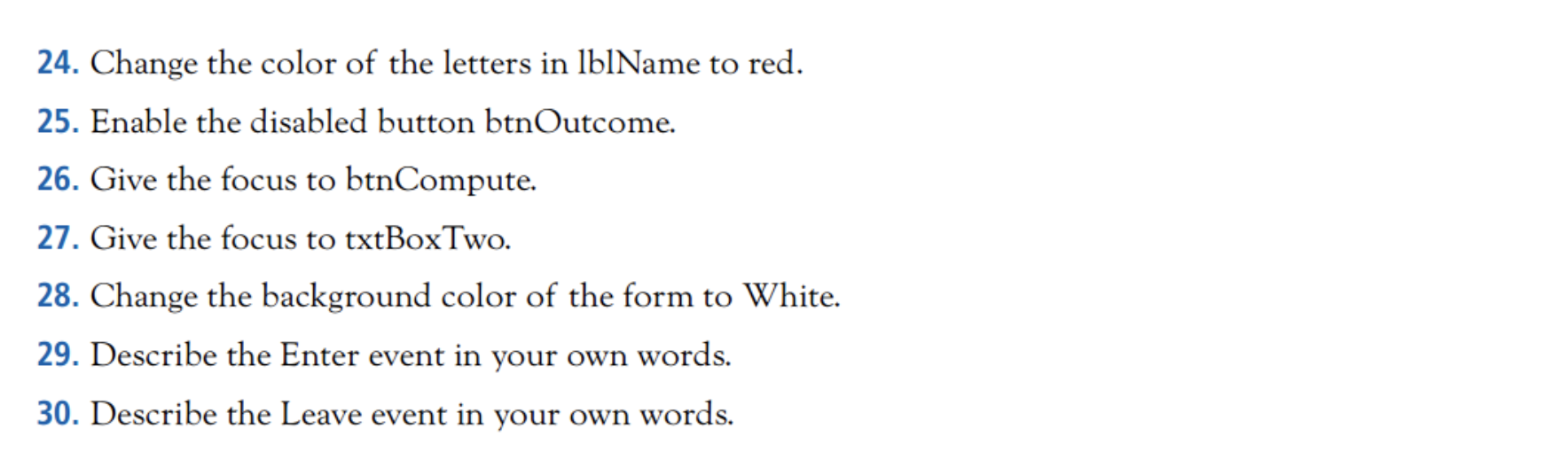
16. Private Sub btnOutput_Click(...) Handles btn1.click, btn2.click Me. Color = Color.Yellow End Sub In Exercises 17 through 28, write a line (or lines) of code to carry out the task. 17. Display E.T. phone home. in lblTwo. 18. Display Play it, Sam. in red in lblTwo. 19. Display The stuff that dreams are made of. in red letters in txtBox. 20. Display Life is like a box of chocolates. in txtBox with blue letters on a gold background. 21. Disable txtBox. 22. Change the words in the form's title bar to Hello World. 23. Make lblTwo disappear. 24. Change the color of the letters in lblName to red. 25. Enable the disabled button btnOutcome. 26. Give the focus to btnCompute. 27. Give the focus to txtBoxTwo. 28. Change the background color of the form to White. 29. Describe the Enter event in your own words. 30. Describe the Leave event in your own words
Step by Step Solution
There are 3 Steps involved in it

Get step-by-step solutions from verified subject matter experts
 Study Help