







Question: I Need C++ code that reads in data from the file(top image with the list of numbers), and creates a histogram as shown above. 10
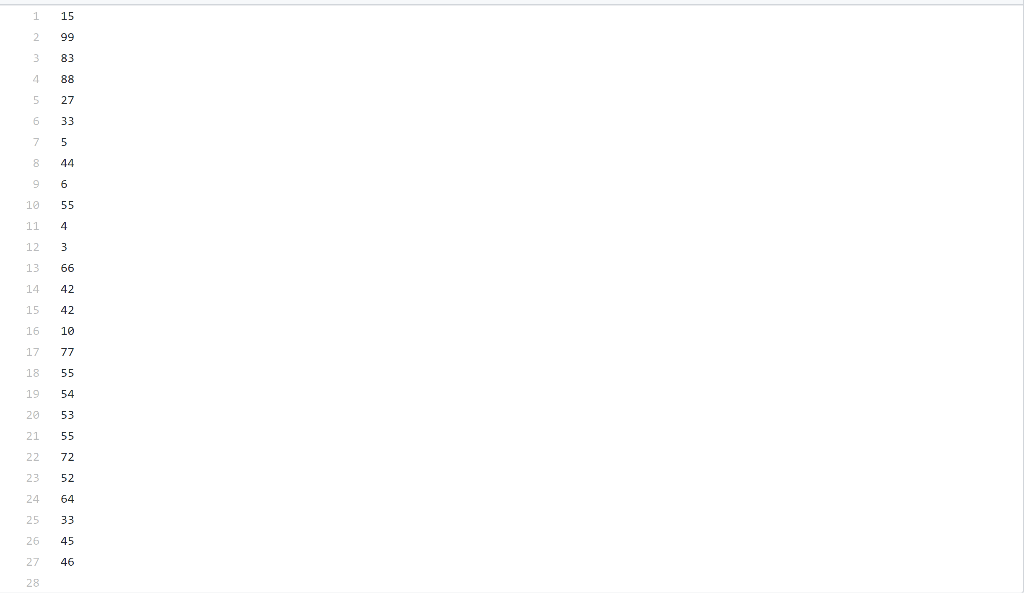
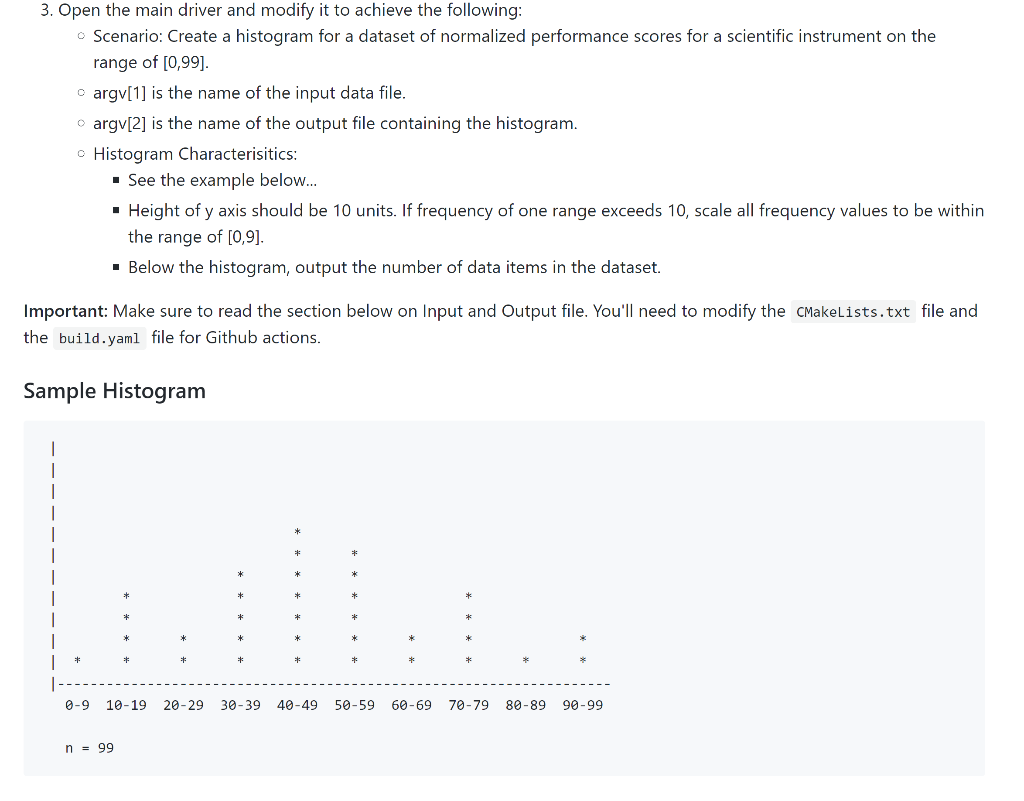 I Need C++ code that reads in data from the file(top image with the list of numbers), and creates a histogram as shown above.
10 11 12 55 4 3 15 42 3. Open the main driver and modify it to achieve the following: Scenario: Create a histogram for a dataset of normalized performance scores for a scientific instrument on the range of [0,99]. cargv[1] is the name of the input data file. argv[2] is the name of the output file containing the histogram. c Histogram Characterisitics: . See the example below... Height of y axis should be 10 units. If frequency of one range exceeds 10, scale all frequency values to be within the range of (0,9) Below the histogram, output the number of data items in the dataset. Important: Make sure to read the section below on Input and Output file. You'll need to modify the CMakelists.txt file and the build.yaml file for Github actions. Sample Histogram * * * * * * * * * . * * -- ------ - 0-9 10-19 20-29 30-39 40-49 50-59 60-69 70-79 80-89 90-99 n = 99 10 11 12 55 4 3 15 42 3. Open the main driver and modify it to achieve the following: Scenario: Create a histogram for a dataset of normalized performance scores for a scientific instrument on the range of [0,99]. cargv[1] is the name of the input data file. argv[2] is the name of the output file containing the histogram. c Histogram Characterisitics: . See the example below... Height of y axis should be 10 units. If frequency of one range exceeds 10, scale all frequency values to be within the range of (0,9) Below the histogram, output the number of data items in the dataset. Important: Make sure to read the section below on Input and Output file. You'll need to modify the CMakelists.txt file and the build.yaml file for Github actions. Sample Histogram * * * * * * * * * . * * -- ------ - 0-9 10-19 20-29 30-39 40-49 50-59 60-69 70-79 80-89 90-99 n = 99
Step by Step Solution
There are 3 Steps involved in it

Get step-by-step solutions from verified subject matter experts
 Study Help