



Question: I need help creating constraints. The way it is worded in the case is confusing to me. Thank you! Here is my Excel sheet before
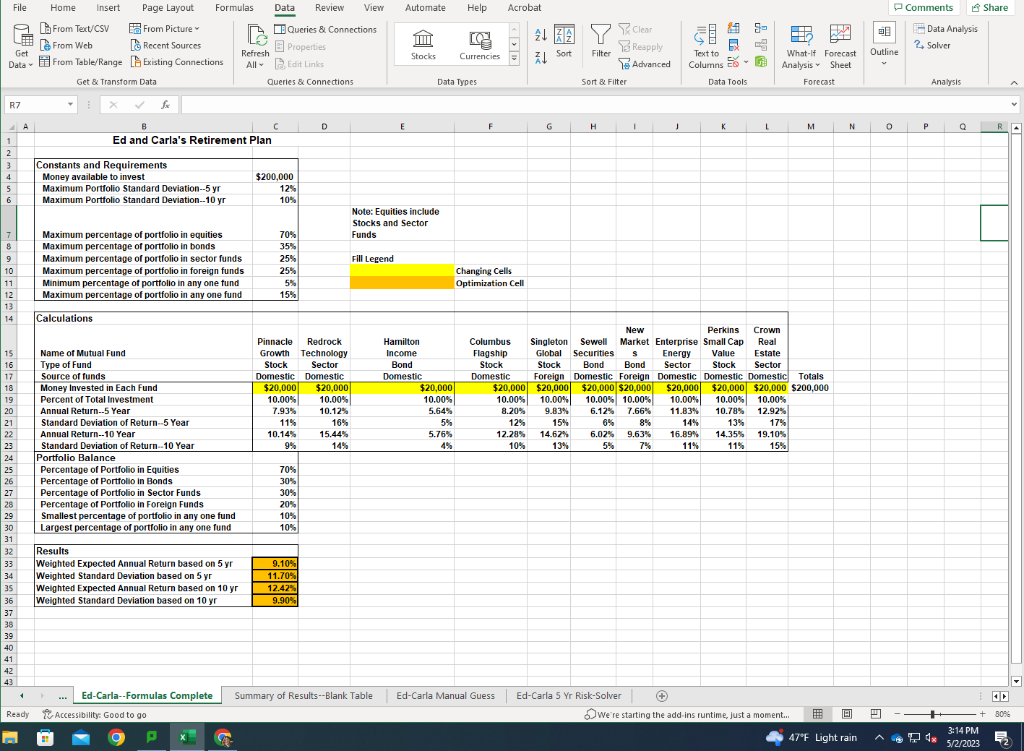
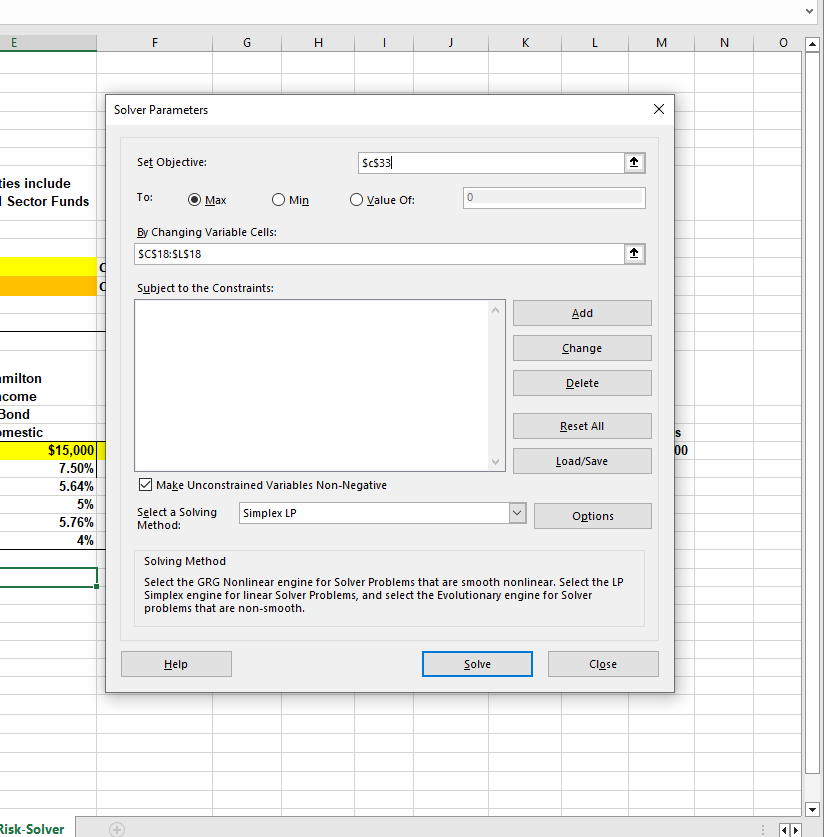
I need help creating constraints. The way it is worded in the case is confusing to me. Thank you! Here is my Excel sheet before any Solver is applied, and what I have in Solver so far. Under the photos are the case directions.
Assignment 1B: Setting Up and Running Solver
Ed and Carla first want you to optimize the portfolio for the largest 5-year annual return that meets a maximum 5-year portfolio standard deviation of 12 percent. Before you set up Solver, you should jot down the parameters you must define and their cell addresses:
The cell you want to optimize (Weighted Expected Annual Return based on 5 yr) and whether you want to minimize or maximize it
The changing cells you want Solver to manipulate to obtain the optimal solution
The following constraints:
Each changing cell must contain a positive number because you cannot make a negative investment.
All the requirements listed in the Constants and Requirements section except the 10-year maximum portfolio standard deviation. You must meet the percentage maximums for each type of fund, the percentage minimums for investment in each fund, and the 5-year maximum portfolio standard deviation only.
You cannot allocate a total that exceeds the initial investment ($200,000).
You should define your constraints using the values in the Portfolio Balance and Results sections, and compare the calculated values to those in the Requirements section.
= Sbject to the Constraints: Make Unconstrained Variables Non-Negative Select a Solving Method: Solving Method Select the GRG Nonlinear engine for Solver Problems that are smooth nonlinear. Select the LP Simplex engine for linear Solver Problems, and select the Evolutionary engine for Solver problems that are non-smooth
Step by Step Solution
There are 3 Steps involved in it

Get step-by-step solutions from verified subject matter experts