







Question: I need help doing part E please To complete the sensitivity analysis, follow these steps in excel: - Ensure that cell A60 is a reference
I need help doing part E please
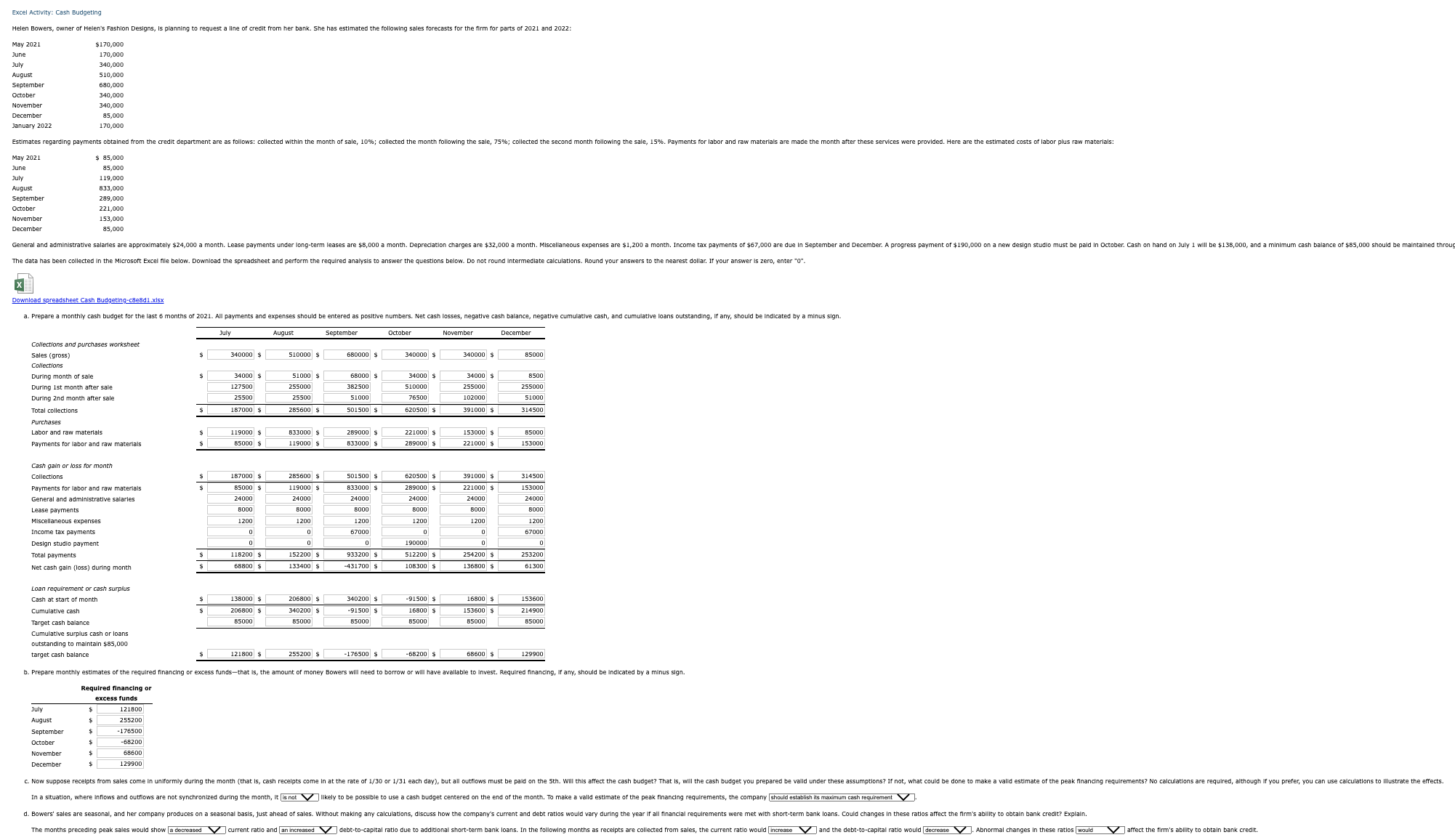
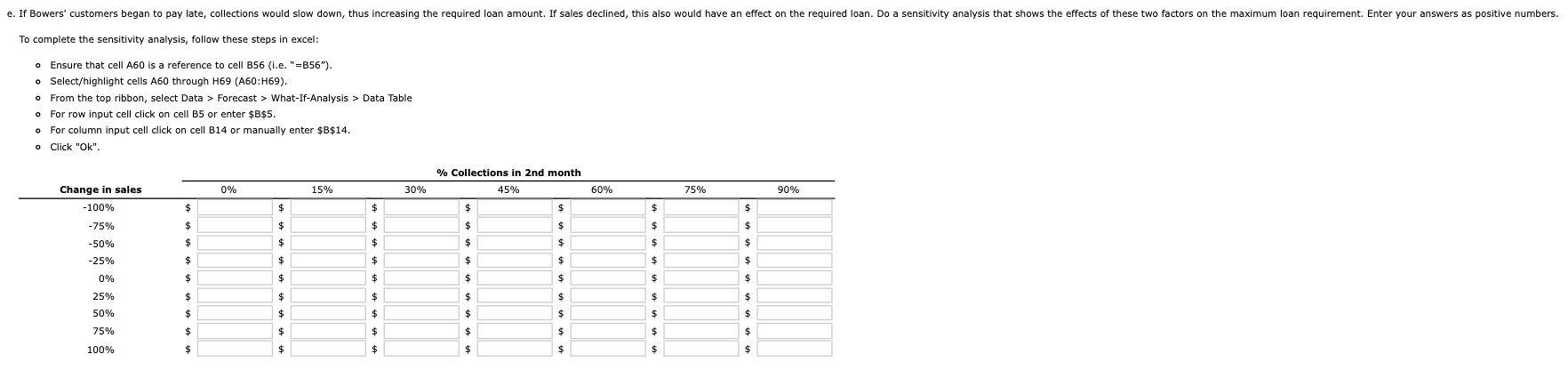
To complete the sensitivity analysis, follow these steps in excel: - Ensure that cell A60 is a reference to cell B56 (i.e. " =B56m ). o Select/highlight cells A60 through H69 (A60:H69). - From the top ribbon, select Data > Forecast > What-If-Analysis > Data Table - For row input cell click on cell B5 or enter $B$5. - For column input cell click on cell B14 or manually enter $B$14. To complete the sensitivity analysis, follow these steps in excel: - Ensure that cell A60 is a reference to cell B56 (i.e. " =B56m ). o Select/highlight cells A60 through H69 (A60:H69). - From the top ribbon, select Data > Forecast > What-If-Analysis > Data Table - For row input cell click on cell B5 or enter $B$5. - For column input cell click on cell B14 or manually enter $B$14
Step by Step Solution
There are 3 Steps involved in it

Get step-by-step solutions from verified subject matter experts
 Study Help