







Question: I need help to compile a calculator with Javascript. This is the link to the file Basic Calculator: https://drive.google.com/file/d/1MOIM_ykoWCmVkpkuCkjRGjq586OfFqaN/view?usp=sharing Part 1: Adding the onclick Elements
I need help to compile a calculator with Javascript.
This is the link to the file Basic Calculator:
https://drive.google.com/file/d/1MOIM_ykoWCmVkpkuCkjRGjq586OfFqaN/view?usp=sharing
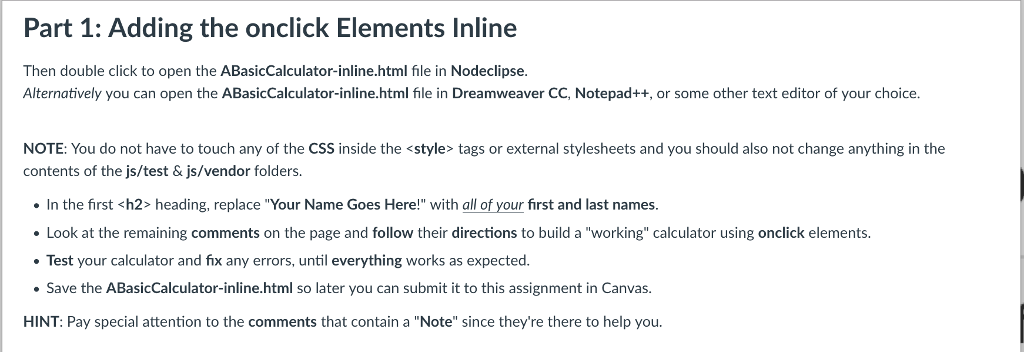
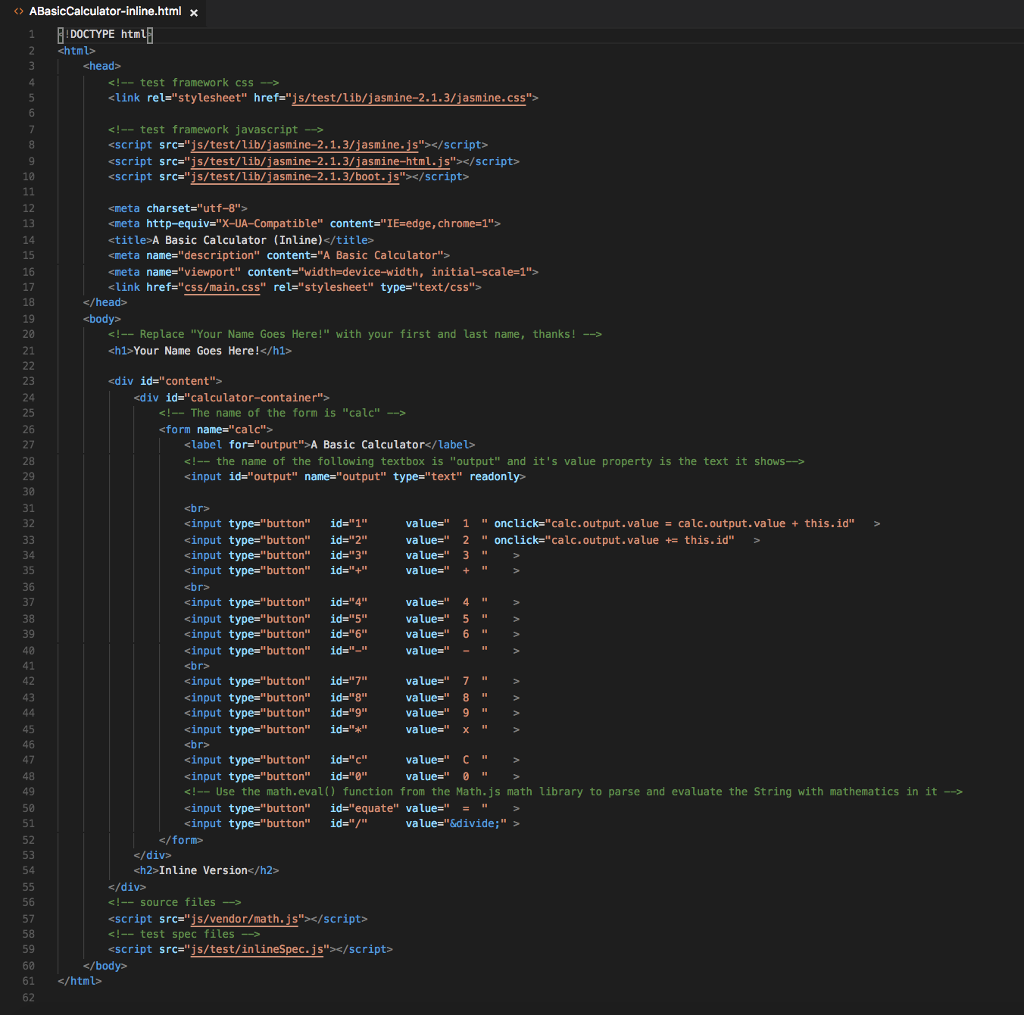
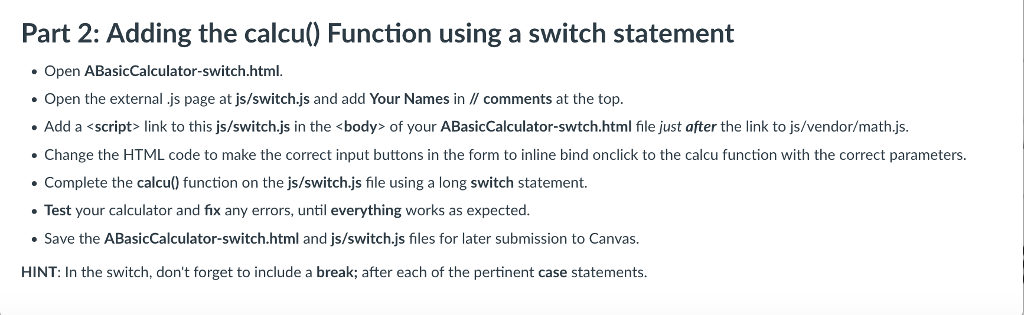
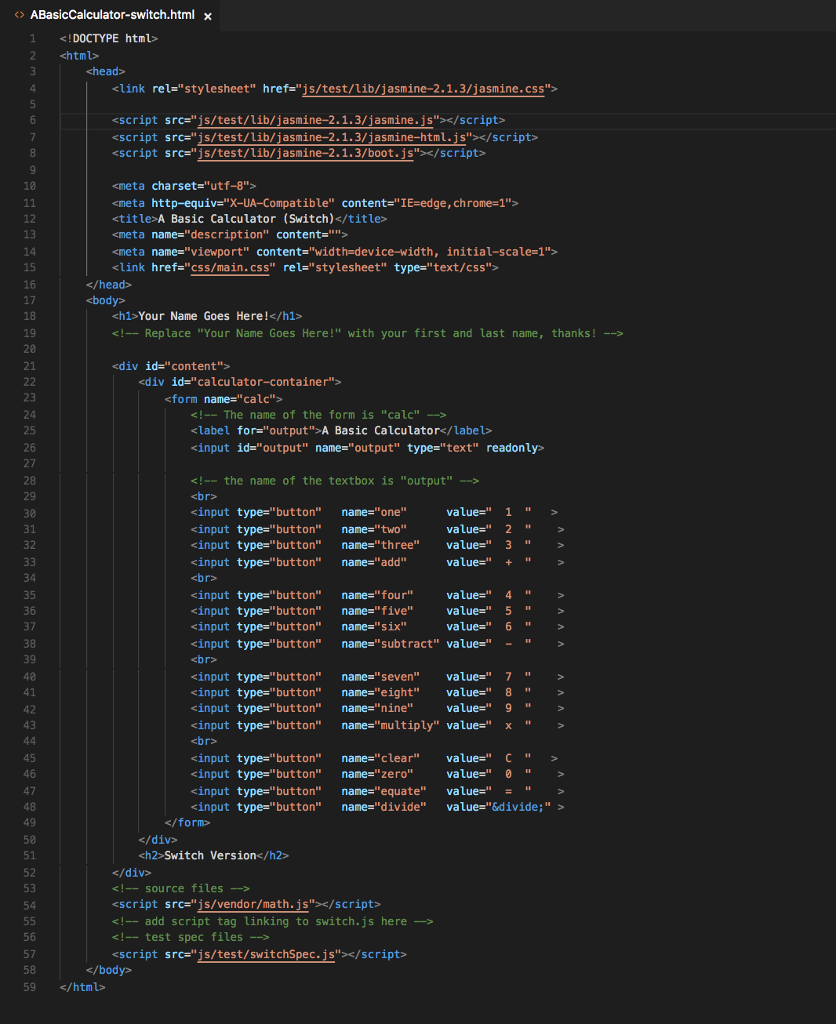
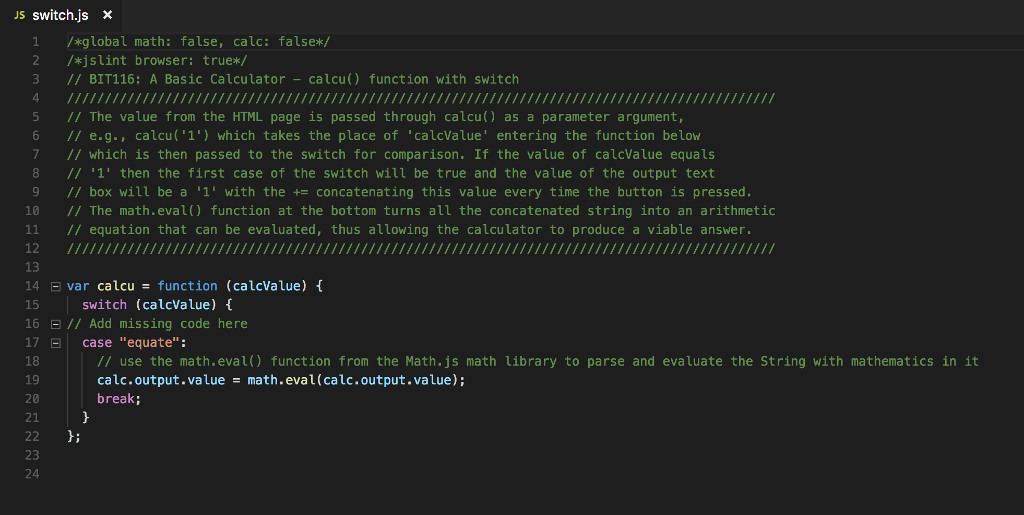
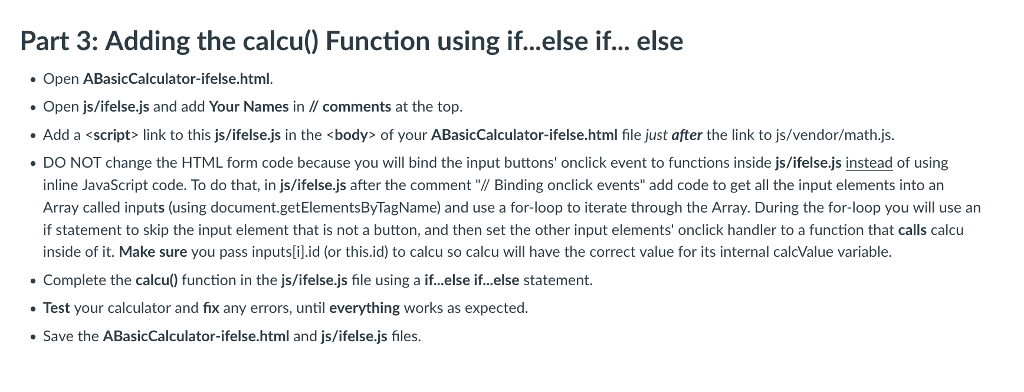
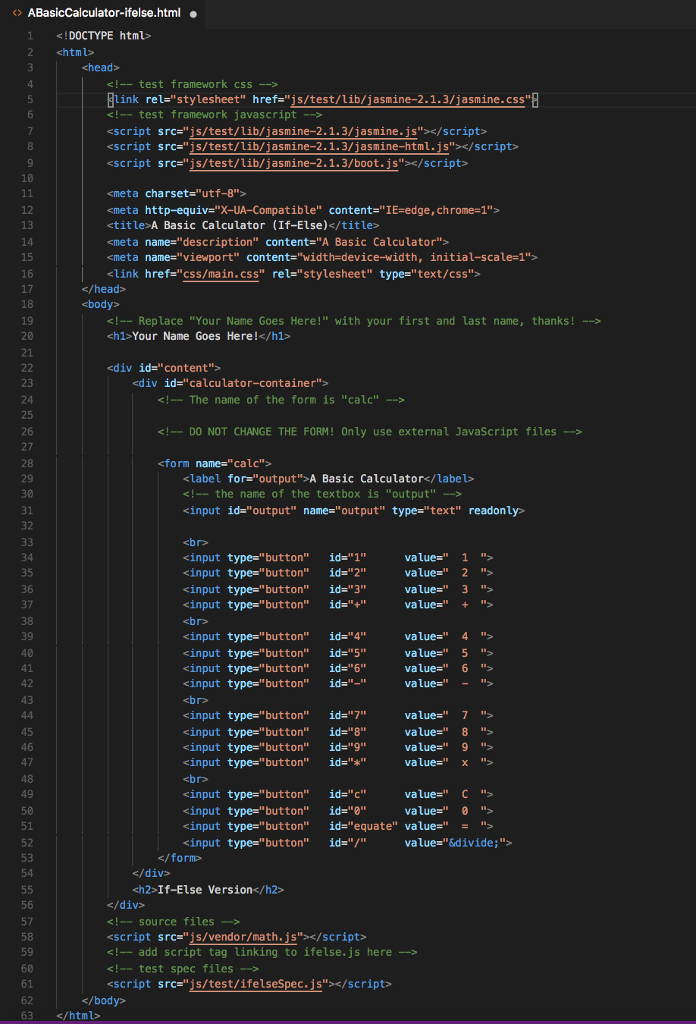
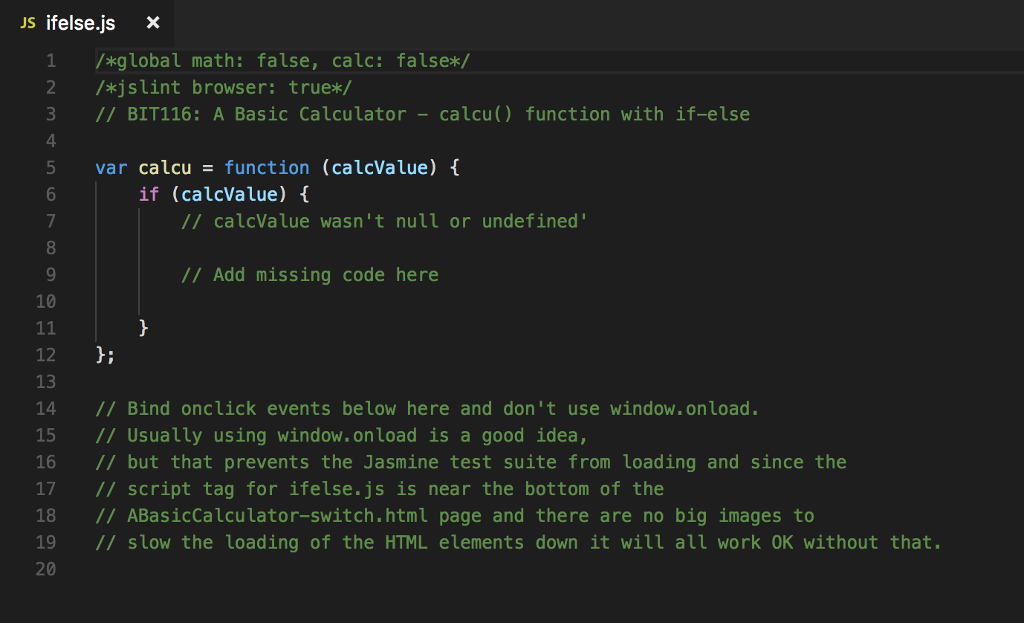
Part 1: Adding the onclick Elements Inline Then double click to open the ABasicCalculator-inline.html file in Nodeclipse Alternatively you can open the ABasicCalculator-inline.html file in Dreamweaver CC, Notepad++, or some other text editor of your choice NOTE: You do not have to touch any of the CSS inside the
Step by Step Solution
There are 3 Steps involved in it
1 Expert Approved Answer
Step: 1 Unlock

Question Has Been Solved by an Expert!
Get step-by-step solutions from verified subject matter experts
Step: 2 Unlock
Step: 3 Unlock
 Study Help