







Question: I need help to solve it please with explanation as soon as possible. i have to the VBA on the excel. i should use the
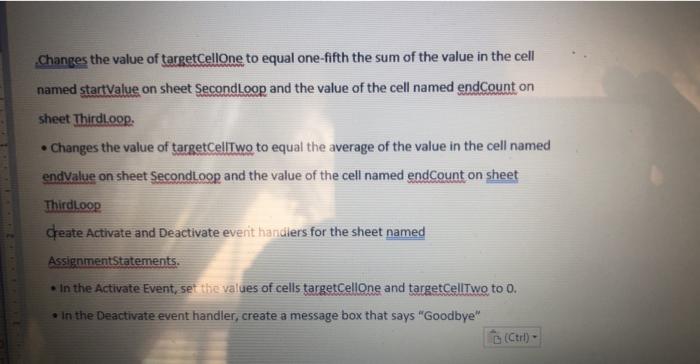
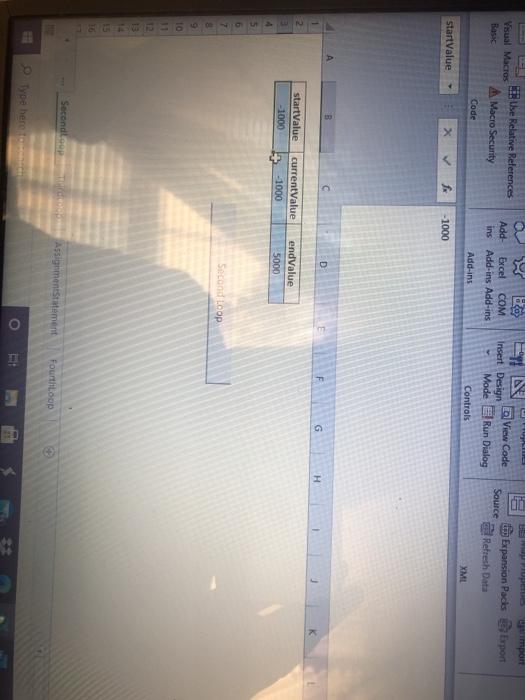
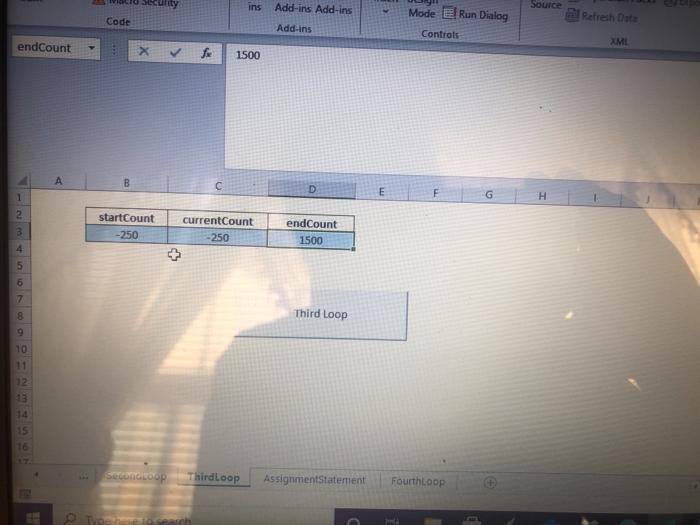
changes the value of targetCellone to equal one-fifth the sum of the value in the cell named startValue on sheet SecondLoop and the value of the cell named endcount on sheet Thirdloop. Changes the value of targetCellTwo to equal the average of the value in the cell named endvalue on sheet Secondloop and the value of the cell named endCount on sheet Thirdloop Create Activate and Deactivate event handlers for the sheet named AssignmentStatements. In the Activate Event, set the values of cells targetCellone and targetCellTwo to o. . In the Deactivate event handler, create a message box that says "Goodbye" EN View Code the Relative References Visual Macros Basic A Macro Security Code Add Excel COM ins Add-ins Add-ins Insert Design Mode Source Expansion Packs Esport Refresh Date Run Dialog Add-ins Controls XML StartValue -1000 D F G H 2 startValue -1000 currentValue -1000 endValue 5000 Second op 7 8 9 10 11 13 Secondo AssignmentStatement Fourthop Type here E ins Add-ins Add-ins Source Code Mode eRun Dialog Controls Refresh Data Add-ins endcount XMI 1500 D E F H 2 B startCount -250 currentCount -250 endcount 1500 4 5 6 7 8 Third Loop 10 12 15 16 Secondo op Thirdloop AssignmentStatement FourthLoop TO changes the value of targetCellone to equal one-fifth the sum of the value in the cell named startValue on sheet SecondLoop and the value of the cell named endcount on sheet Thirdloop. Changes the value of targetCellTwo to equal the average of the value in the cell named endvalue on sheet Secondloop and the value of the cell named endCount on sheet Thirdloop Create Activate and Deactivate event handlers for the sheet named AssignmentStatements. In the Activate Event, set the values of cells targetCellone and targetCellTwo to o. . In the Deactivate event handler, create a message box that says "Goodbye" EN View Code the Relative References Visual Macros Basic A Macro Security Code Add Excel COM ins Add-ins Add-ins Insert Design Mode Source Expansion Packs Esport Refresh Date Run Dialog Add-ins Controls XML StartValue -1000 D F G H 2 startValue -1000 currentValue -1000 endValue 5000 Second op 7 8 9 10 11 13 Secondo AssignmentStatement Fourthop Type here E ins Add-ins Add-ins Source Code Mode eRun Dialog Controls Refresh Data Add-ins endcount XMI 1500 D E F H 2 B startCount -250 currentCount -250 endcount 1500 4 5 6 7 8 Third Loop 10 12 15 16 Secondo op Thirdloop AssignmentStatement FourthLoop TO
Step by Step Solution
There are 3 Steps involved in it

Get step-by-step solutions from verified subject matter experts
 Study Help