







Question: I need help with a formula 8. In cell C10, create a nested IF to determine the category of each customer. Use the criteria given
I need help with a formula
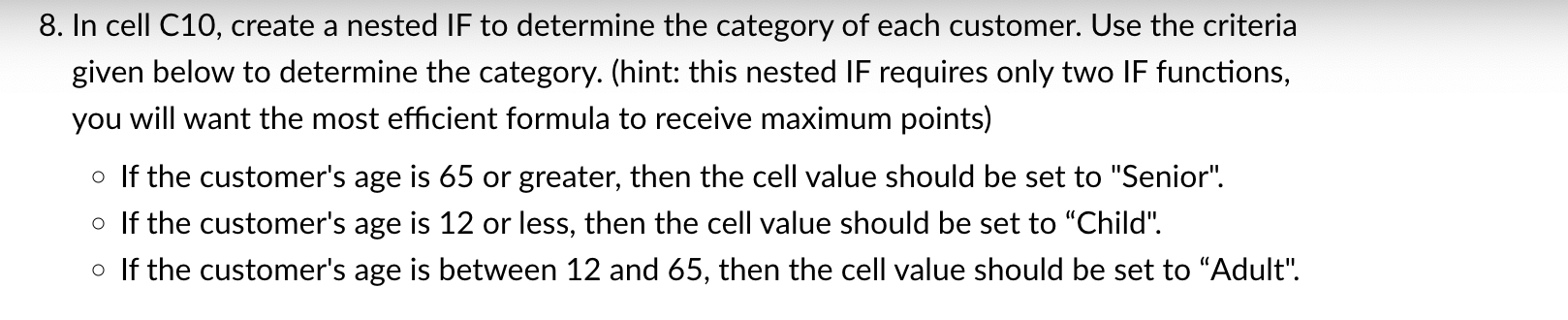
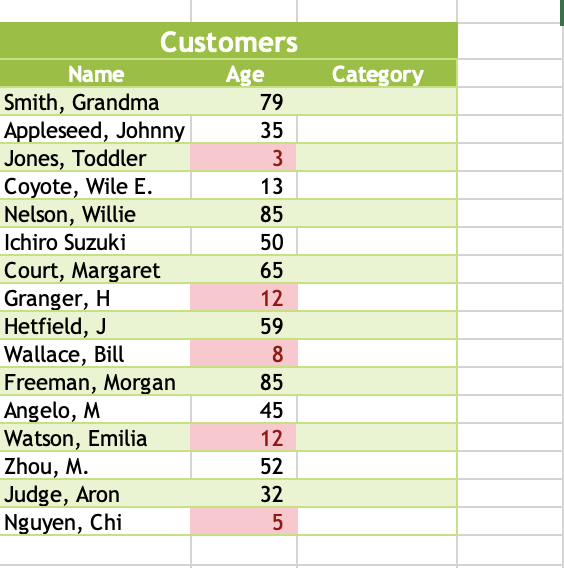
8. In cell C10, create a nested IF to determine the category of each customer. Use the criteria given below to determine the category. (hint: this nested IF requires only two IF functions, you will want the most efficient formula to receive maximum points) If the customer's age is 65 or greater, then the cell value should be set to "Senior". If the customer's age is 12 or less, then the cell value should be set to "Child". If the customer's age is between 12 and 65 , then the cell value should be set to "Adult". \begin{tabular}{l|r|r} \multicolumn{1}{c}{ Customers } \\ \hline \multicolumn{1}{|c}{ Name } & \multicolumn{1}{c}{ Age } & Category \\ \hline Smith, Grandma & 79 \\ \hline Appleseed, Johnny & 35 & \\ \hline Jones, Toddler & 3 \\ \hline Coyote, Wile E. & 13 \\ \hline Nelson, Willie & 85 \\ \hline Ichiro Suzuki & 50 \\ \hline Court, Margaret & 65 \\ \hline Granger, H & 12 \\ \hline Hetfield, J & 59 \\ \hline Wallace, Bill & 8 \\ \hline Freeman, Morgan & 85 \\ \hline Angelo, M & 45 \\ \hline Watson, Emilia & 12 \\ \hline Zhou, M. & 52 \\ \hline Judge, Aron & 32 \\ \hline Nguyen, Chi & 5 \\ \hline \end{tabular}
Step by Step Solution
There are 3 Steps involved in it

Get step-by-step solutions from verified subject matter experts
 Study Help