







Question: I need help with this code in python. The instructions are explained, and the output of the code is also displayed below. Even though Windows
I need help with this code in python. The instructions are explained, and the output of the code is also displayed below. 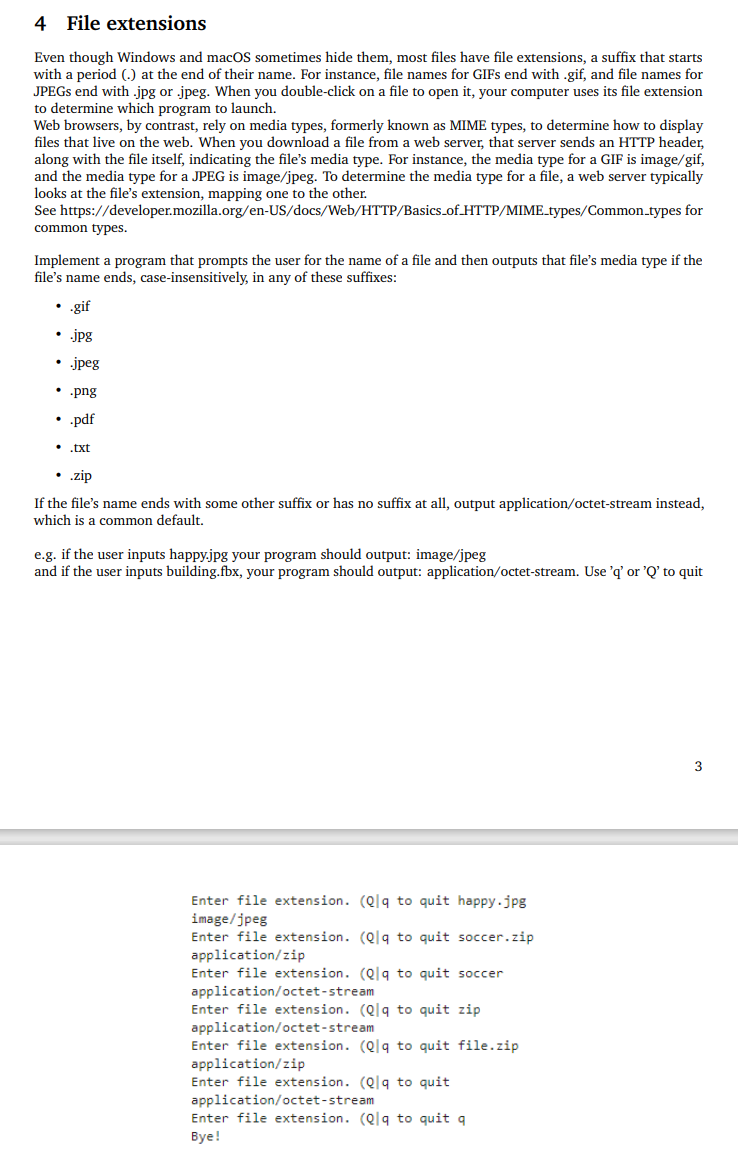
Even though Windows and macOS sometimes hide them, most files have file extensions, a suffix that starts with a period (.) at the end of their name. For instance, file names for GIFs end with .gif, and file names for JPEGs end with .jpg or .jpeg. When you double-click on a file to open it, your computer uses its file extension to determine which program to launch. Web browsers, by contrast, rely on media types, formerly known as MIME types, to determine how to display files that live on the web. When you download a file from a web server, that server sends an HTTP header, along with the file itself, indicating the file's media type. For instance, the media type for a GIF is image/gif, and the media type for a JPEG is image/jpeg. To determine the media type for a file, a web server typically looks at the file's extension, mapping one to the other. See https://developer.mozilla.org/en-US/docs/Web/HTTP/Basics_of_HTTP/MIME_types/Common_types for common types. Implement a program that prompts the user for the name of a file and then outputs that file's media type if the file's name ends, case-insensitively, in any of these suffixes: - gif -.jpg - .jpeg - .png - .pdf - .txt - zip If the file's name ends with some other suffix or has no suffix at all, output application/octet-stream instead, which is a common default. e.g. if the user inputs happy.jpg your program should output: image/jpeg and if the user inputs building.fbx, your program should output: application/octet-stream. Use 'q' or 'Q' to quit 3 Enter file extension. (Q|q to quit happy.jpg image/jpeg Enter file extension. (Q/q to quit soccer.zip application/zip Enter file extension. (Q|q to quit soccer application/octet-stream Enter file extension. (Q|q to quit zip application/octet-stream Enter file extension. (Q|q to quit file.zip application/zip Enter file extension. (Q|q to quit application/octet-stream Enter file extension. (Q|q to quit q Bye
Step by Step Solution
There are 3 Steps involved in it

Get step-by-step solutions from verified subject matter experts
 Study Help