







Question: I need help writing a code in CCS, code composer studio, to turn on A LED on a MSP432 driver when a button is pushed
I need help writing a code in CCS, code composer studio, to turn on A LED on a MSP432 driver when a button is pushed on the device.
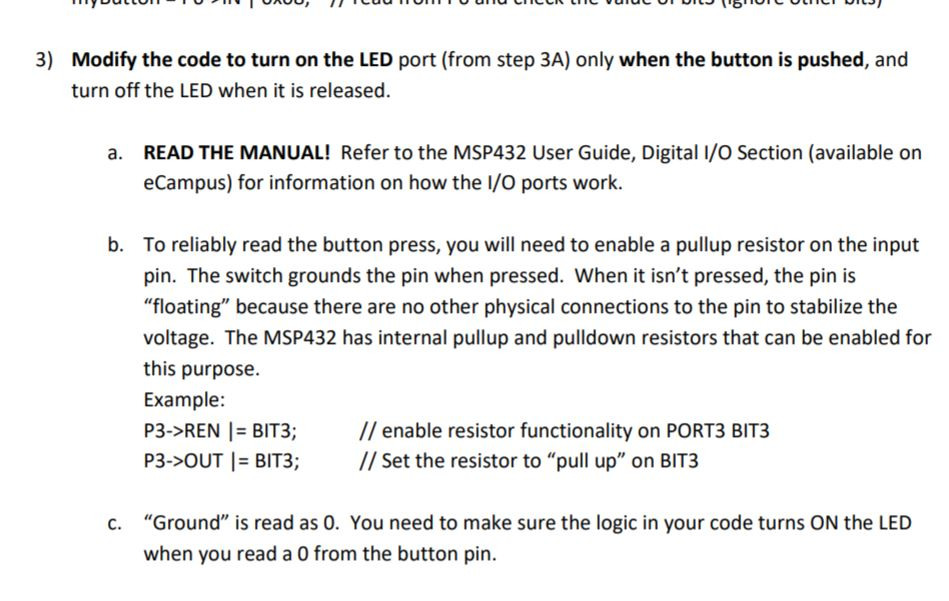
o81COC O 3) Modify the code to turn on the LED port (from step 3A) only when the button is pushed, and turn off the LED when it is released. User Guide, Digital I/O Section READ THE MANUAL! Refer to the MSP432 eCampus) for information on how the I/O ports work. a. available on b. To reliably read the button press, you will need to enable a pullup resistor on the input pin. The switch grounds the pin when pressed. When it isn't pressed, the pin is "floating" because there are no other physical connections to the pin to stabilize the voltage. The MSP432 has internal pullup and pulldown resistors that can be enabled for this purpose. Example: P3->REN BIT3; //enable resistor functionality on PORT3 BIT3 P3->OUT BIT3; /Set the resistor to "pull up" on BIT3 "Ground" is read as 0. You need to make sure the logic in your code turns ON the LED when you read a 0 from the button pin. c. o81COC O 3) Modify the code to turn on the LED port (from step 3A) only when the button is pushed, and turn off the LED when it is released. User Guide, Digital I/O Section READ THE MANUAL! Refer to the MSP432 eCampus) for information on how the I/O ports work. a. available on b. To reliably read the button press, you will need to enable a pullup resistor on the input pin. The switch grounds the pin when pressed. When it isn't pressed, the pin is "floating" because there are no other physical connections to the pin to stabilize the voltage. The MSP432 has internal pullup and pulldown resistors that can be enabled for this purpose. Example: P3->REN BIT3; //enable resistor functionality on PORT3 BIT3 P3->OUT BIT3; /Set the resistor to "pull up" on BIT3 "Ground" is read as 0. You need to make sure the logic in your code turns ON the LED when you read a 0 from the button pin. c
Step by Step Solution
There are 3 Steps involved in it

Get step-by-step solutions from verified subject matter experts
 Study Help