







Question: I need helping with the animated Object cpp in c + + I ' m not sure how to add what's needed to the code.
I need helping with the animated Object cpp in c Im not sure how to add what's needed to the code. Please, please help!
Player Class:
Starting with the changes to the player class there is a new bool isDead false ; private member that keeps track of if the player has collided with an enemy or if the player has gone off the bottom of the screen. Either of these conditions would turn the member to true. A getter will also be needed for this member.
The main changes to the class are the update method. You still need to check that the player doesnt go off the left side of the screen. However, moving right is different.
First, I created a nonmember, helper function with the following declaration:
bool lastBlockOnScreenconst std::vector& objects
This loops over the objects vector and finds the object with the largest x value being sure not to check the player It returns true if that value is less than or equal to GUI::screenDimensions.x otherwise false.
The next addition to the players update method is side scrolling.
If the players x position is greater than half the screens width and the last block is not on the screen, then
you should subtract the difference between the players x position and screenDimensions.x from EVERY object in the game.
This will have the effect of sliding everything but the player to the left and it will appear that the player is walking to the right.
A minor change to the moveRight and moveLeft methods. The respective jumping states need to also adjust the position by the walkSpeed. So if the player is in the jumpRight state, pressing the right key will make the player move right. For this to be effective, the user would need to tap the jump button, then quickly press and hold the right key.
If you did not add jumping to the previous quest, you can use my solution to have jumping available.
AnimatedObject Class:
The only change to the AnimatedObject class is the collision method, it has a new declaration:
bool collisionconst Object object, bool full false;
NOTE:: you can pass by & instead of raw pointers if you like.
The motivation for this change is to allow the player to be on different levels of blocks and not automatically bumped to the top of a block that he collides with. This image will help:
The red box indicates where we want to detect collisions. The simple fix is that the blocks height will just be considered the same as the value of gravity.y This way, when gravity is applied, the player will be popped back on top of the block.
I also removed checking to see if the players top was within the collision area. That way a jump will not bump the player more than a gravity hit.
So checking for block collision should pass in false for full, but checking for collision with an enemy, we want to pass in true If full is true then it uses the previous collision detection.
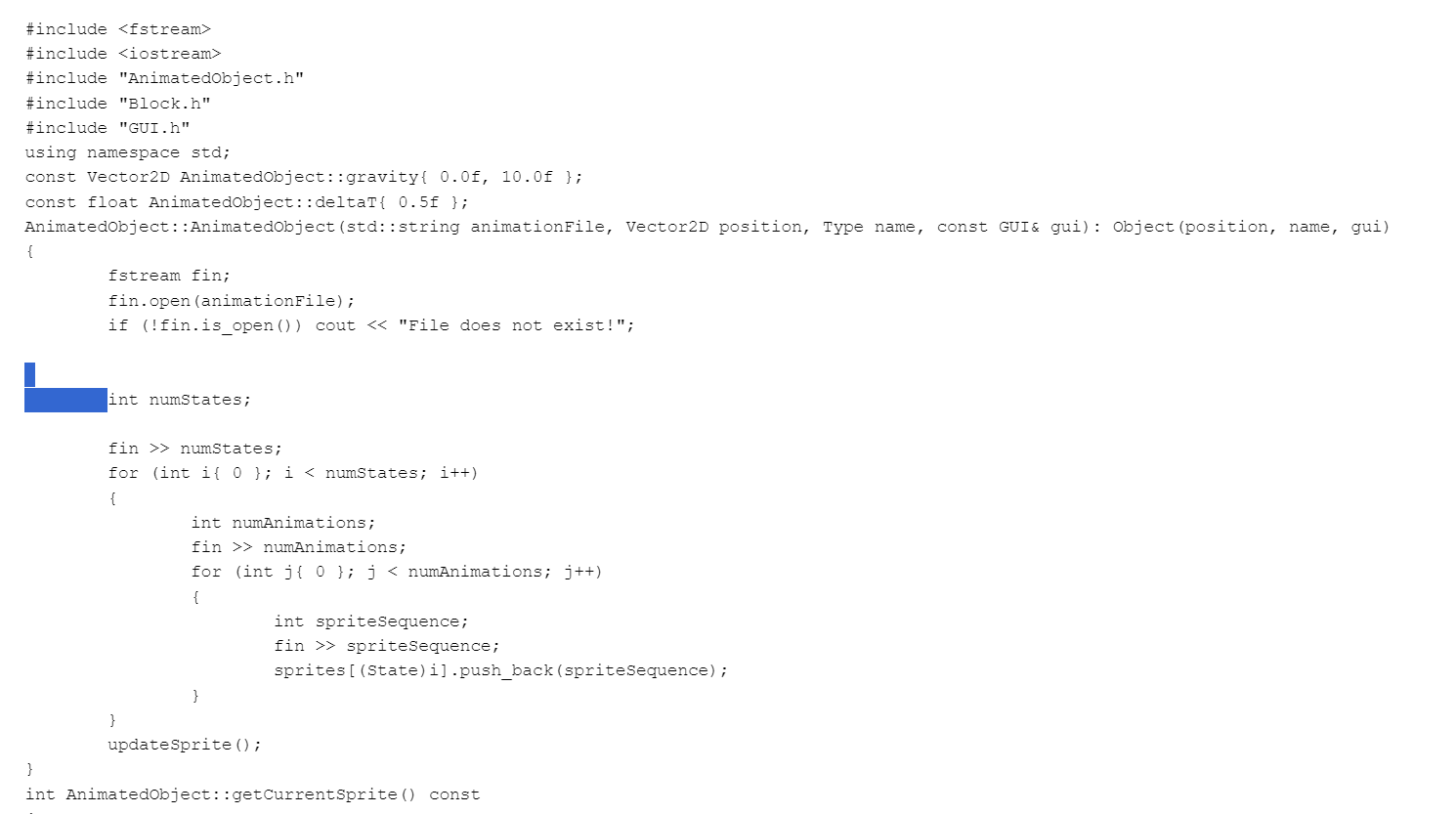
#include
#include
#include "AnimatedObject.h
#include "Block.h
#include "GUI.h
using namespace std;
const VectorD AnimatedObject::gravityff ;
const float AnimatedObject::deltaTf ;
AnimatedObject::AnimatedObjectstd::string animationFile, VectorD position, Type name, const GUI& gui: Objectposition name, gui
fstream fin;
fin.openanimationFile;
if fin.isopen cout "File does not exist!";
square
int numStates;
fin numStates;
for int i; i numStates; i
int numAnimations;
fin numAnimations;
for int j; j numAnimations; j
int spriteSequence;
fin spriteSequence;
spritesStateipushbackspriteSequence;
updateSprite;
int AnimatedObject::getCurrentSprite const
return currentSprite;
void AnimatedObject::updateSprite
currentAnimation;
currentAnimation spritesstatesize;
currentSprite spritesstatecurrentAnimation;
void AnimatedObject::doPhysicsconst std::vector& blocks
applyGravity;
for const auto& block : blocks
switch blockgetName
case Object::Type::bridgecenter:
case Object::Type::bridgeend:
case Object::Type::bridgestart:
case Object::Type::topblock:
case Object::Type::watertop:
if collisionblock
position.y block.getPositiony gui.getDimensionsthisy;
velocity.y ;
if state AnimatedObject::State::jumpLeft
state AnimatedObject::State::stillLeft;
else if state AnimatedObject::State::jumpRight
state AnimatedObject::State::stillRight;
void AnimatedObject::applyGravity
position.y deltaT velocity.y;
velocity.y deltaT gravity.y;
bool AnimatedObject::collisionconst Object& object
bool leftInColumnpositionx object.getPositionx
&& position.x object.getPositionx object.getDimensionsx;
bool rightInColumnpositionx getDimensionsx object.getPositionx
&& position.x getDimensionsx object.getPositionx object.getDimensionsx;
bool topInRowpositiony object.getPositiony
Step by Step Solution
There are 3 Steps involved in it
1 Expert Approved Answer
Step: 1 Unlock

Question Has Been Solved by an Expert!
Get step-by-step solutions from verified subject matter experts
Step: 2 Unlock
Step: 3 Unlock
 Study Help