







Question: I NEED IN VBA EXCEL. VBA EXCEL. VBA EXCEL Link to the data: https://docs.google.com/spreadsheets/d/1VQBeokg91Hje6DHZRLwfXBfr6BpxYbJJ7y9bfpoNs1w/edit?usp=sharing ***PLEASE PROVIDE ANSWER WITHIN THE LINK PROVIDED OR SEND ME A
I NEED IN VBA EXCEL. VBA EXCEL. VBA EXCEL
Link to the data:
https://docs.google.com/spreadsheets/d/1VQBeokg91Hje6DHZRLwfXBfr6BpxYbJJ7y9bfpoNs1w/edit?usp=sharing
***PLEASE PROVIDE ANSWER WITHIN THE LINK PROVIDED OR SEND ME A LINK WITH ANSWER TO DOWNLOAD EXCEL SHEET***
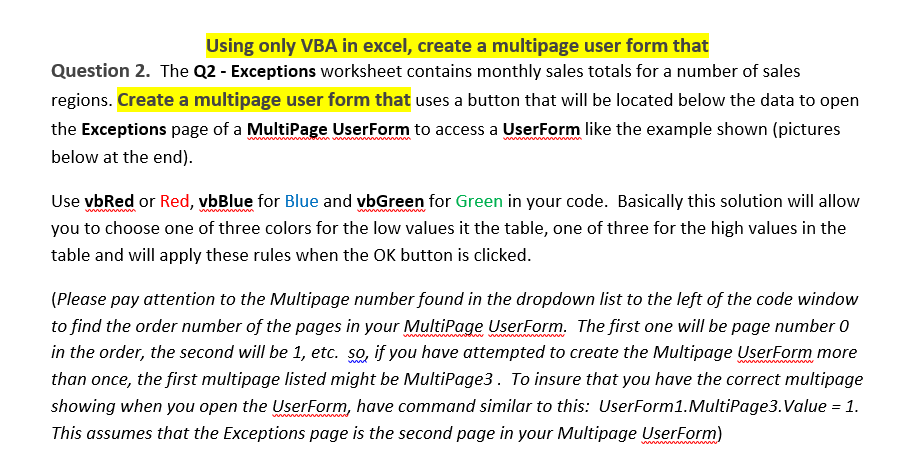
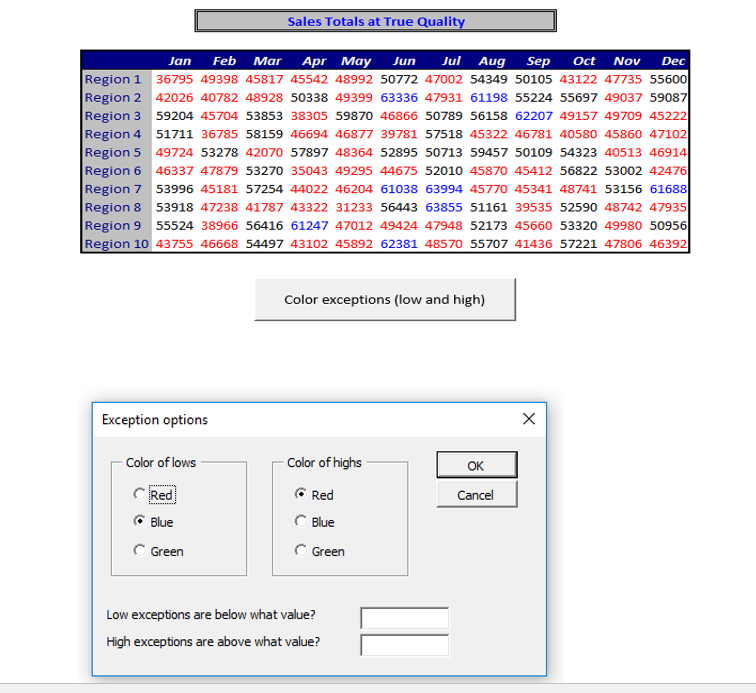
Using only VBA in excel, create a multipage user form that Question 2. The Q2 - Exceptions worksheet contains monthly sales totals for a number of sales regions. Create a multipage user form that uses a button that will be located below the data to open the Exceptions page of a MultiPa e User Form to access a User Form like the example shown (pictures below at the end). Use vbRed or Red, vbBlue for Blue and vbGreen for Green in your code. Basically this solution will allow you to choose one of three colors for the low values it the table, one of three for the high values in the table and will apply these rules when the OK button is clicked (Please pay attention to the Multipage number found in the dropdown list to the left of the code window to find the order number of the pages in your MultiPage UserForm. The first one will be page number 0 in the order, the second will be 1, etc. so, if you have attempted to create the Multipage UserForm more than once, the first multipage listed might be MultiPage3. To insure that you have the correct multipage showing when you open the UserForm, have command similar to this: UserForm1.MultiPage3.Value 1. This assumes that the Exceptions page is the second page in your Multipage UserForm
Step by Step Solution
There are 3 Steps involved in it

Get step-by-step solutions from verified subject matter experts
 Study Help