







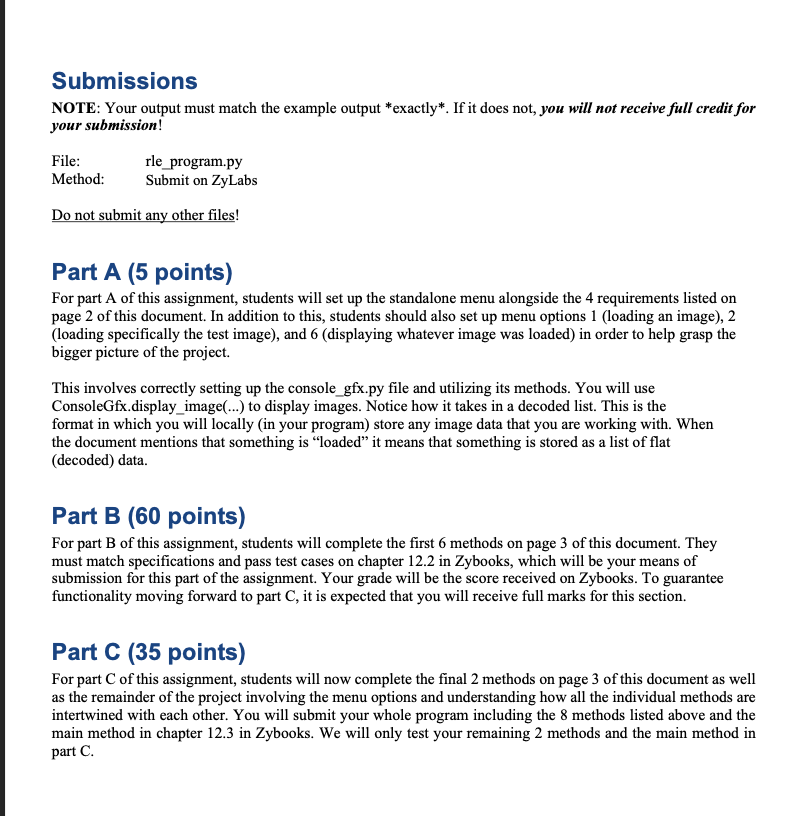
Question: I need Part C . Please do it in python. Here is consolegfx: class ConsoleGfx: default _ top = default _ up _
I need Part C Please do it in python. Here is consolegfx:
class ConsoleGfx:
defaulttop
defaultupleft
defaultupright
defaultstart
defaultend
defaultbottom
defaultlowleft
defaultlowright
COLORRESET m
fgpalette
empalette
ulpalette
bgpalette
for i in range:
fgpalettei strim
fgpalettei strim
empalettei; strim
empalettei; strim
ulpalettei; strim
ulpalettei; strim
bgpalettei strim
bgpalettei strim
BLACK
RED
DARKGREEN
GOLD
BLUE
GARNETT
ORANGE
LIGHTGRAY
GRAY
PEACH
GREEN
BRIGHTGOLD
CYAN
MAGENTA
BRIGHTORANGE
WHITE
CLEAR MAGENTA
TRANSDISPLAY BLACK
testrainbow
testimage
CLEAR, CLEAR, GREEN, GREEN, GREEN, CLEAR, CLEAR, CLEAR,
CLEAR, CLEAR, CLEAR, GREEN, GREEN, CLEAR, CLEAR, GREEN,
WHITE, BLACK, GREEN, GREEN, GREEN, GREEN, GREEN, GREEN,
GREEN, DARKGREEN, GREEN, GREEN, GREEN, GREEN, GREEN,
GREEN, GREEN, GREEN, GREEN, GREEN, GREEN, GREEN, GREEN,
GREEN, GREEN, CLEAR, GREEN, GREEN, GREEN, GREEN, GREEN,
GREEN, GREEN, GREEN, GREEN, BLACK, BLACK, BLACK, GREEN,
CLEAR, GREEN, GREEN, GREEN, BLACK, BLACK, BLACK, BLACK,
BLACK, BLACK, GREEN, GREEN, GREEN, CLEAR, CLEAR, CLEAR,
GREEN, GREEN, GREEN, GREEN, GREEN, GREEN, GREEN, GREEN,
CLEAR, CLEAR, CLEAR, CLEAR, CLEAR
@staticmethod
def displayimageimagedata:
ConsoleGfx.displayimageimagedata, ConsoleGfx.defaulttop, ConsoleGfx.defaultupleft, ConsoleGfx.defaultupright, ConsoleGfx.defaultstart,
ConsoleGfx.defaultend, ConsoleGfx.defaultbottom, ConsoleGfx.defaultlowleft, ConsoleGfx.defaultlowright
@staticmethod
def displayimageimagedata, top, upleft, upright, start, end, bottom, lowleft, lowright:
width imagedata
height imagedata
dataindex
printupleft, end
for xindex in rangewidth:
printtop end
printupright
for yindex in range height, :
outputstr start
for xindex in rangewidth:
outputcolor imagedatadataindex
outputstr ConsoleGfx.fgpaletteConsoleGfxTRANSDISPLAY if outputcolor ConsoleGfx.CLEAR else outputcolor
outputcolor imagedatadataindex width if yindex height else ConsoleGfx.CLEAR
outputstr ConsoleGfx.bgpaletteConsoleGfxTRANSDISPLAY if outputcolor ConsoleGfx.CLEAR else outputcolor
outputstr
dataindex
dataindex width
printoutputstr ConsoleGfx.COLORRESET end
printlowleft, end
for xindex in rangewidth:
printbottom end
printlowright
@staticmethod
def loadfilefilename:
filedata
with openfilenamerb as myfile:
contents myfile.read
for c in contents:
filedata c
myfile.close
return filedata
Step by Step Solution
There are 3 Steps involved in it
1 Expert Approved Answer
Step: 1 Unlock

Question Has Been Solved by an Expert!
Get step-by-step solutions from verified subject matter experts
Step: 2 Unlock
Step: 3 Unlock
 Study Help