







Question: i need solve task 7 quickly Objectives: To optimize (minimize) the perimeter of a fence surrounding parking space with a given area. Background A rectangular
i need solve task 7 quickly
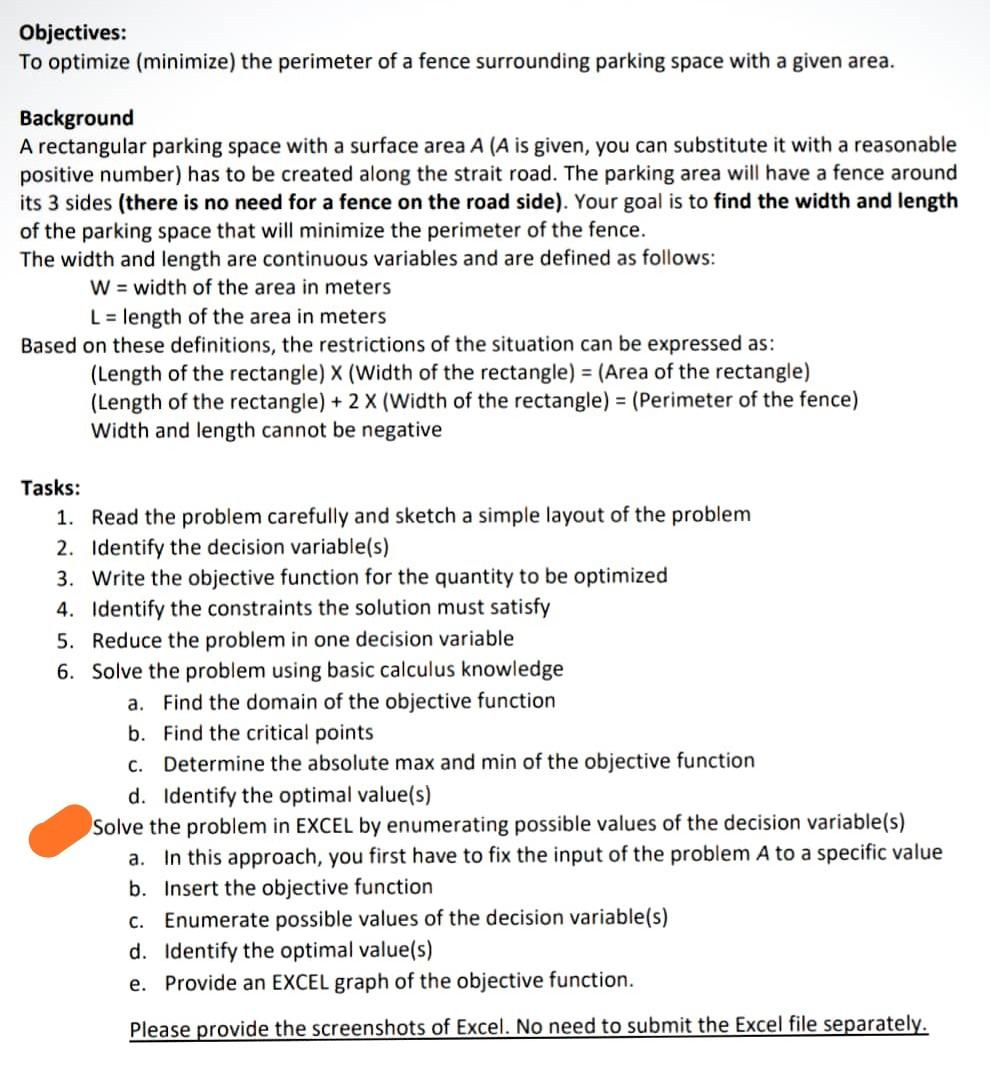
Objectives: To optimize (minimize) the perimeter of a fence surrounding parking space with a given area. Background A rectangular parking space with a surface area A (A is given, you can substitute it with a reasonable positive number) has to be created along the strait road. The parking area will have a fence around its 3 sides (there is no need for a fence on the road side). Your goal is to find the width and length of the parking space that will minimize the perimeter of the fence. The width and length are continuous variables and are defined as follows: W = width of the area in meters L = length of the area in meters Based on these definitions, the restrictions of the situation can be expressed as: (Length of the rectangle) X (Width of the rectangle) = (Area of the rectangle) (Length of the rectangle) + 2 X (Width of the rectangle) = (Perimeter of the fence) Width and length cannot be negative Tasks: 1. Read the problem carefully and sketch a simple layout of the problem 2. Identify the decision variable(s) 3. Write the objective function for the quantity to be optimized 4. Identify the constraints the solution must satisfy 5. Reduce the problem in one decision variable 6. Solve the problem using basic calculus knowledge a. Find the domain of the objective function b. Find the critical points c. Determine the absolute max and min of the objective function d. Identify the optimal value(s) Solve the problem in EXCEL by enumerating possible values of the decision variable(s) a. In this approach, you first have to fix the input of the problem A to a specific value b. Insert the objective function C. Enumerate possible values of the decision variable(s) d. Identify the optimal value(s) e. Provide an EXCEL graph of the objective function. Please provide the screenshots of Excel. No need to submit the Excel file separatelyStep by Step Solution
There are 3 Steps involved in it
1 Expert Approved Answer
Step: 1 Unlock

Question Has Been Solved by an Expert!
Get step-by-step solutions from verified subject matter experts
Step: 2 Unlock
Step: 3 Unlock
 Study Help