







Question: I need some help with this, please. I'm using Android Studio. Your application will be very similar to your Module 2 application. You need to
I need some help with this, please. I'm using Android Studio.
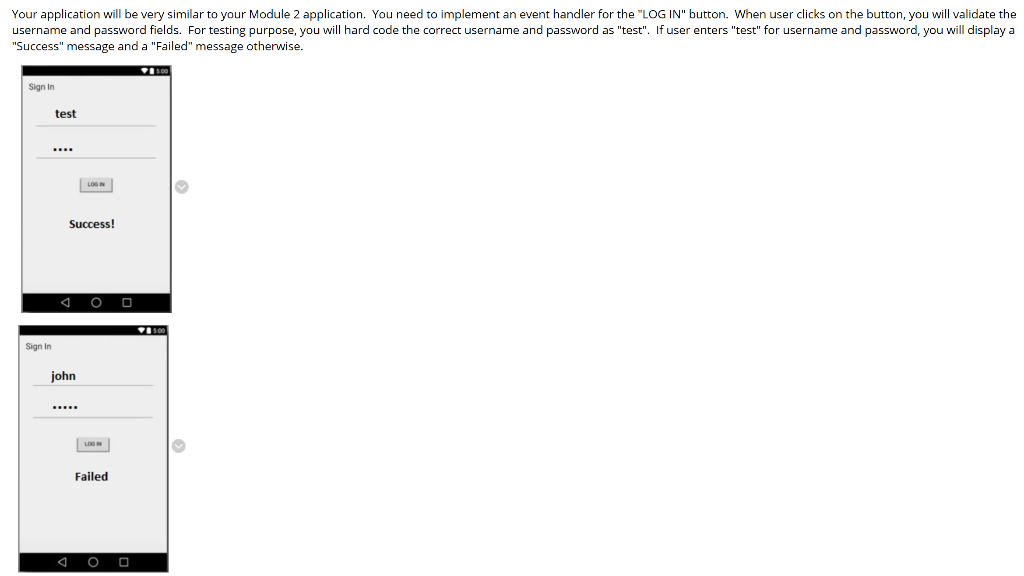
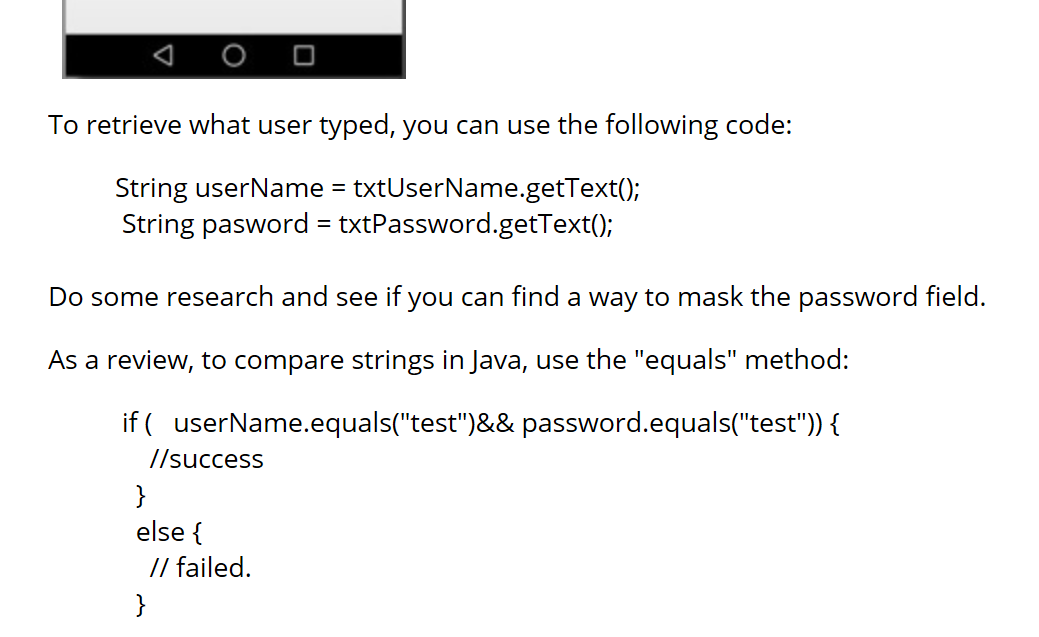
Your application will be very similar to your Module 2 application. You need to implement an event handler for the "LOGIN" button. When user clicks on the button, you will validate the username and password fields. For testing purpose, you will hard code the correct username and password as "test". If user enters "test" for username and password, you will display a "Success" message and a "Failed" message otherwise. Sign In test LOON Success! 114 5.00 Sign In john LOON Failed To retrieve what user typed, you can use the following code: String userName = txtUserName.getText(); String pasword = txtPassword.getText(); Do some research and see if you can find a way to mask the password field. As a review, to compare strings in Java, use the "equals" method: if ( userName.equals("test")&& password.equals("test")) { //success else { // failed
Step by Step Solution
There are 3 Steps involved in it

Get step-by-step solutions from verified subject matter experts
 Study Help