







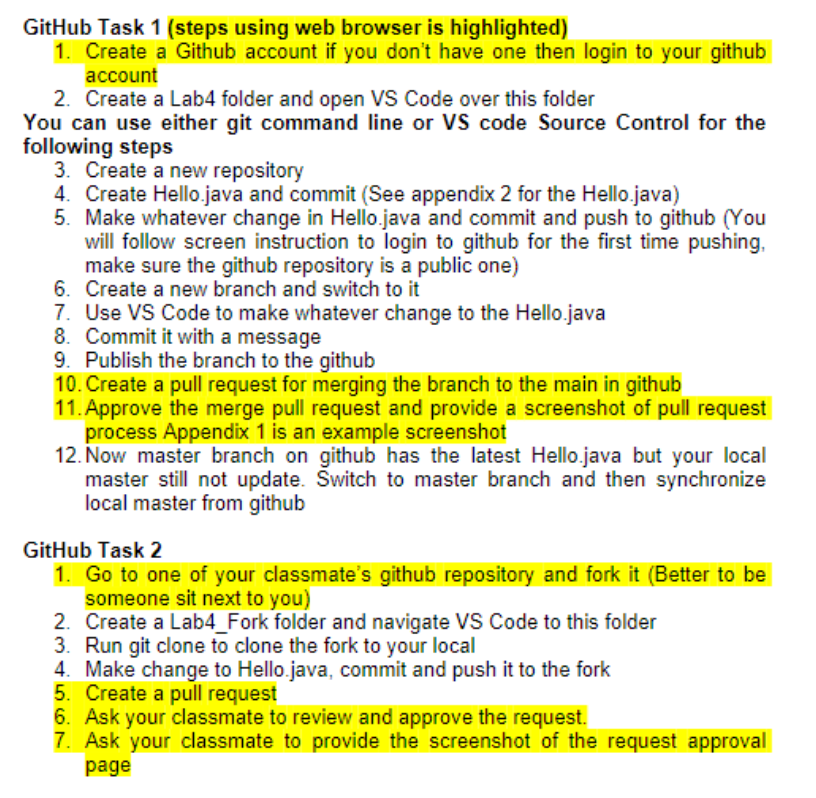
Question: I need step by step please GitHub Task 1 ( steps using web browser is highlighted ) Create a Github account if you don't have
I need step by step please GitHub Task steps using web browser is highlighted
Create a Github account if you don't have one then login to your github
account
Create a Lab folder and open VS Code over this folder
You can use either git command line or VS code Source Control for the
following steps
Create a new repository
Create Hello.java and commit See appendix for the Hello.java
Make whatever change in Hello.java and commit and push to github You
will follow screen instruction to login to github for the first time pushing,
make sure the github repository is a public one
Create a new branch and switch to it
Use VS Code to make whatever change to the Hello.java
Commit it with a message
Publish the branch to the github
Create a pull request for merging the branch to the main in github
Approve the merge pull request and provide a screenshot of pull request
process Appendix is an example screenshot
Now master branch on github has the latest Hello.java but your local
master still not update. Switch to master branch and then synchronize
local master from github
GitHub Task
Go to one of your classmate's github repository and fork it Better to be
someone sit next to you
Create a LabFork folder and navigate VS Code to this folder
Run git clone to clone the fork to your local
Make change to Hello.java, commit and push it to the fork
Create a pull request
Ask your classmate to review and approve the request.
Ask your classmate to provide the screenshot of the request approval
page
Step by Step Solution
There are 3 Steps involved in it
1 Expert Approved Answer
Step: 1 Unlock

Question Has Been Solved by an Expert!
Get step-by-step solutions from verified subject matter experts
Step: 2 Unlock
Step: 3 Unlock
 Study Help