







Question: I. Single Movement from One Position to another Position Set the orientation of the robot at start point as a straight line to locate endpoint
I. Single Movement from One Position to another Position
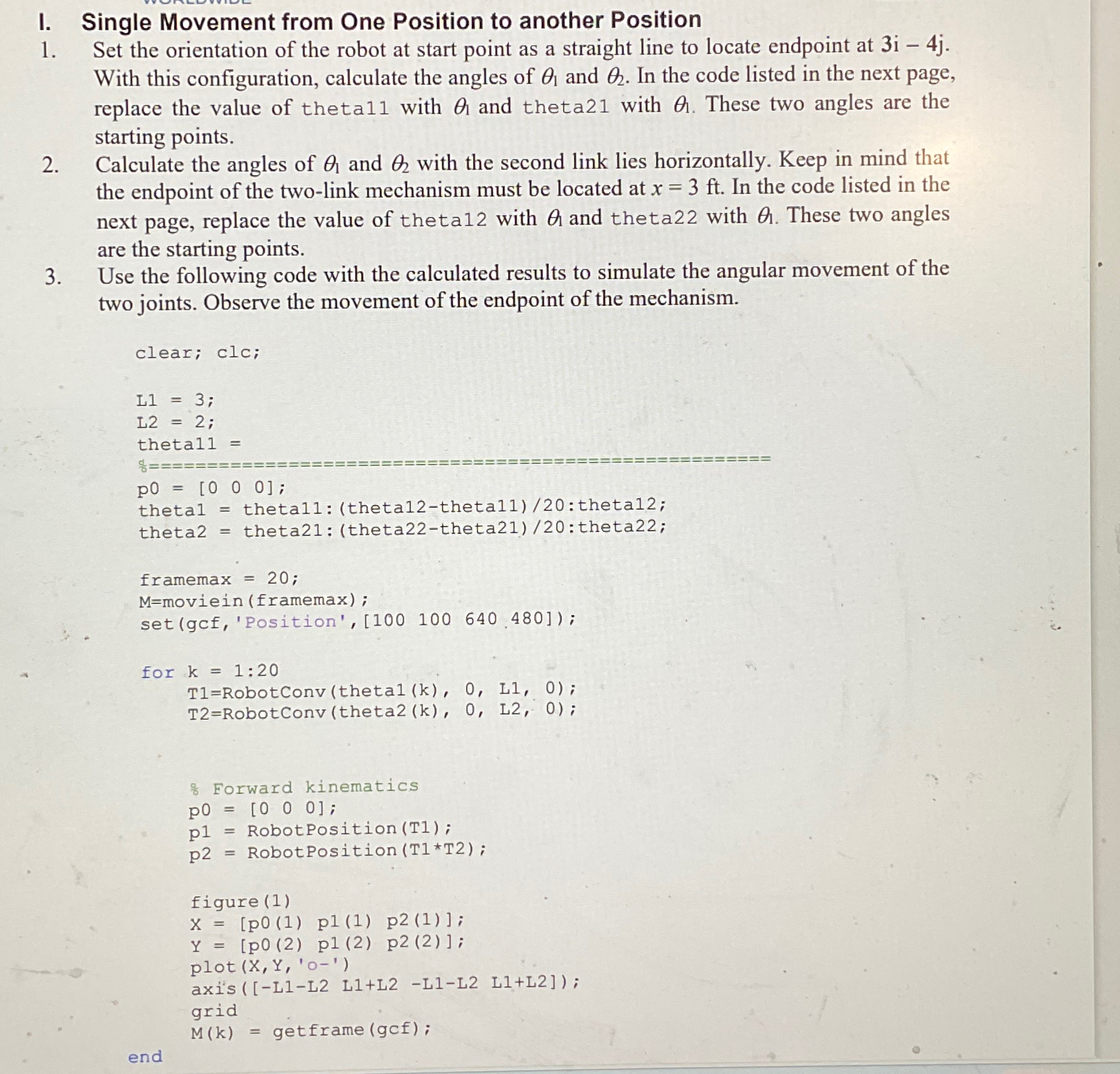
Set the orientation of the robot at start point as a straight line to locate endpoint at With this configuration, calculate the angles of and In the code listed in the next page, replace the value of theta with and theta with These two angles are the starting points.
Calculate the angles of and with the second link lies horizontally. Keep in mind that the endpoint of the twolink mechanism must be located at In the code listed in the next page, replace the value of theta with and theta with These two angles are the starting points.
Use the following code with the calculated results to simulate the angular movement of the two joints. Observe the movement of the endpoint of the mechanism.
clear; clc;
;
L;
thetal
;
thetal thetal: thetatheta: thetal;
theta theta: thetatheta: theta;
framemax ;
Mmoviein framemax;
for :
RobotConv;
RobotConv;
Forward kinematics
;
RobotPosition ;
RobotPosition
p RobotPosition T;
p RobotPosition ;
figure
p p;
;
plot X Y O
axisLL LLLL LL;
grid
getframe;
end
Step by Step Solution
There are 3 Steps involved in it
1 Expert Approved Answer
Step: 1 Unlock

Question Has Been Solved by an Expert!
Get step-by-step solutions from verified subject matter experts
Step: 2 Unlock
Step: 3 Unlock
 Study Help