







Question: I WANT THE SOLUTION IN NETBEANS. Including JCheckBoxes in an Application Next, you create an interactive program for a resort. The base price for a
I WANT THE SOLUTION IN NETBEANS.
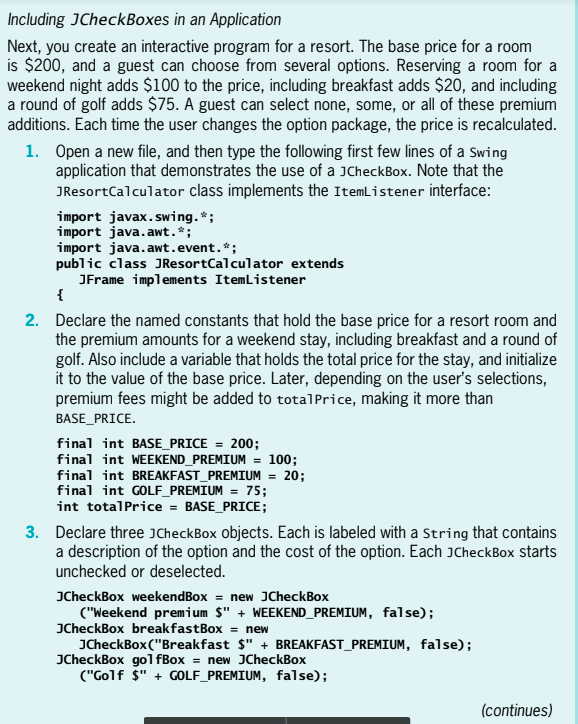
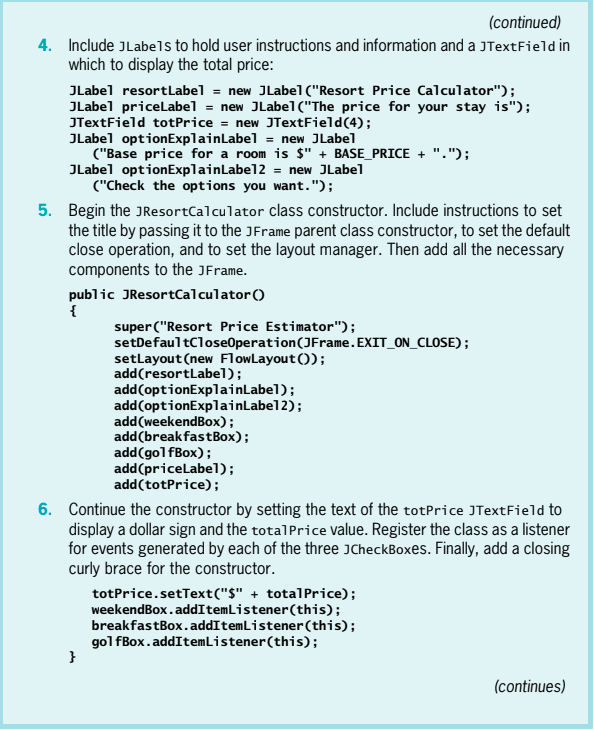
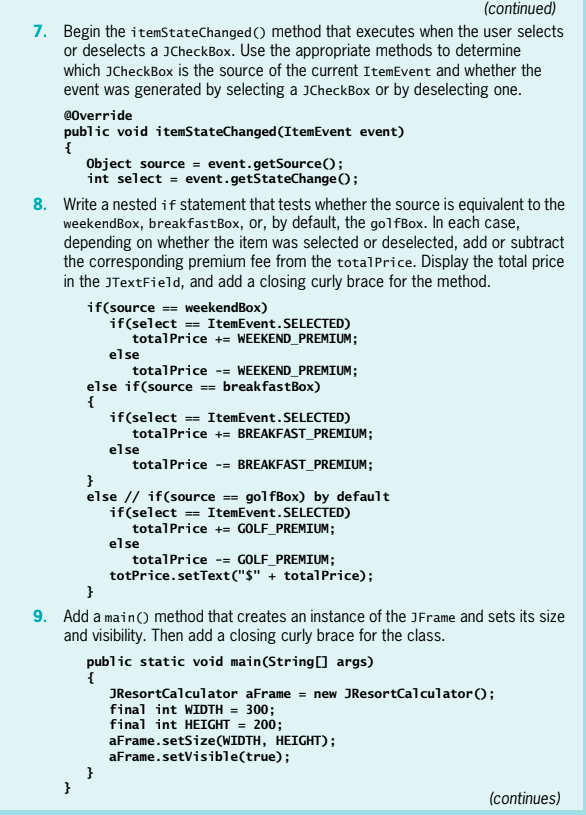
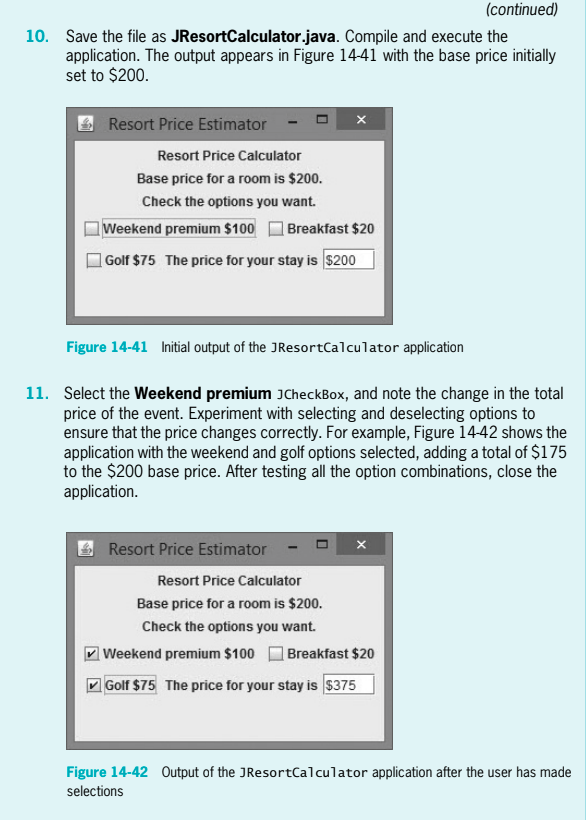
Including JCheckBoxes in an Application Next, you create an interactive program for a resort. The base price for a room is $200, and a guest can choose from several options. Reserving a room for a weekend night adds $100 to the price, including breakfast adds $20, and including a round of golf adds $75. A guest can select none, some, or all of these premium additions. Each time the user changes the option package, the price is recalculated 1. Open a new file, and then type the following first few lines of a Swing application that demonstrates the use of a JCheckBox. Note that the JResortCalculator class implements the ItemListener interface import javax.swing. import java.awt.*; import java.awt.event.*; public class JResortCalculator extends JFrame implements ItemListener 2. Declare the named constants that hold the base price for a resort room and the premium amounts for a weekend stay, including breakfast and a round of golf. Also include a variable that holds the total price for the stay, and initialize it to the value of the base price. Later, depending on the user's selections, premium fees might be added to totalPrice, making it more than BASE_PRICE. final int BASE PRICE200; final int WEEKEND PREMIUM 100 final int BREAKFAST PREMIUM20; final int GOLF_PREMIUM75; int totalPriceBASE PRICE 3. Declare three JCheckBox objects. Each is labeled with a String that contains a description of the option and the cost of the option. Each JCheckBox starts unchecked or deselected JCheckBox weekendBoxnew JCheckBox ("Weekend premium $" + WEEKEND-PREMIUM, false); JCheckBox("Breakfast $" BREAKFAST_PREMIUM, false); ("Golf $" GOLF_PREMIUM, false); JCheckBox breakfastBoxnew JCheckBox golfBoxnew JCheckBox (continues)
Step by Step Solution
There are 3 Steps involved in it

Get step-by-step solutions from verified subject matter experts
 Study Help