







Question: If anyone can help out with this javaFx program I will upVote!!! thanks! Introduction: In this lab, you will write a program using the JavaFX
If anyone can help out with this javaFx program I will upVote!!! thanks!
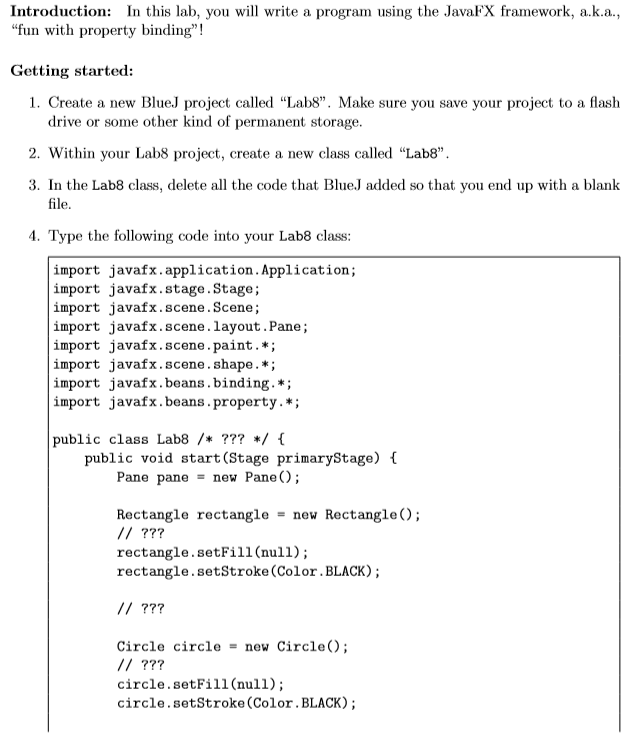
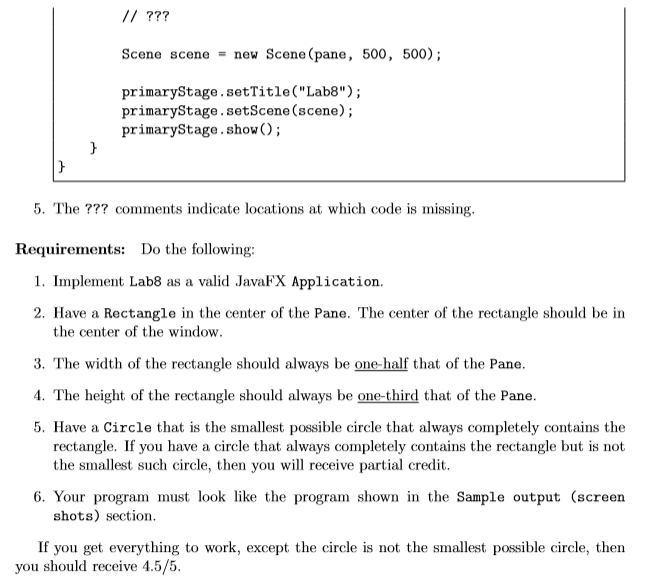
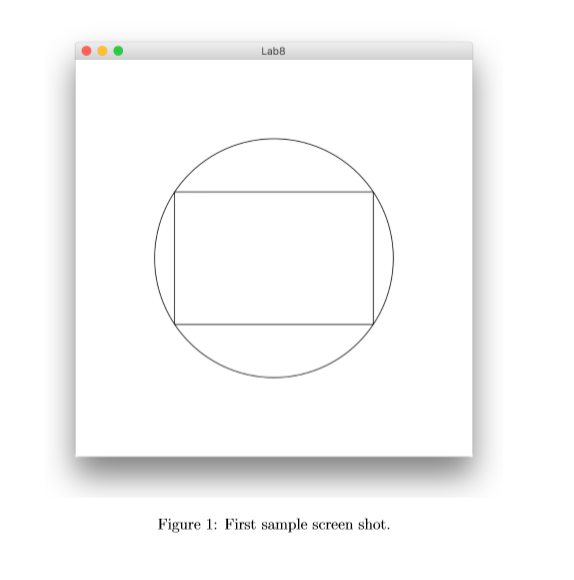
Introduction: In this lab, you will write a program using the JavaFX framework, a.k.a., "fun with property binding"! Getting started: 1. Create a new BlueJ project called "Lab8". Make sure you save your project to a flash drive or some other kind of permanent storage 2. Within your Lab8 project, create a new class called "Lab8 3. In the Lab8 class, delete all the code that Blue.J added so that you end up with a blank file. 4. Type the following code into your Lab8 class: import javafx.application.Application; import javafx.stage.Stage; import javafx.scene.Scene; import javafx.scene.layout.Pane; import javafx.scene.paint.*; import javafx.scene.shape.*; import javafx.beans.binding.*; import javafx.beans.property.* public class Lab8 /* ???/ public void start (Stage primaryStage) Pane pane-new Pane Rectangle rectangle-new Rectangle); rectangle.setFil1(null); rectangle.setStroke (Color. BLACK); Circle circle new Circle); circle.setFill(null); circle.setStroke (Color. BLACK) Introduction: In this lab, you will write a program using the JavaFX framework, a.k.a., "fun with property binding"! Getting started: 1. Create a new BlueJ project called "Lab8". Make sure you save your project to a flash drive or some other kind of permanent storage 2. Within your Lab8 project, create a new class called "Lab8 3. In the Lab8 class, delete all the code that Blue.J added so that you end up with a blank file. 4. Type the following code into your Lab8 class: import javafx.application.Application; import javafx.stage.Stage; import javafx.scene.Scene; import javafx.scene.layout.Pane; import javafx.scene.paint.*; import javafx.scene.shape.*; import javafx.beans.binding.*; import javafx.beans.property.* public class Lab8 /* ???/ public void start (Stage primaryStage) Pane pane-new Pane Rectangle rectangle-new Rectangle); rectangle.setFil1(null); rectangle.setStroke (Color. BLACK); Circle circle new Circle); circle.setFill(null); circle.setStroke (Color. BLACK)
Step by Step Solution
There are 3 Steps involved in it

Get step-by-step solutions from verified subject matter experts
 Study Help