







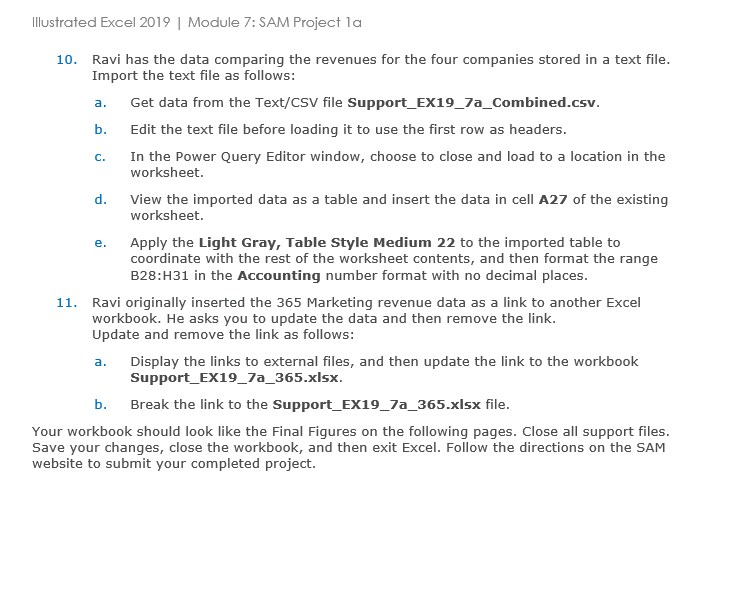
Question: Illustrated Excel 2 0 1 9 | Module 7 : SAM Project 1 a 1 0 . Ravi has the data comparing the revenues for
Illustrated Excel Module : SAM Project a
Ravi has the data comparing the revenues for the four companies stored in a text file. Import the text file as follows:
a Get data from the TextCSV file SupportEXaCombined.csv
b Edit the text file before loading it to use the first row as headers.
c In the Power Query Editor window, choose to close and load to a location in the worksheet.
d View the imported data as a table and insert the data in cell A of the existing worksheet.
e Apply the Light Gray, Table Style Medium to the imported table to coordinate with the rest of the worksheet contents, and then format the range B:H in the Accounting number format with no decimal places.
Ravi originally inserted the Marketing revenue data as a link to another Excel workbook. He asks you to update the data and then remove the link.
Update and remove the link as follows:
a Display the links to external files, and then update the link to the workbook SupportEXaxlsx
b Break the link to the SupportEXaxlsx file.
Your workbook should look like the Final Figures on the following pages. Close all support files. Save your changes, close the workbook, and then exit Excel. Follow the directions on the SAM website to submit your completed project.
Step by Step Solution
There are 3 Steps involved in it
1 Expert Approved Answer
Step: 1 Unlock

Question Has Been Solved by an Expert!
Get step-by-step solutions from verified subject matter experts
Step: 2 Unlock
Step: 3 Unlock
 Study Help