







Question: Implement a WPF app to facilitate user to create S3 bucket, and upload/delete object(s) to the selected bucket. More specifically, after your application has
Implement a WPF app to facilitate user to create S3 bucket, and upload/delete object(s) to the selected bucket.
More specifically, after your application has been launched, the user should see a GUI similar with below.
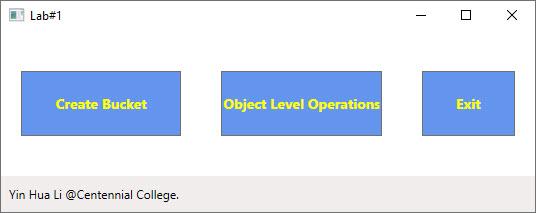
Figure 1
When user click on "Create Bucket" button, the window shown in Figure 2 should be displayed. Please note that all existing buckets (e.g., bucket name and created date) need to be listed in a DataGrid
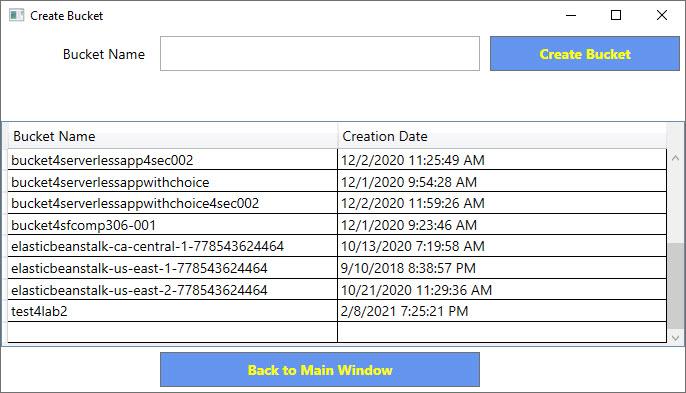
Figure 2
After the user inputs bucket name and clicks on "Create Bucket", the bucket with the specified name should be created, and is added to the bucket list (shown in Figure 4)
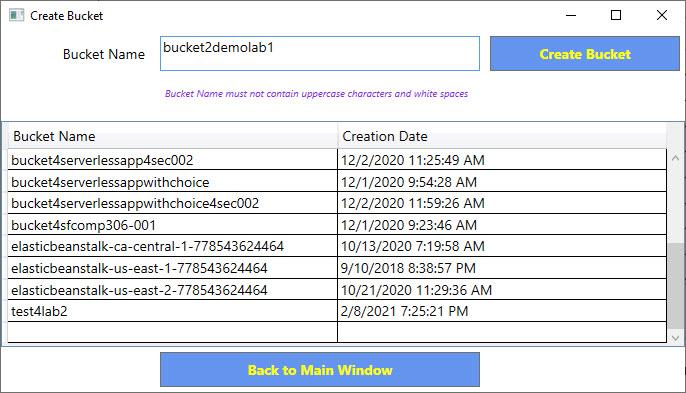
Figure 3
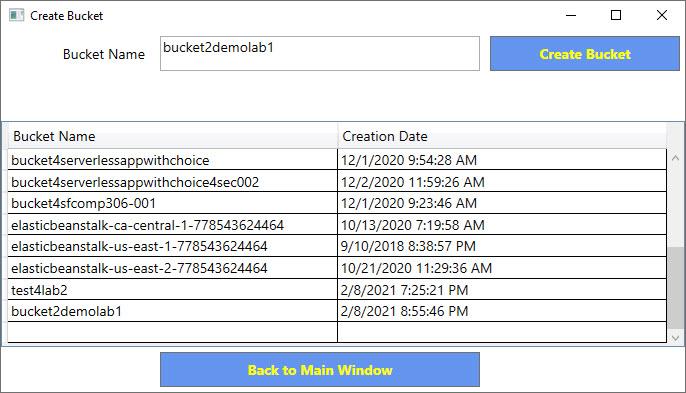
Figure 4
User clicks on "Object Level Operations" button from main window, the window shown in Figure 5 should be displayed with all existing buckets' name listed in the comboBox.
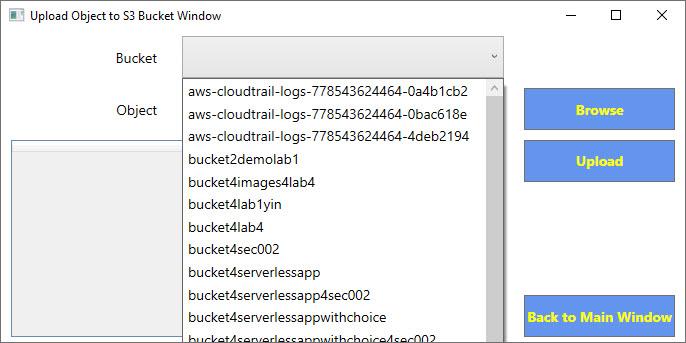
Figure 5
After the user selects a bucket from the comboBox, all objects (e.g., object name and the object size) existing in this selected bucket should be listed in the dataGrid (shown in Figure 6)
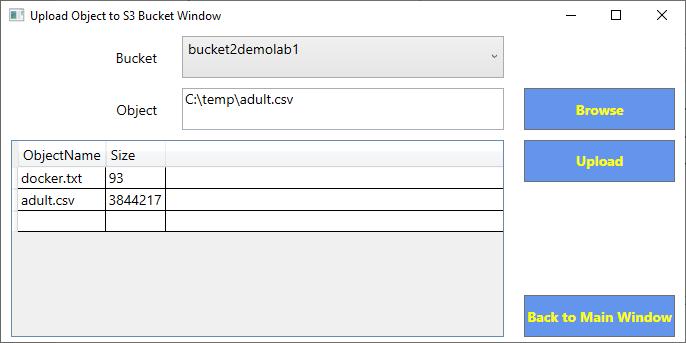
Figure 6
After user choose the object to be uploaded by clicking "Browse" button (Shown Figure 7), user can upload the object by clicking "Upload" button.
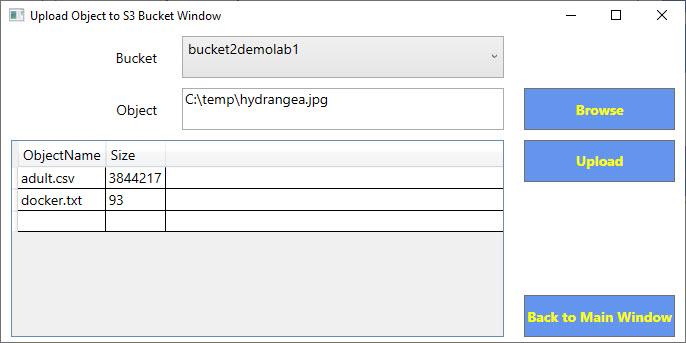
Lab#1 Create Bucket Yin Hua Li @Centennial College. Object Level Operations 1 Exit X
Step by Step Solution
There are 3 Steps involved in it

Get step-by-step solutions from verified subject matter experts
 Study Help