







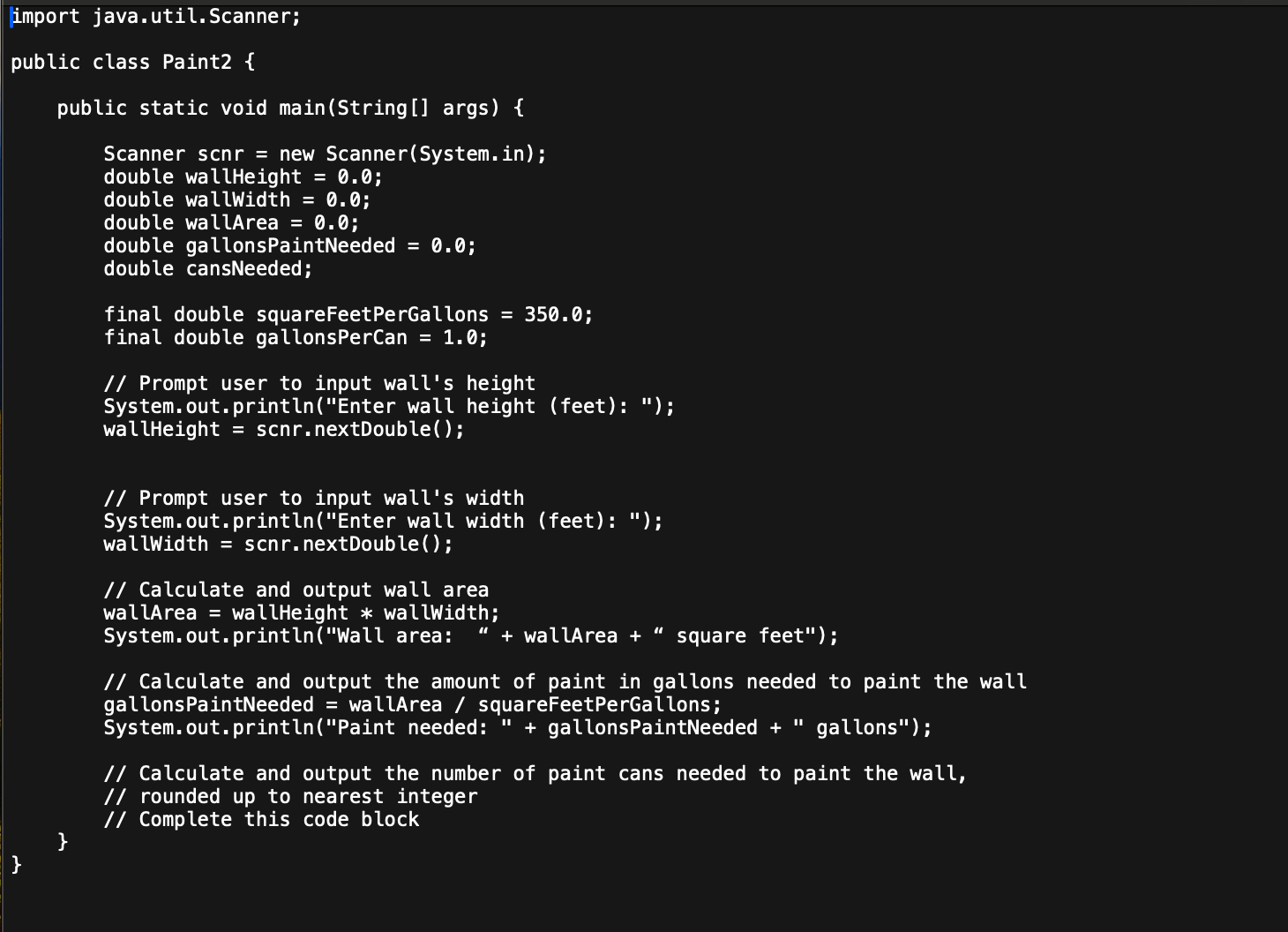
Question: import java.util.Scanner; public class Paint 2 { public static void main ( String [ ] args ) { Scanner scnr = new Scanner ( System.in
import java.util.Scanner;
public class Paint
public static void mainString args
Scanner scnr new Scanner
System.in;
double wallHeight ;
double wallWidth ;
double wallArea ;
double gallonsPaintNeeded ;
double cansNeeded;
final double squareFeetPerGallons ;
final double gallonsPerCan ;
Prompt user to input wall's height
System.out.printlnEnter wall height feet: ;
wallHeight scnrnextDouble;
Prompt user to input wall's width
System.out.printlnEnter wall width feet: ;
wallWidth scnrnextDouble;
Calculate and output wall area
wallArea wallHeight wallWidth;
System.out.printlnWall area: wallArea square feet";
Calculate and output the amount of paint in gallons needed to paint the wall
gallonsPaintNeeded wallArea squareFeetPerGallons;
System.out.printlnPaint needed: gallonsPaintNeeded gallons";
Calculate and output the number of paint cans needed to paint the wall,
rounded up to nearest integer
Complete this code block
For this assignment, you will complete the Paint program by adding code that calculates the number of cans of paint needed to paint a wall,
given its height and width. The following table shows four different test cases with sample input and output values that your completed
program must handle.
First, select a method that appropriately handles all the included test cases by consulting the official Java documentation for the Class
Math link in the Supporting Materials section. Use the following tips to help you navigate the documentation:
A Scroll to the Method Summary section and review the methods and their descriptions. Look for a method that will help you round a
value up to the nearest integer.
B If a method looks promising, click its name for a more detailed description. Pay attention to the arguments and the data type of the
return value.
C Based on your review, select one or more methods from the class Math to use in your program.
D You may be thrown off when attempting to implement methods from the Java API in your class. It may be easier to understand the
chosen method's functionality if you implement the method into a new empty class Open the Virtual Lab by clicking the link in the Virtual Lab Access module. Then open your IDE and upload the Paintzip folder. You can
find the Paintzip folder in the Supporting Materials section. Review the code for the Paintjava class, looking for the comment
Complete this code block". Here, you will implement your selected method so that your program meets the required functionality.
The program should perform the following actions:
A Calculate the number of paint cans needed to paint the wall.
B Round up to the nearest integer. Use the test cases to check your work.
C Output the number of cans needed for the user.
Tip: When implementing your selected method from the class Math, use the syntax Math.methodname For example, if you decided to
use the absolute value method, you would write the following code: Math.abs
Step by Step Solution
There are 3 Steps involved in it
1 Expert Approved Answer
Step: 1 Unlock

Question Has Been Solved by an Expert!
Get step-by-step solutions from verified subject matter experts
Step: 2 Unlock
Step: 3 Unlock
 Study Help