







Question: import turtle wn = turtle.Screen ( ) input ( Press Enter to continue.. ) wn . bgcolor ( lightgreen ) tess =
import turtle
wn turtle.Screen
inputPress Enter to continue.."
wnbgcolorlightgreen
tess turtle.Turtle
tess.colorblue
tess.shapeturtle
printrange
tess.up # this is new
for size in range: # start with size and grow by
tess.stamp # leave an impression on the canvas
tess.forwardsize # move tess along
tess.right # and turn her
wnexitonclickYou need to change the program ActiveCode: Ch in the online interactive Python book. You
can find the code in Chapter Python Turtle Graphics, Section A Few More turtle Methods and
Observations. I copy the code as below for your reference:
import turtle
wn turtle.Screen
inputPress Enter to continue.."
wnbgcolorlightgreen
tess turtle.Turtle
tess.colorblue
tess.shapeturtle
printrange
tess.up # this is new
for size in range : # start with size and grow by
tess.stamp # leave an impression on the canvas
tess.forwardsize # move tess along
tess.right # and turn her
wnexitonclick
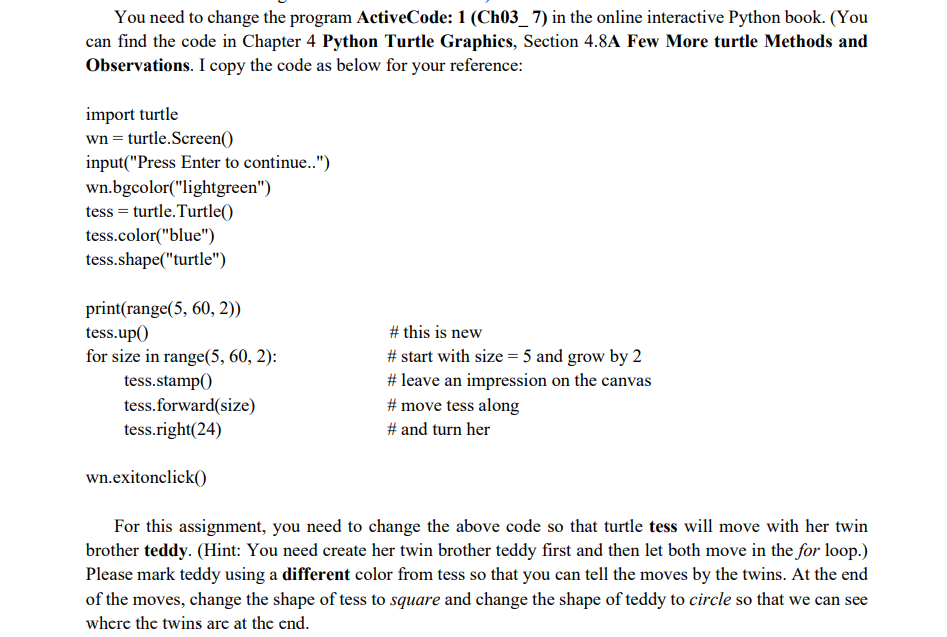
For this assignment, you need to change the above code so that turtle tess will move with her twin
brother teddy. Hint: You need create her twin brother teddy first and then let both move in the for loop.
Please mark teddy using a different color from tess so that you can tell the moves by the twins. At the end
of the moves, change the shape of tess to square and change the shape of teddy to circle so that we can see
where the twins are at the end.
Step by Step Solution
There are 3 Steps involved in it
1 Expert Approved Answer
Step: 1 Unlock

Question Has Been Solved by an Expert!
Get step-by-step solutions from verified subject matter experts
Step: 2 Unlock
Step: 3 Unlock
 Study Help