







Question: In C + + , my program is not accepting user input when prompted. What is causing this issue? #define INVENTORY #include #include #include Console.h
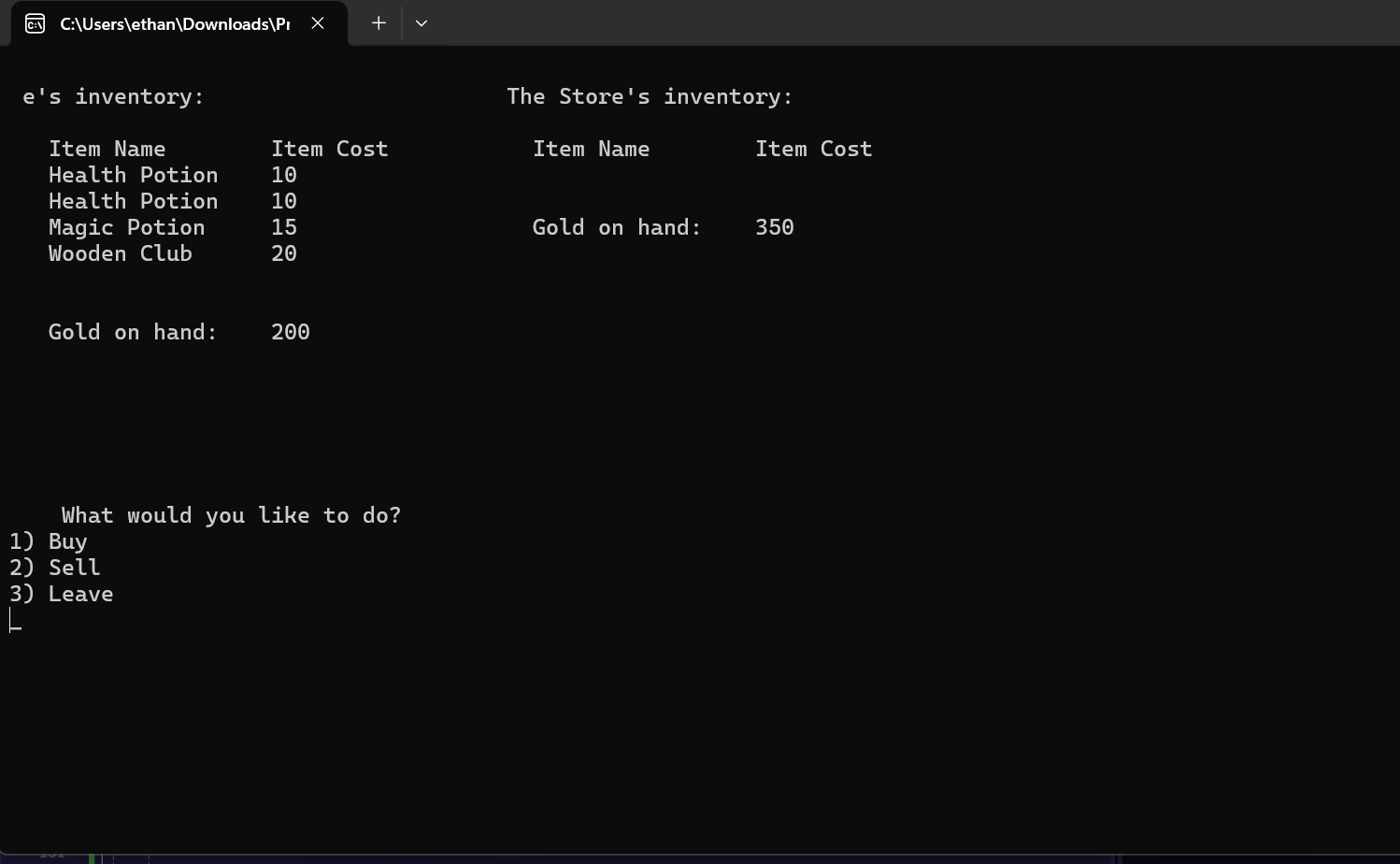
In C my program is not accepting user input when prompted. What is causing this issue? #define INVENTORY
#include
#include
#include "Console.h
#include "Utility.h
#ifdef INVENTORY
#include "Inventory.cpp
#endif
#include "ShopUtils.cpp
using namespace std;
int main
#ifdef INVENTORY
Item HealthPotion;
HealthPotion.SetNameHealth Potion";
HealthPotion.SetCost;
Item MagicPotionMagic Potion", ;
Item IronDaggerIron Dagger", ;
Item WoodenClubWooden Club", ;
Item DaedricHelmDaedric Helm", ;
Item MageRobeMage Robe", ;
Item AkaviriKatanaAkaviri Katana", ;
Item WabbaJackWabbajack;
vector PlayerStarterItems HealthPotion, HealthPotion, MagicPotion, WoodenClub ;
vector StoreStartingItems HealthPotion, MagicPotion, MagicPotion, IronDagger,
DaedricHelm, MageRobe, AkaviriKatana, WabbaJack ;
#endif
TODO: Define an Inventory object for the player, and an Inventory object for the store.
Inventory playerInventory;
Inventory storeInventory;
TODO: Prompt the user for their name
Ask the user for their name and define a string for the
name. Store their input in the string. If they entered
an empty string eg assign them a default name.
string name;
cout "Please enter your name: ;
cin name;
if nameempty
name "Default Name";
TODO: Use the SetGold method to give the player inventory Gold.
playerInventory.SetGold;
TODO: Call the AddItem method
Use the AddItem method to add each item in the
PlayerStartingItems array to the player's inventory.
bool isItemAdded false;
for sizet i ; i PlayerStarterItems.size; i
isItemAdded playerInventory.AddItemPlayerStarterItemsi;
if isItemAdded
break;
TODO: Use the SetGold method to give the store inventory Gold.
storeInventory.SetGold;
TODO: Call the AddItem method
Use the AddItem method to add each item in the
StoreStartingItems array to the store's inventory.
while true
int sel ;
bool validInput false;
while validInput
Console::Clear;
TODO: Call the ShopUtils::ShowInventories method
Call the ShowInventories method located within the
ShopUtils class and pass in the player's name,
the player's inventory and the store's inventory.
ShopUtils::ShowInventoriesname playerInventory, storeInventory;
Console::SetCursorPosition;
const std::string menu "What would you like to do
Buy
Sell
Leave
b;
Console::Writemenu;
sel Utility::ReadInt;
while Utility::IsReadGoodsel sel ;
if sel
break;
bool doBuy false;
if sel
doBuy true;
TODO: Call the ShopUtils::DoTransaction method
Call the DoTransaction method locate within the
ShopUtils class and pass it the player's name,
the player's inventory, the store's inventory
and the doBuy variable.
ShopUtils::DoTransactionname playerInventory, storeInventory, doBuy;
Console::Clear;
Utility::WriteCenteredThanks Come back again!";
Utility::WaitForEnterKey;
Step by Step Solution
There are 3 Steps involved in it
1 Expert Approved Answer
Step: 1 Unlock

Question Has Been Solved by an Expert!
Get step-by-step solutions from verified subject matter experts
Step: 2 Unlock
Step: 3 Unlock
 Study Help