





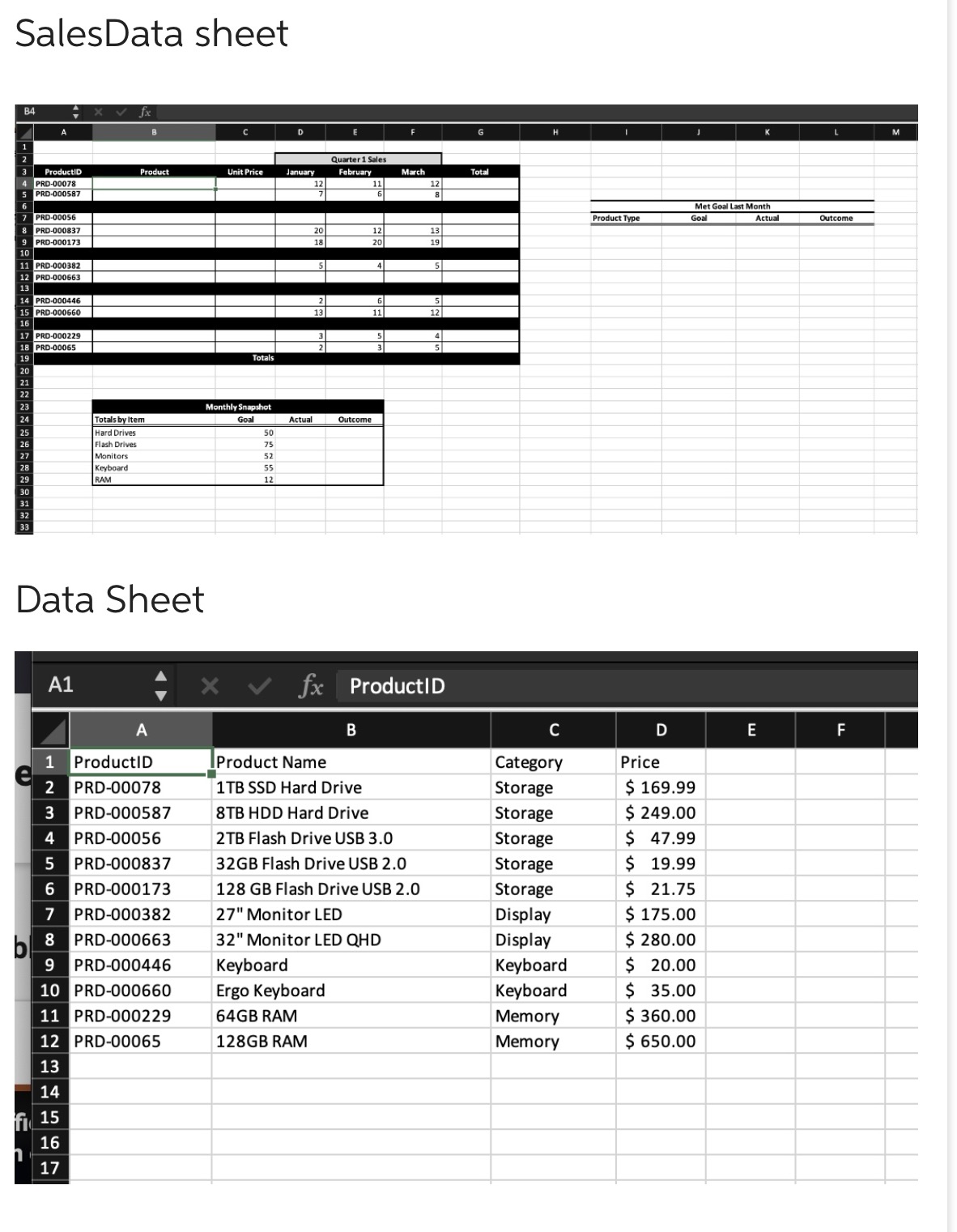
Question: In cell 18, enter the FILTER function to display the Monthly Snapshot data for those products that met their goal in Quarter 1. SalesData sheet

In cell 18, enter the FILTER function to display the Monthly Snapshot data for those products that met their goal in Quarter 1.
In cell 18, enter the FILTER function to display
SalesData sheet Quarter 1 Sales ProductID Product Unit Price January February March Total PRD-00078 PRD-000587 6 Met Goal Last Month PRD-00056 Product Type Goal Actual Outcome PRD-000837 20 18 20 13 PRD-000173 19 10 PRD-000382 PRD-000663 13 PRD-000446 PRD-000660 12 PRD-000229 PRD-00065 Totals Monthly Snapshot Totals by Item Goal Actual Outcome Hard Drives Flash Drive Monitors Keyboard RAM Data Sheet A1 x v fx ProductID A B C D E F 1 ProductID Product Name Category Price PRD-00078 1TB SSD Hard Drive Storage $ 169.99 W N PRD-000587 8TB HDD Hard Drive Storage $ 249.00 IP PRD-00056 2TB Flash Drive USB 3.0 Storage $ 47.99 PRD-000837 32GB Flash Drive USB 2.0 Storage $ 19.99 6 PRD-000173 128 GB Flash Drive USB 2.0 Storage $ 21.75 PRD-000382 27" Monitor LED Display $ 175.00 8 PRD-000663 32" Monitor LED QHD Display $ 280.00 PRD-000446 Keyboard Keyboard $ 20.00 10 PRD-000660 Ergo Keyboard Keyboard $ 35.00 11 PRD-000229 64GB RAM Memory $ 360.00 12 PRD-00065 128GB RAM Memory $ 650.00 13 14 f 15 16 17

Step by Step Solution

There are 3 Steps involved in it

1 Expert Approved Answer
Step: 1 Unlock blur-text-image

Question Has Been Solved by an Expert!

Get step-by-step solutions from verified subject matter experts

Step: 2 Unlock
Step: 3 Unlock

Students Have Also Explored These Related Finance Questions!