







Question: In cell B6 in the Purchasing sheet, insert the payment function to calculate the monthly payment using cell references, not numbers, in the function, and
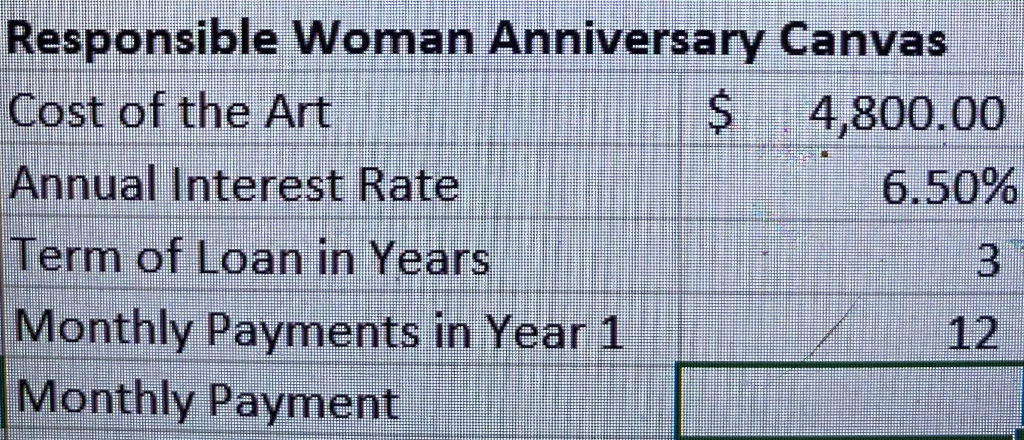
In cell B6 in the Purchasing sheet, insert the payment function to calculate the monthly payment using cell references, not numbers, in the function, and make sure the function displays a positive result. Apply Accounting Number Format and the Output cell style to cell B6.
Responsible Woman Anniversary Canvas Cost of the Art $ 4,800.00 Annual Interest Rate 6.50% Term of Loan in Years Monthly Payments in Year 1 Monthly Payment 3 12Step by Step Solution
There are 3 Steps involved in it
1 Expert Approved Answer
Step: 1 Unlock

Question Has Been Solved by an Expert!
Get step-by-step solutions from verified subject matter experts
Step: 2 Unlock
Step: 3 Unlock
 Study Help