







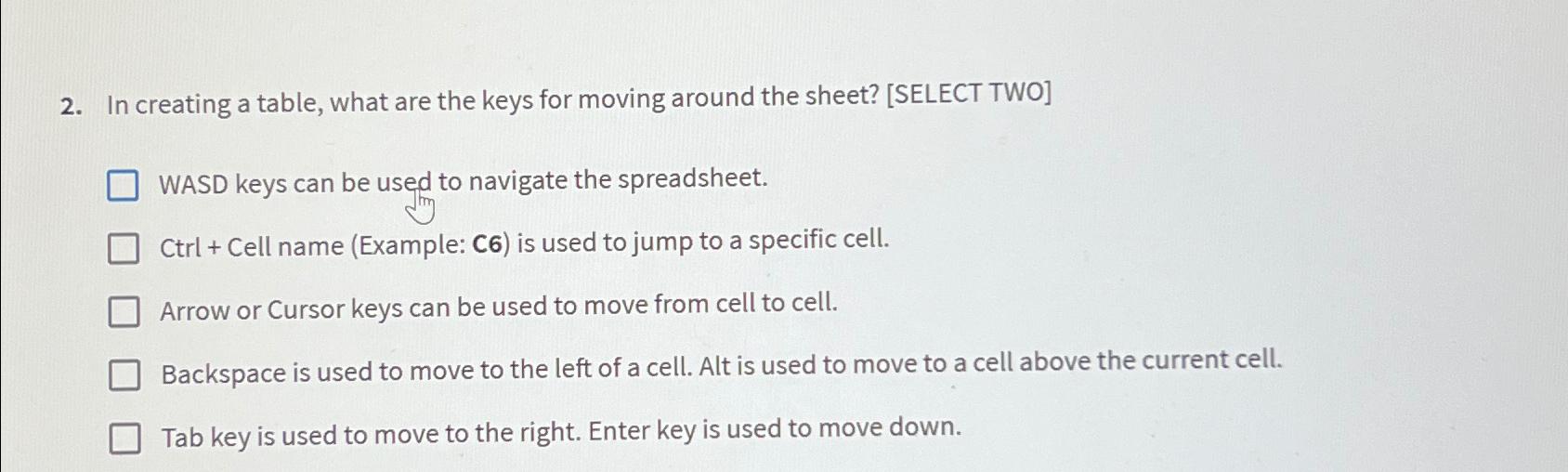
Question: In creating a table, what are the keys for moving around the sheet? [ SELECT TWO ] WASD keys can be used to navigate the
In creating a table, what are the keys for moving around the sheet? SELECT TWO
WASD keys can be used to navigate the spreadsheet.
Ctrl Cell name Example: is used to jump to a specific cell.
Arrow or Cursor keys can be used to move from cell to cell.
Backspace is used to move to the left of a cell. Alt is used to move to a cell above the current cell.
Tab key is used to move to the right. Enter key is used to move down.
Step by Step Solution
There are 3 Steps involved in it
1 Expert Approved Answer
Step: 1 Unlock

Question Has Been Solved by an Expert!
Get step-by-step solutions from verified subject matter experts
Step: 2 Unlock
Step: 3 Unlock
 Study Help