







Question: IN JAVA The Invoice Calculator begins by displaying a message to the console. Then, the application prompts and reads the customer type entered by the
IN JAVA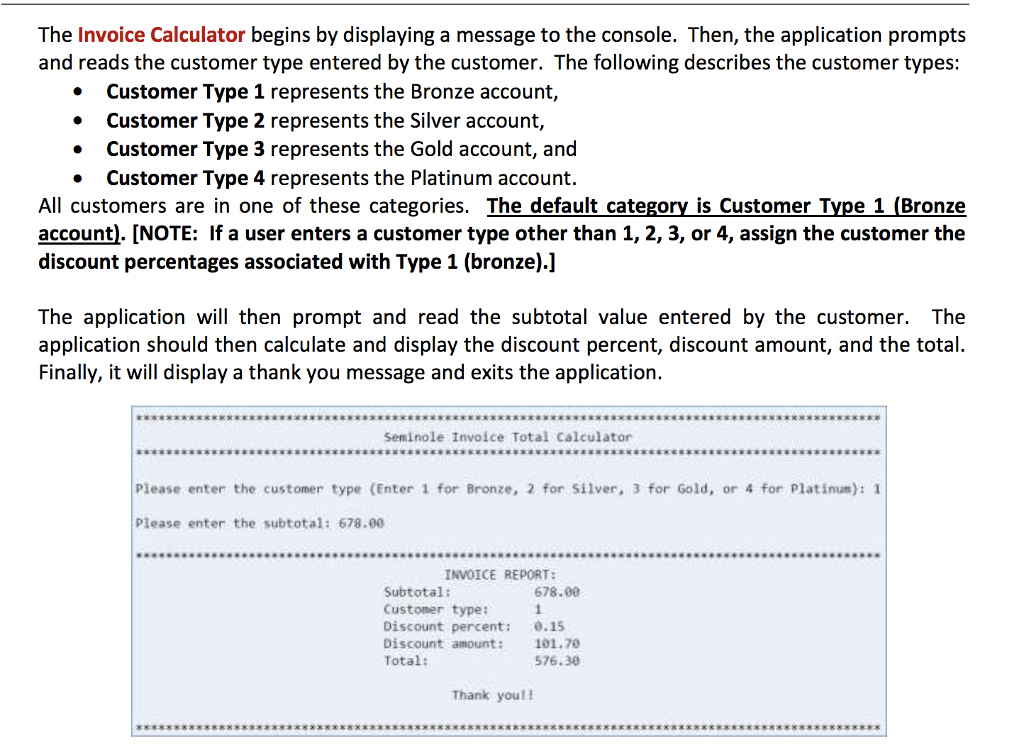
The Invoice Calculator begins by displaying a message to the console. Then, the application prompts and reads the customer type entered by the customer. The following describes the customer types: Customer Type 1 represents the Bronze account, Customer Type 2 represents the Silver account, . Customer Type 3 represents the Gold account, and . Customer Type 4 represents the Platinum account. All customers are in one of these categories. The default category is Customer Type 1 (Bronze account). [NOTE: If a user enters a customer type other than 1, 2, 3, or 4, assign the customer the discount percentages associated with Type 1 (bronze).] The application will then prompt and read the subtotal value entered by the customer. The application should then calculate and display the discount percent, discount amount, and the total. Finally, it will display a thank you message and exits the application. Seminole Involce Total Calculator Please enter the customer type (Enter 1 for Bronze, 2 for silver, 3 for Gold, or 4 for Platinum): 1 Please enter the subtotal: 678.00 INVOICE REPORT: 678.00 Subtotal: Custoner type: Discount percent: Discount amount: Total: 0.15 101.70 576.30 Thank you
Step by Step Solution
There are 3 Steps involved in it

Get step-by-step solutions from verified subject matter experts
 Study Help