







Question: In MATLAB create Matrices In this exercise, you create matrices manually or randomly per instructions. You may need the following commands for part (c). -
In MATLAB create Matrices
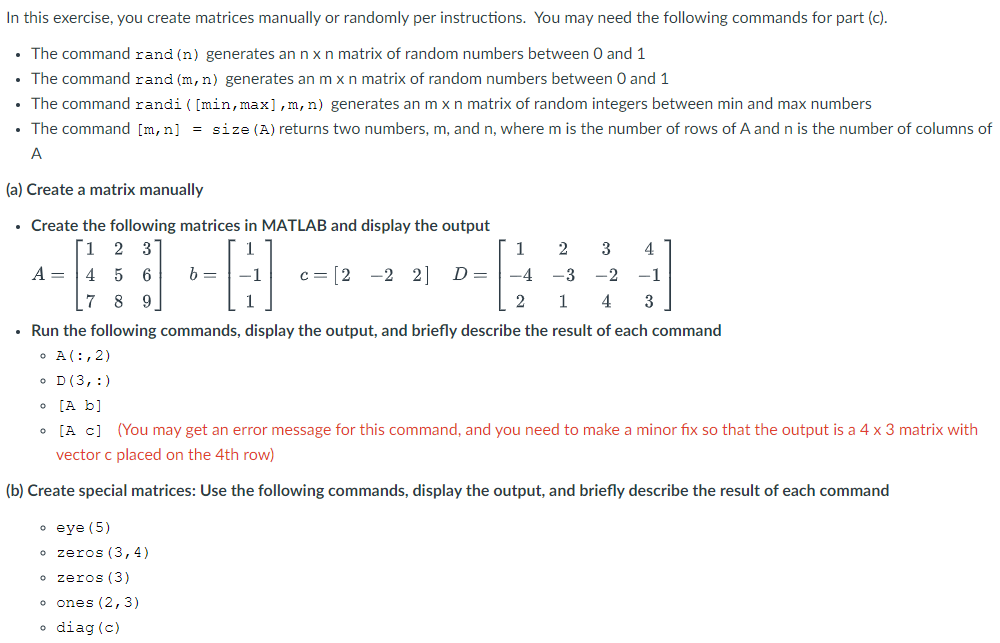
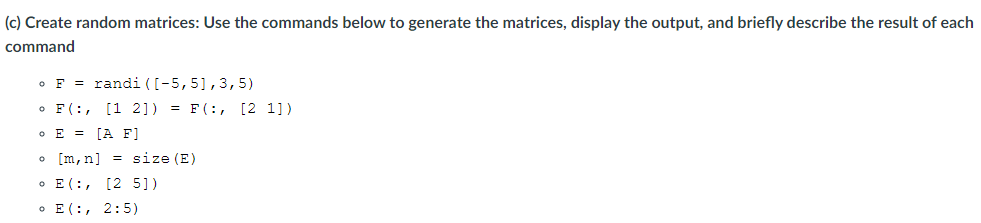
In this exercise, you create matrices manually or randomly per instructions. You may need the following commands for part (c). - The command rand (n) generates an nn matrix of random numbers between 0 and 1 - The command rand(m,n) generates an mn matrix of random numbers between 0 and 1 - The command randi ( [min,max],m,n ) generates an mn matrix of random integers between min and max numbers - The command [m,n]=size(A ) returns two numbers, m, and n, where m is the number of rows of A and n is the number of columns of A (a) Create a matrix manually - Create the following matrices in MATLAB and display the output A=147258369b=111c=[222]D=142231324413 - Run the following commands, display the output, and briefly describe the result of each command - A(:,2) - D(3,:) - [Ab b - [A C C] (You may get an error message for this command, and you need to make a minor fix so that the output is a 43 matrix with vector c placed on the 4th row) (b) Create special matrices: Use the following commands, display the output, and briefly describe the result of each command - eye (5) - zeros (3,4) - zeros (3) - ones (2,3) - diag(c) (c) Create random matrices: Use the commands below to generate the matrices, display the output, and briefly describe the result of each command - F=randi([5,5],3,5) - F(:,[12])=F(:,[21]) - E=[AF] - [m,n]=size(E) - E(:,[25]) E(:,2:5)
Step by Step Solution
There are 3 Steps involved in it

Get step-by-step solutions from verified subject matter experts
 Study Help