







Question: In MATlab Function newPriceTable = UpdatePriceTable(origPriceTable, changePrice, colNum) % UpdatePriceTable: Adds changePrice to column colNum of origPriceTable % Returns the updated price table newPriceTable %
In MATlab
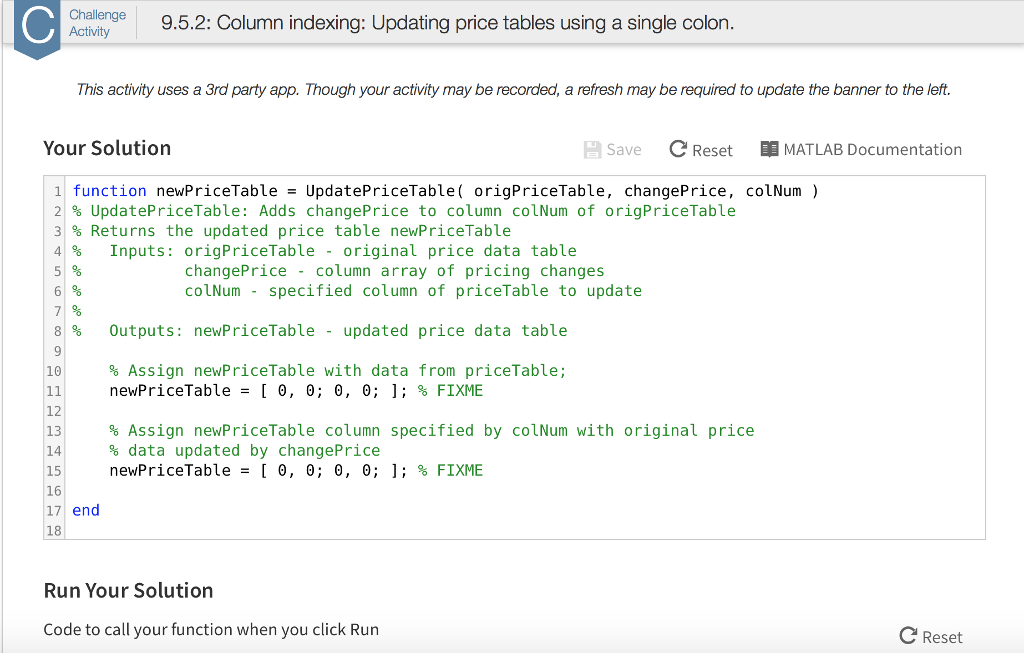
Function newPriceTable = UpdatePriceTable(origPriceTable, changePrice, colNum) % UpdatePriceTable: Adds changePrice to column colNum of origPriceTable % Returns the updated price table newPriceTable % Inputs: origPriceTable - original price data table % changePrice - column array of pricing changes % colNum - specified column of priceTable to update % % Outputs: newPriceTable - updated price data table % Assign newPriceTable with data from priceTable; newPriceTable = [0, 0; 0, 0;]; % FIXME % Assign newPriceTable column specified by colNum with original price % data updated by changePrice newPriceTable = [0, 0; 0, 0;]; % FIXME end Run Your Solution Code to call your function when you click Run
Step by Step Solution
There are 3 Steps involved in it

Get step-by-step solutions from verified subject matter experts
 Study Help