







Question: IN MATLAB Multiple if statements Write an if-statement that subtracts 5 from outputValue if amplitude Response is greater than 10. Write a second if-statement that
IN MATLAB
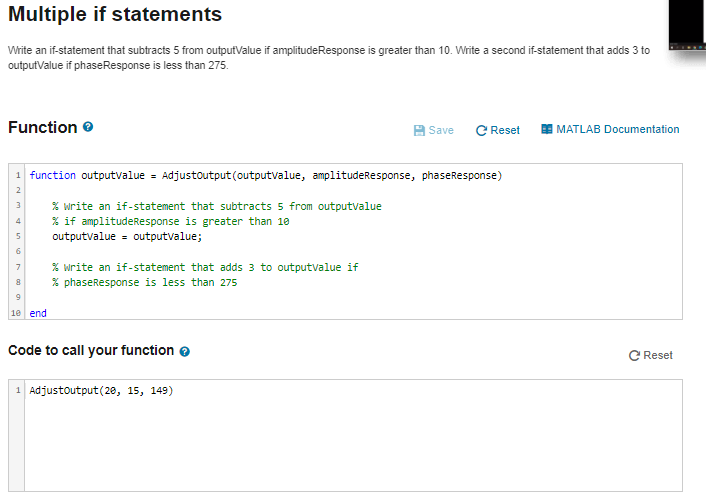
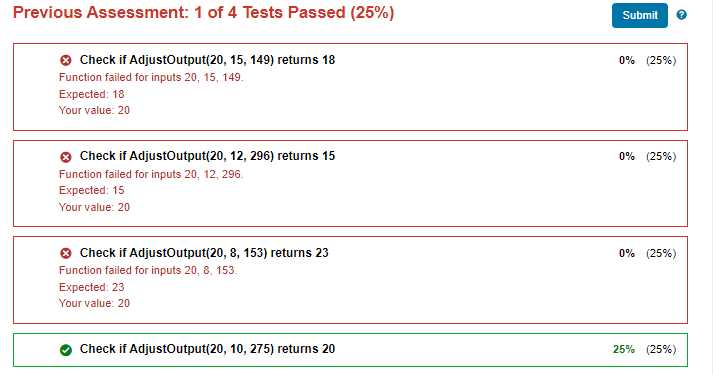
Multiple if statements Write an if-statement that subtracts 5 from outputValue if amplitude Response is greater than 10. Write a second if-statement that adds 3 to outputValue if phaseResponse is less than 275. Function Save Reset MATLAB Documentation 1 function outputvalue = Adjustoutput(outputvalue, amplitudeResponse, phaseResponse) % write an if-statement that subtracts 5 from outputvalue % if amplitudeResponse is greater than 10 outputvalue = outputvalue; % Write an if-statement that adds 3 to outputvalue if % phaseResponse is less than 275 1e end Code to call your function Reset 1 Adjustoutput(20, 15, 149) Previous Assessment: 1 of 4 Tests Passed (25%) Submit 0% (25%) Check if AdjustOutput(20, 15, 149) returns 18 Function failed for inputs 20, 15, 149. Expected: 18 Your value: 20 0% (25%) Check if AdjustOutput(20, 12, 296) returns 15 Function failed for inputs 20, 12, 296. Expected: 15 Your value: 20 0% (25%) Check if AdjustOutput(20, 8, 153) returns 23 Function failed for inputs 20, 8, 153. Expected: 23 Your value: 20 Check if AdjustOutput(20, 10, 275) returns 20 25% (25%)
Step by Step Solution
There are 3 Steps involved in it

Get step-by-step solutions from verified subject matter experts
 Study Help