







Question: In python Lab 7 Command line arguments and Option Parsing Objectives 1. Demonstrate ability to use command-line arguments 2. Demonstrate ability to use an option
In python
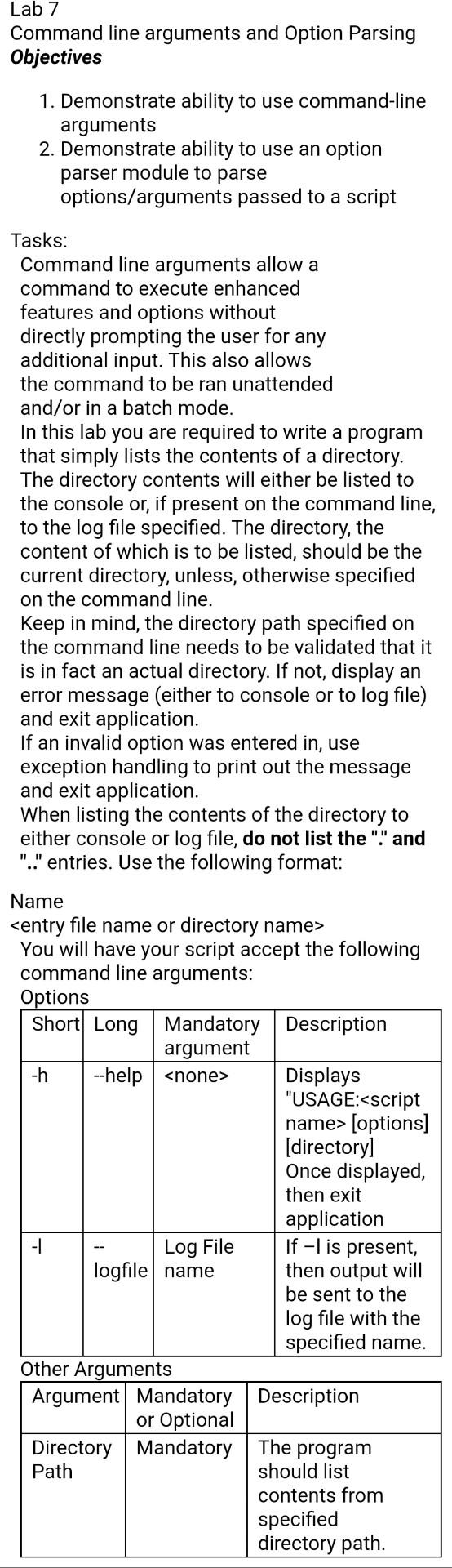
Lab 7 Command line arguments and Option Parsing Objectives 1. Demonstrate ability to use command-line arguments 2. Demonstrate ability to use an option parser module to parse options/arguments passed to a script Tasks: Command line arguments allow a command to execute enhanced features and options without directly prompting the user for any additional input. This also allows the command to be ran unattended and/or in a batch mode. In this lab you are required to write a program that simply lists the contents of a directory. The directory contents will either be listed to the console or, if present on the command line, to the log file specified. The directory, the content of which is to be listed, should be the current directory, unless, otherwise specified on the command line. Keep in mind, the directory path specified on the command line needs to be validated that it is in fact an actual directory. If not, display an error message (either to console or to log file) and exit application. If an invalid option was entered in, use exception handling to print out the message and exit application. When listing the contents of the directory to either console or log file, do not list the "" and "." entries. Use the following format: Name
Step by Step Solution
There are 3 Steps involved in it

Get step-by-step solutions from verified subject matter experts
 Study Help