







Question: in the following javascript code follow the directions in the picture Hands-on Project 7-1 Hands-on Project 7-1 Square Root Calculator Enter a number Calculate square
in the following javascript code follow the directions in the picture
Hands-on Project 7-1
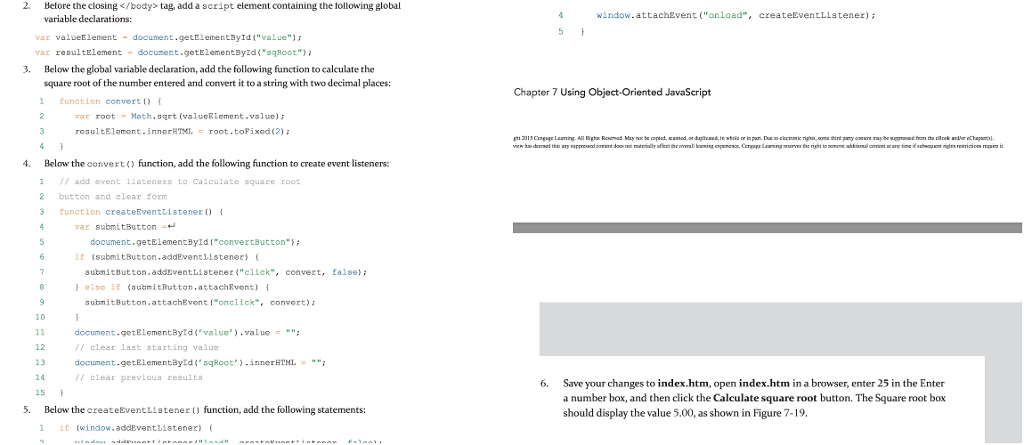
tag, add a script element containing the following global variable declarations: window attachEven "onload", createEventListener ); wer valueElement - document.getElementayia "value" war resultElement - document.getElementById("good" 3. Below the global variable declaration, add the following function to calculate the square root of the number entered and convert it to a string with two decimal places: Chapter 7 Using object-oriented JavaScript 1 function convert 2 war root - Math, Bart (valueRiement , value); 3 resultElemont .innerHTML = root toFixed (2): pasmugs leming AI Rather themes Milner an competent, state agentsin white or in persthe material resume and party were may be reprimand from the direct mailer partial wice the deal to my appealing to a martiality after or allowing museum Center wave of rain and alternal content was met winner was reserves were in 4. Below the convert function, add the following function to create event listeners: 11 add event listeners to calculate square root 2 button and clear form 3 function createEventListener of var submitButton as 6 document.getElementById("convertButton") it (SubmitButton, addEventListener ) subnicButton.addEventListener "elek ", convert, false B 1 else if (submitDutton, attach Event) submitButton.attachfront "onclick , convert ) 10 11 12 13 document.getElementById value").value - a A clear last starting value document.getElementayid " shoot ).innerHTML= UN clear previous results 5. Below the createEventListener function, add the following statements: 6. Save your changes to index.htm, open index.htm in a browserenter 25 in the Enter a number bag, and then click the calculate square root button. The Square root box should display the value .00, as shown in Figure 7-19. 11 Twindow, addEventListener
Step by Step Solution
There are 3 Steps involved in it
1 Expert Approved Answer
Step: 1 Unlock

Question Has Been Solved by an Expert!
Get step-by-step solutions from verified subject matter experts
Step: 2 Unlock
Step: 3 Unlock
 Study Help