







Question: In this assignment, you will Create a subclass of JPanel that displays a picture consisting of at least three images. Dynamically update images from another
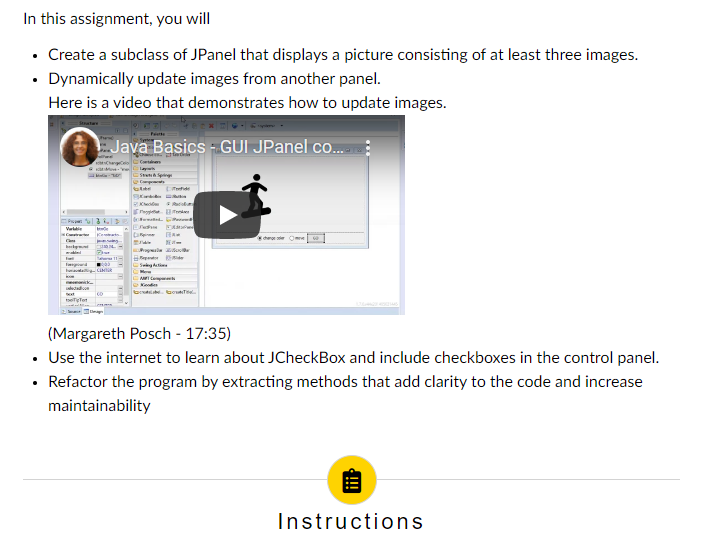
In this assignment, you will Create a subclass of JPanel that displays a picture consisting of at least three images. Dynamically update images from another panel. Here is a video that demonstrates how to update images. Java Basics - GUI JPanel co.... Spy Ver babwe (Margareth Posch - 17:35) Use the internet to learn about CheckBox and include checkboxes in the control panel. Refactor the program by extracting methods that add clarity to the code and increase maintainability Instructions The application needs to include two panels (JPanel): A control panel that includes a label, three checkboxes that correspond to three features in my case, eyes, nose, and mouth), and a submit button. A picture panel that is implemented as a separate class that extends JPanel. It draws the picture with needs to be a dwelling (skyscraper, cave, tepee, etc.) The dwelling needs to have three features that are placed appropriately to fit the context and (e.g., door, roof, windows, chimney, etc.) Each of those features needs multiple images that can be used interchangeably (e.g., multiple doors, multiple roofs, etc.), and the picture panel needs one or more methods that allow for updating selected features (see demo sample below) FYI: One way to create a picture based on multiple images is by overriding the method paintComponent and by calling painticon (a method from the interface Icon) on the ImageIcon object. There is no need to pass a Component object. You can pass null instead. Use proper spacing around the controls in the control panel. Prevent the label, checkboxes, and button from touching the sides, the top, or each other. The size of the button and the distance between the checkboxes and the button should feel natural. Avoid spreading them out over the whole control panel. All the features whose checkboxes are selected need to be updated when the submit button is clicked. All the features whose checkboxes are selected need to be updated when the submit button is clicked. Features are updated by rotating through all the available images. There should be at least three images for each feature. When the submit button is clicked, but none of the checkboxes are selected, the features remain the same. However, something else needs to be modified (e.g., sky, landscaping, pets, etc.) Again, there need to be at least three different variants of that change. All image files need to be part of the project, and they should be accessed by using the resources of the class. Avoid using absolute paths; they are specific to your computer and won't work when I run your code. Refactor your code using private methods to improve maintainability. Pay special attention to the clarity of your constructor. Hint: refactor early and often. This assignment is a good opportunity to show your creativity and to have fun. In this assignment, you will Create a subclass of JPanel that displays a picture consisting of at least three images. Dynamically update images from another panel. Here is a video that demonstrates how to update images. Java Basics - GUI JPanel co.... Spy Ver babwe (Margareth Posch - 17:35) Use the internet to learn about CheckBox and include checkboxes in the control panel. Refactor the program by extracting methods that add clarity to the code and increase maintainability Instructions The application needs to include two panels (JPanel): A control panel that includes a label, three checkboxes that correspond to three features in my case, eyes, nose, and mouth), and a submit button. A picture panel that is implemented as a separate class that extends JPanel. It draws the picture with needs to be a dwelling (skyscraper, cave, tepee, etc.) The dwelling needs to have three features that are placed appropriately to fit the context and (e.g., door, roof, windows, chimney, etc.) Each of those features needs multiple images that can be used interchangeably (e.g., multiple doors, multiple roofs, etc.), and the picture panel needs one or more methods that allow for updating selected features (see demo sample below) FYI: One way to create a picture based on multiple images is by overriding the method paintComponent and by calling painticon (a method from the interface Icon) on the ImageIcon object. There is no need to pass a Component object. You can pass null instead. Use proper spacing around the controls in the control panel. Prevent the label, checkboxes, and button from touching the sides, the top, or each other. The size of the button and the distance between the checkboxes and the button should feel natural. Avoid spreading them out over the whole control panel. All the features whose checkboxes are selected need to be updated when the submit button is clicked. All the features whose checkboxes are selected need to be updated when the submit button is clicked. Features are updated by rotating through all the available images. There should be at least three images for each feature. When the submit button is clicked, but none of the checkboxes are selected, the features remain the same. However, something else needs to be modified (e.g., sky, landscaping, pets, etc.) Again, there need to be at least three different variants of that change. All image files need to be part of the project, and they should be accessed by using the resources of the class. Avoid using absolute paths; they are specific to your computer and won't work when I run your code. Refactor your code using private methods to improve maintainability. Pay special attention to the clarity of your constructor. Hint: refactor early and often. This assignment is a good opportunity to show your creativity and to have fun
Step by Step Solution
There are 3 Steps involved in it

Get step-by-step solutions from verified subject matter experts
 Study Help