







Question: Ins .. + Door Bruce 2013 142 141 | Lab Exercise Consider the following emp table given below and perform the given below operations. 1.
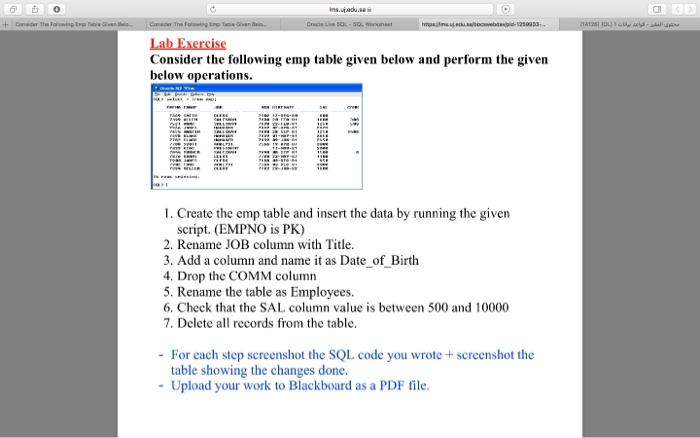
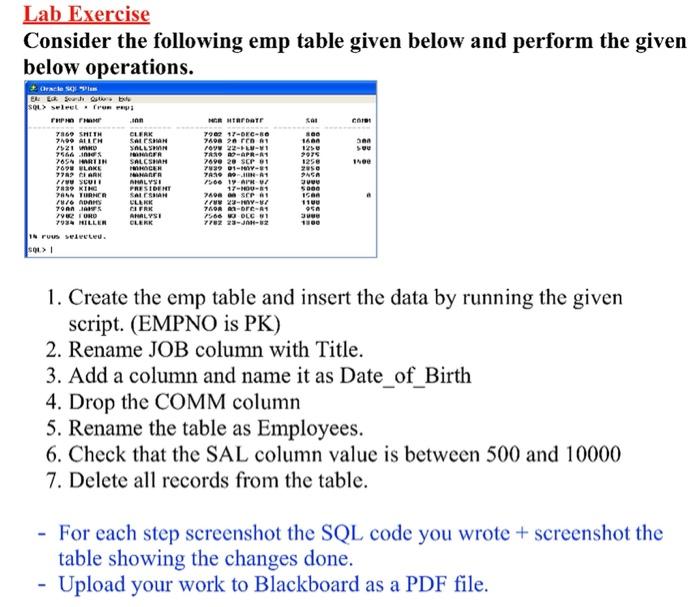
Ins .. + Door Bruce 2013 142 141 | Lab Exercise Consider the following emp table given below and perform the given below operations. 1. Create the emp table and insert the data by running the given script. (EMPNO is PK) 2. Rename JOB column with Title. 3. Add a column and name it as Date_of_Birth 4. Drop the COMM column 5. Rename the table as Employees. 6. Check that the SAL column value is between 500 and 10000 7. Delete all records from the table. - For each step screenshot the SQL code you wrote + screenshot the table showing the changes done. - Upload your work to Blackboard as a PDF file. Lab Exercise Consider the following emp table given below and perform the given below operations. san Oracle OR Lok Search Oble SQL> selet from THP 100 7869 SMITH CLERK 7109 ALLEN SALSA ! SOLLS 7566 in OFR 785N MARTIN SALCSHAH 7898 VLAKE PROCEH 7702 PARN MANER FTVU CUI! MALYSI 7829 KING PRESIDENT PAS TIRNER SASHIAN N/O ADAS CLERK 19 20 21 CIFRK 792 ORO ANALYSI 7934 MILLER CLERK IN rus selecteu. sou 11 r bar 790 17-DEC-BO 7400 rr roy 22--1 7419 10-APR-1 7690 20 SEP 1 739 01-YY-81 TANO NA 1 15001 APR / 17-0-31 7400 SPA row 297 700R A-ore-1 7566 WOOLG 7782 23-JAN-2 PASA SUU 1. Create the emp table and insert the data by running the given script. (EMPNO is PK) 2. Rename JOB column with Title. 3. Add a column and name it as Date_of_Birth 4. Drop the COMM column 5. Rename the table as Employees. 6. Check that the SAL column value is between 500 and 10000 7. Delete all records from the table. - For each step screenshot the SQL code you wrote + screenshot the table showing the changes done. - Upload your work to Blackboard as a PDF file
Step by Step Solution
There are 3 Steps involved in it

Get step-by-step solutions from verified subject matter experts
 Study Help