







Question: Lab Exercise Consider the following emp table given below and perform the given below operations. 1. Create the emp table and insert the date as
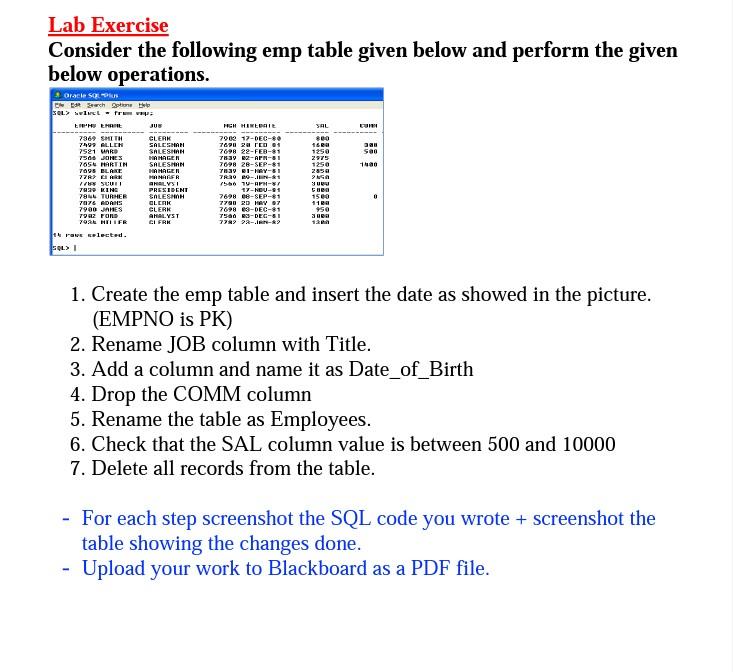
Lab Exercise Consider the following emp table given below and perform the given below operations. 1. Create the emp table and insert the date as showed in the picture. (EMPNO is PK) 2. Rename JOB column with Title. 3. Add a column and name it as Date_of_Birth 4. Drop the COMM column 5. Rename the table as Employees. 6. Check that the SAL column value is between 500 and 10000 7. Delete all records from the table. - For each step screenshot the SQL code you wrote + screenshot the table showing the changes done. - Upload your work to Blackboard as a PDF file
Step by Step Solution
There are 3 Steps involved in it
1 Expert Approved Answer
Step: 1 Unlock

Question Has Been Solved by an Expert!
Get step-by-step solutions from verified subject matter experts
Step: 2 Unlock
Step: 3 Unlock
 Study Help