







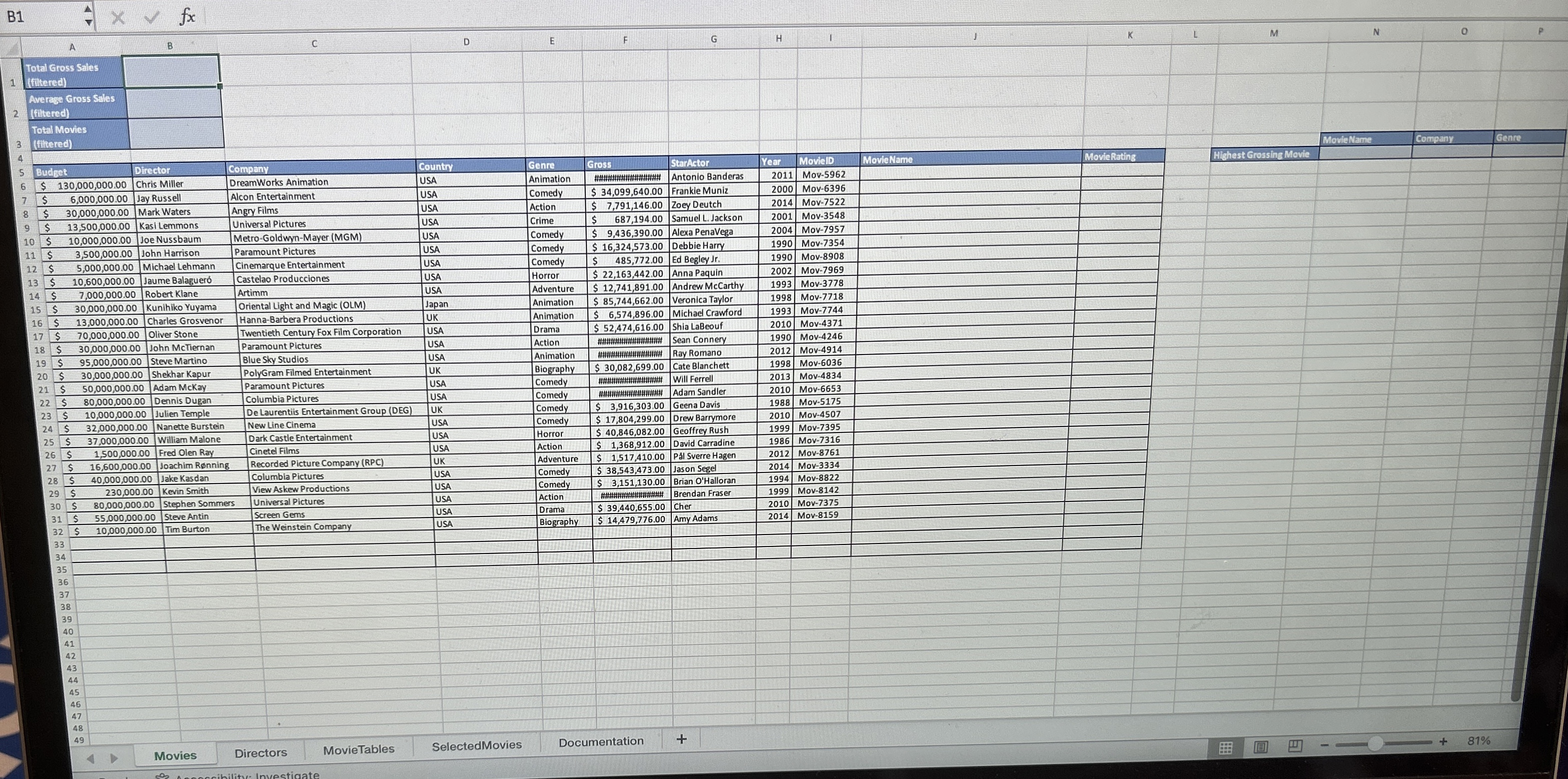
Question: Instructions: 5 . In cell K 6 , enter a VLOOKUP function that will lookup the MovielD value in the leftmost column of the Movie
Instructions: In cell K enter a VLOOKUP function that will lookup the MovielD value in the leftmost column of the Movie Titles named range and return the movie name from the second column, Incorporate an IFERROR function so that if there is no MovielD, the function retums a blank. In cell K enter a VLOOKUP function that will lookup the MovieID value in the leftmost column of the Movie Ratings named range and return the movie rating from the second column. Incorporate an IFERROR function so that if there is no MovieID, the function returns a blank. Copy the formula down through cell K In cell N enter an INDEX function that will retrieve the name of the movie with the highest gross sales. Write the function using the INDIRECT function as the array argument and then copy the formula across to P Insert Year and Genre slicers to further explore the data in the Movies table. Format the slicers as follows. Position the Year slicer so that its topleft corner is in cell M Change the layout so that it is columns and then adjust the height of the slicer so that the extra white space is no longer visible. Position the Genre slicer so that is topleft corner is in cell M Change the layout so that it is columns and then adjust the height of the slicer so that the extra white space is no longer visible. Apply the Light Blue, Slicer Style Dark to both slicers. Use the slicers to select only the movies from the Animation, Adventure, or Action genres that were released in or Copy the filtered data, including the column headers, and paste the results on the SelectedMovies worksheet, starting in cell A
Step by Step Solution
There are 3 Steps involved in it
1 Expert Approved Answer
Step: 1 Unlock

Question Has Been Solved by an Expert!
Get step-by-step solutions from verified subject matter experts
Step: 2 Unlock
Step: 3 Unlock
 Study Help