







Question: Instructions Read the Assignment Instructions: 1. Read a tutorial on how to create a bibliography, citations, and references. 2. Watch the videos below: Getting
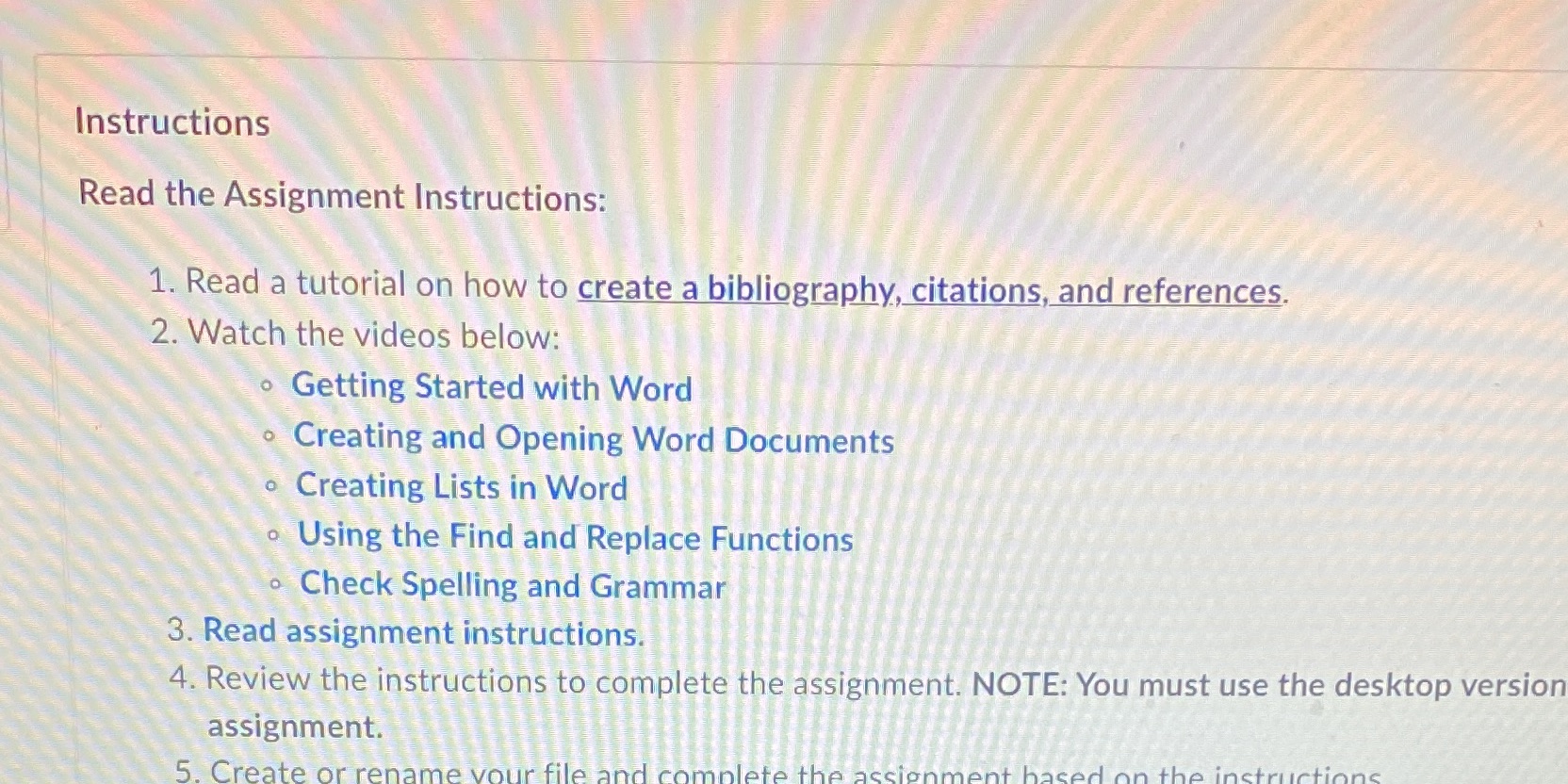
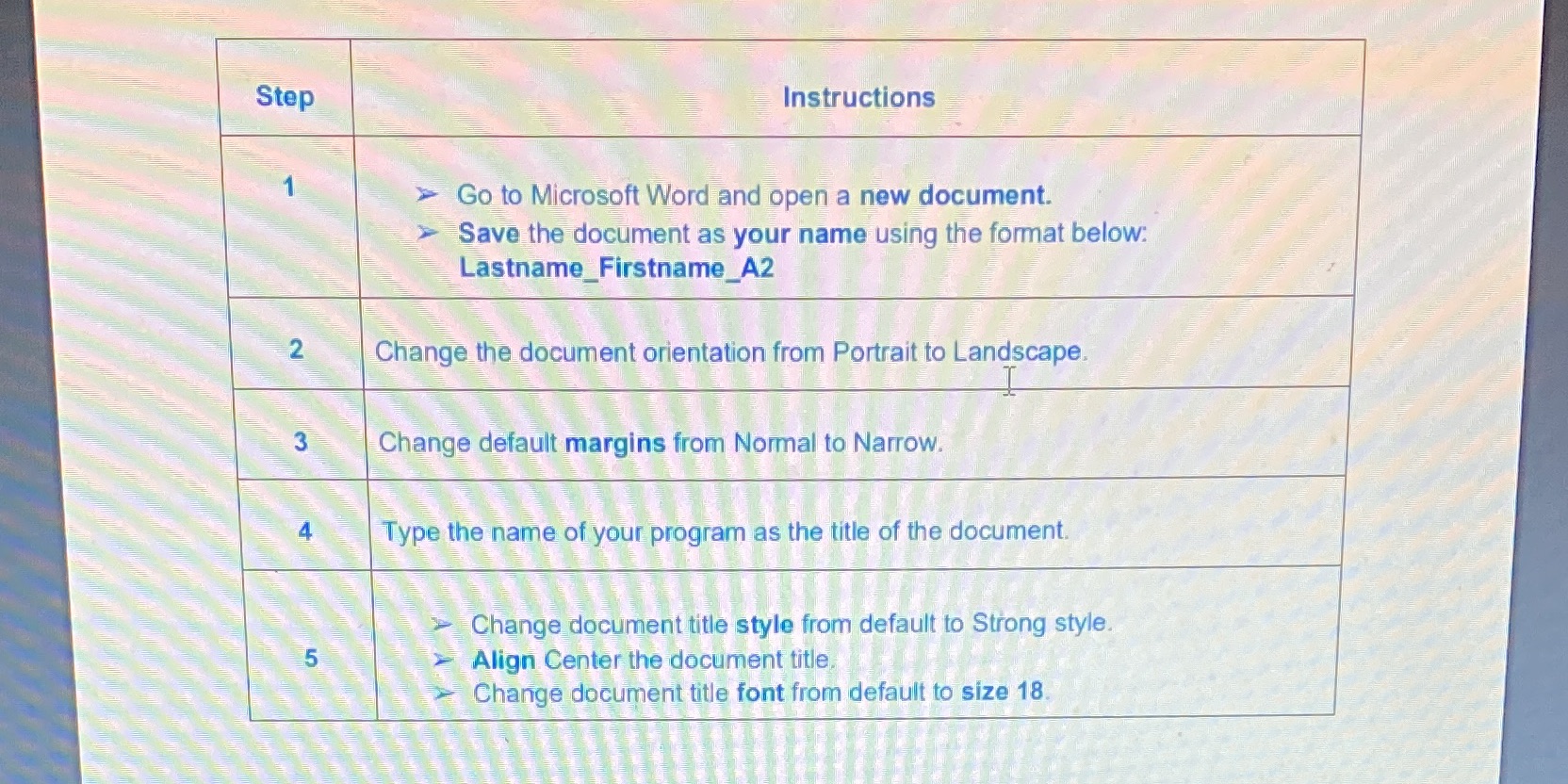
Instructions Read the Assignment Instructions: 1. Read a tutorial on how to create a bibliography, citations, and references. 2. Watch the videos below: Getting Started with Word Creating and Opening Word Documents Creating Lists in Word O O Using the Find and Replace Functions Check Spelling and Grammar 3. Read assignment instructions. 4. Review the instructions to complete the assignment. NOTE: You must use the desktop version assignment. 5. Create or rename your file and complete the assignment based on the instructions Step 2 3 5 Instructions > Go to Microsoft Word and open a new document. > Save the document as your name using the format below: Lastname_Firstname_A2 Change the document orientation from Portrait to Landscape. Change default margins from Normal to Narrow. AA Type the name of your program as the title of the document. Change document title style from default to Strong style. Align Center the document title. Change document title font from default to size 18.
Step by Step Solution
There are 3 Steps involved in it
Absolutely Let me guide you through the steps again in detail following the provided instructions for your Microsoft Word assignment StepbyStep Guide for Completing the Microsoft Word Assignment Step ... View full answer

Get step-by-step solutions from verified subject matter experts
 Study Help